AI Prompts That Work: Chat, Image and Video Prompts With Real Results
AI prompts that work: copy-ready chat, image and video prompts on the newest Omnely models, each with a real result.
This guide collects copy-ready ai prompts for chat, image and video on Omnely, with the newest models first and a real Omnely result under each one. Every image and video below is a single run, one example per prompt, so you can see what each prompt actually produced.
Prompt 1 (GPT Image 2.5 Sunburst):
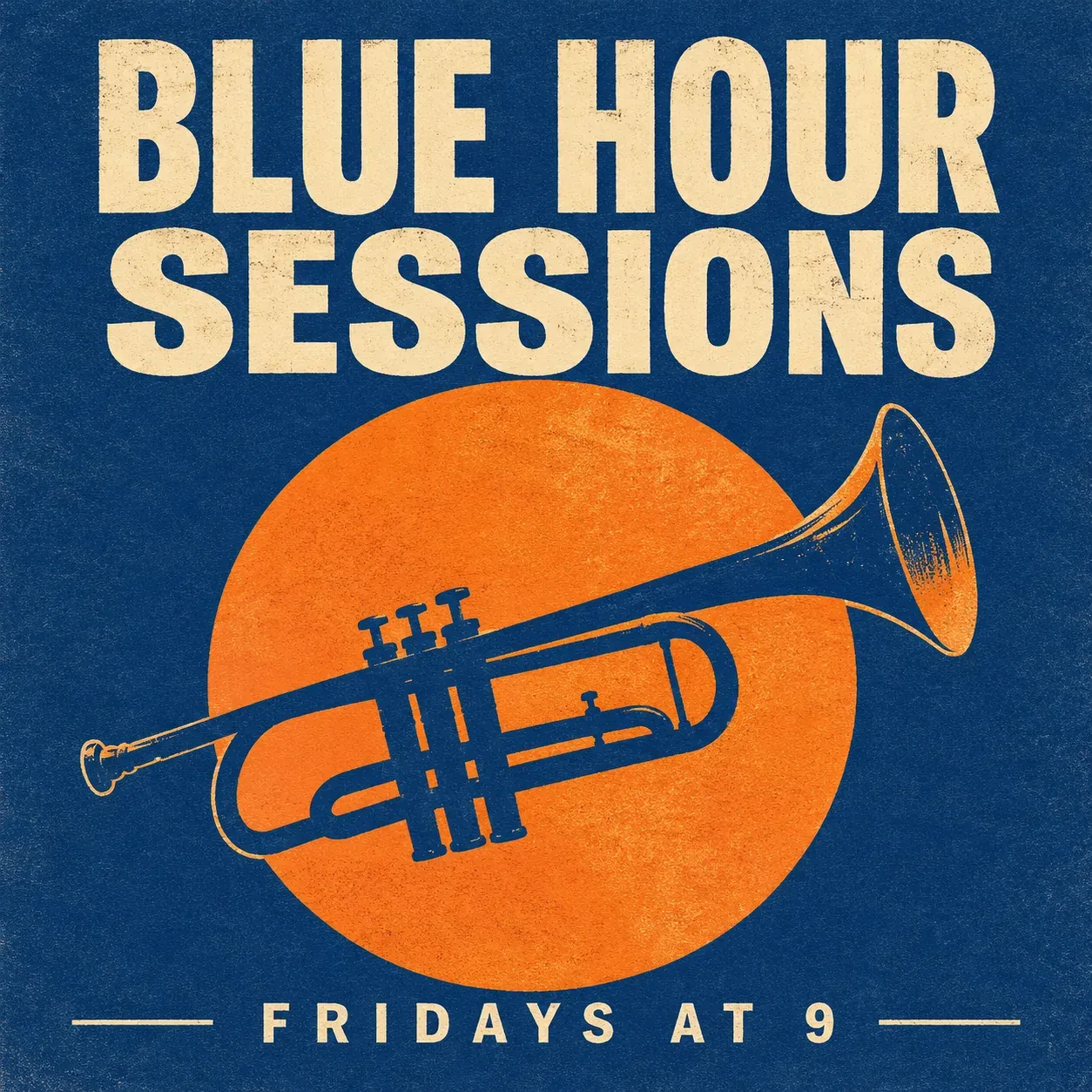
Minimalist screen-printed concert poster for a small jazz club, a single trumpet silhouette in deep blue against a warm orange sun, large cream letters at the top read "BLUE HOUR SESSIONS", small letters at the bottom read "FRIDAYS AT 9", subtle paper grain, flat two-color print style, spelling exactly as written
*GPT Image 2.5 Sunburst, 1:1, 1K, 8 credits, single example (real Omnely output).*
What the output shows: A flat two-color screen-print poster with cream letters BLUE HOUR SESSIONS across the top, a navy trumpet drawn as line art over a big orange sun, and FRIDAYS AT 9 small at the bottom between two thin lines. All text is spelled correctly in this run.
Jump to a model page any time: Omnely Chat, GPT Image 2 and Nano Banana 2.
How to write AI prompts that work
Good prompts share a small set of ingredients. The named guides below describe them slightly differently, but the shape is consistent.
| Medium | Parts to include | Rule of thumb |
|---|---|---|
| Chat | Role, task, constraints, output format (PromptSorted) | State the format up front |
| Image | Subject, action, scene, camera, light, style, rules (Creatide) | One strong subject per frame |
| Video | One shot size, one camera move, one action (AI Prompt Geneer, God of Prompt) | One action per clip, name the camera move separately |
A short prompt that names every slot usually beats a long prompt that only describes mood. The sections below apply this to real Omnely runs.
Chat prompts
The /chat picker currently lists newer options including GPT-6 Astra, Claude Opus 5, Gemini 3.6 Flash, Grok 4.6 and Kimi K3, alongside GPT-5.6 Sol, Terra and Luna, Claude Fable 5.1, Gemini 3.1 Pro and DeepSeek V4 Flash. The five prompts below each target one task so the output format is easy to compare between models.
For a wider chat prompt library aimed at one family, see prompts for Gemini AI.
1. Writing email (GPT-6 Astra)
This prompt names the recipient, the single request, a word budget, the tone and the parts required (subject line and closing). That keeps the reply short and shippable.
Write a polite email to my landlord asking them to fix a leaking kitchen tap within a week. Keep it under 120 words, make one clear request, end with a friendly closing, and add a subject line.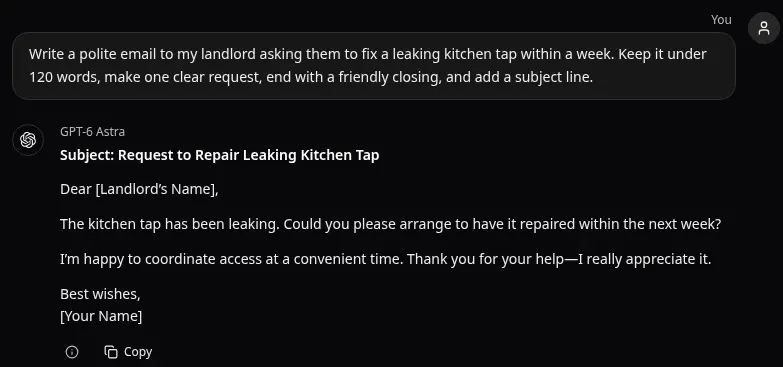
*Real GPT-6 Astra answer in Omnely Chat, Nov 4 2026, single example.*
What the answer shows: a subject line, one clear repair request with the one-week deadline, an offer to arrange access and a friendly closing, at 49 words, well under the 120-word cap. It leaves placeholders for the names.
2. Explaining (Claude Opus 5)
The prompt locks the audience (a 14-year-old), the teaching device (one everyday example with real numbers), an added quiz with answers at the end, and a word cap. Those four constraints together shape the structure.
Explain how compound interest works to a 14-year-old using one everyday example with real numbers. Then add a three-question quiz with the answers at the very end. Keep the whole reply under 200 words.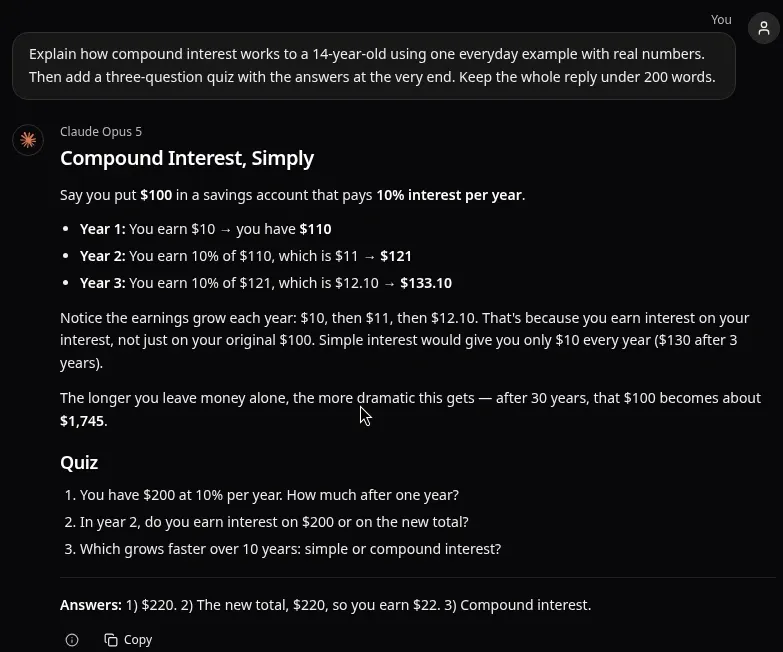
*Real Claude Opus 5 answer in Omnely Chat, Nov 4 2026, single example.*
What the answer shows: one bank account example worked year by year, a comparison with simple interest, a 30-year figure, and a three-question quiz with the answers at the end, at about 160 words, under the 200-word cap. The arithmetic checks out.
3. Trip planning (Gemini 3.6 Flash)
Planning prompts work best when the output format is fixed. Here the format is one table per day with three named columns, plus a short booking note.
Plan a 3-day trip to Lisbon for two people who love food and walking but not museums. Give one table per day with the columns Morning, Afternoon and Evening, and add a short note saying which stops usually need a booking.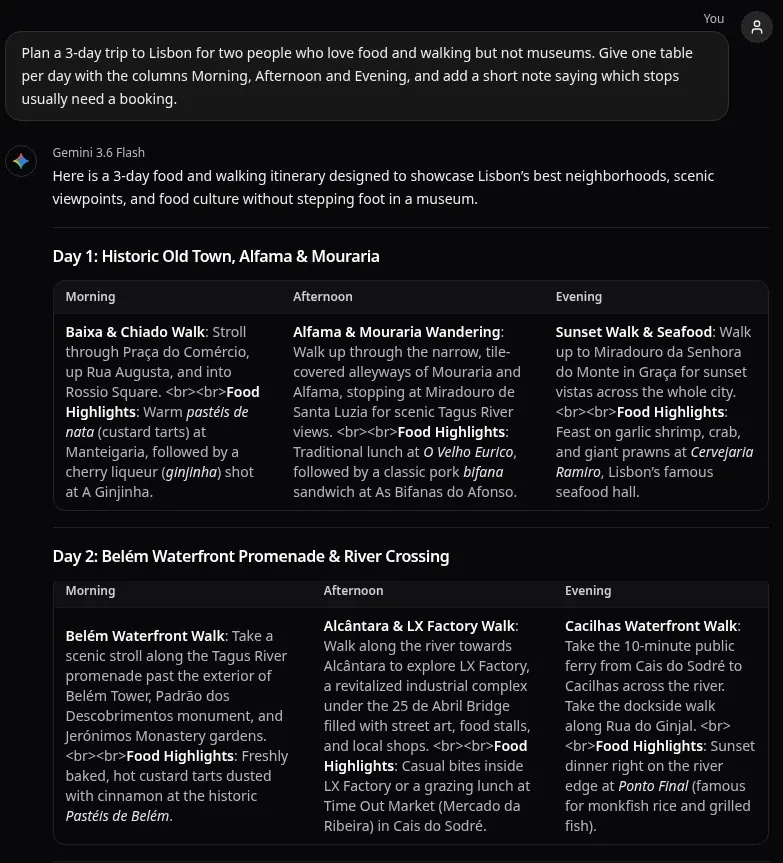
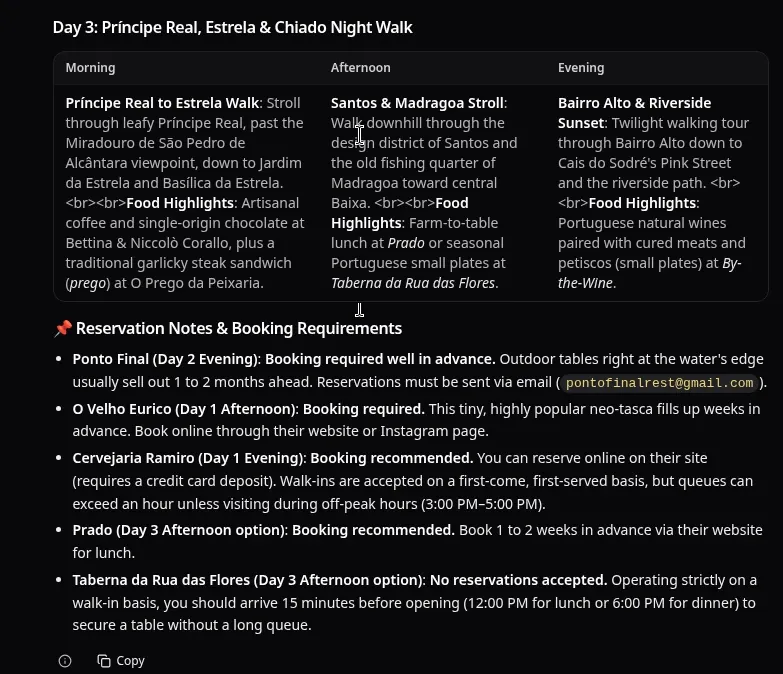
*Real Gemini 3.6 Flash answer in Omnely Chat, Nov 4 2026, full answer shown in two parts, single example.*
What the answer shows: one table per day with Morning, Afternoon and Evening columns, food stops on walking routes, and a booking note per restaurant. The table cells show raw HTML line-break tags as text instead of line breaks, and the restaurant and booking details are the model's claims, so check them before relying on them.
4. Brainstorming names (Grok 4.6)
The prompt asks for a quantity (10), a mix (puns and plain), a ranking signal (stars on three) and a one-line defence of each star. That turns a list into a usable shortlist.
Give 10 name ideas for a weekly newsletter about gardening on small balconies. Mix puns and plain names, mark the 3 strongest with a star, and explain each of those 3 in one line.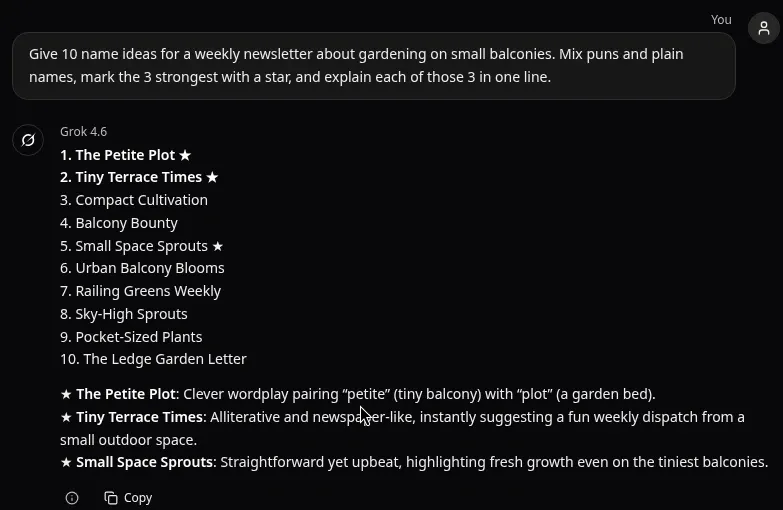
*Real Grok 4.6 answer in Omnely Chat, Nov 4 2026, single example.*
What the answer shows: ten names mixing puns and plain titles, three marked with a star, and one line explaining each starred pick, exactly as asked.
5. SQL query (Kimi K3)
Code prompts benefit from naming the exact tables and columns. The one-line comment per clause forces the answer into a readable shape.
Write a SQL query that returns the top 5 customers by total order value in the last 90 days, using the tables customers(id, name) and orders(id, customer_id, amount, created_at). Add a one-line comment above each clause.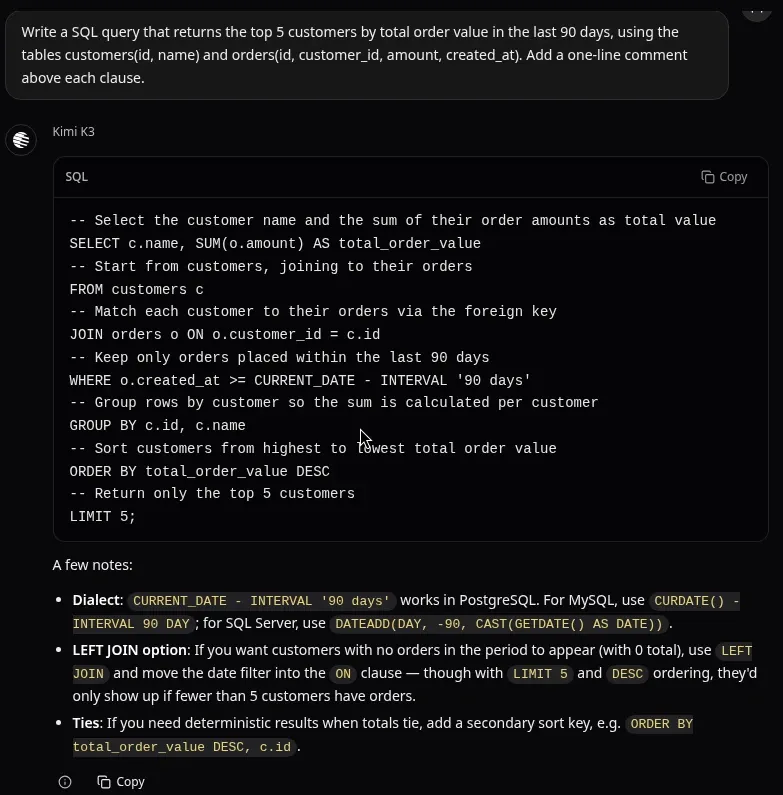
*Real Kimi K3 answer in Omnely Chat, Nov 4 2026, single example.*
What the answer shows: a join, a 90-day filter, grouping, sorting and a limit of five, each clause with a one-line comment above it. It adds unrequested notes on SQL dialects, a LEFT JOIN option and ties; the date syntax as written is PostgreSQL.
Image prompts
Prompt 1 at the top of this post is the GPT Image 2.5 Sunburst example. The four prompts below move through the newest Omnely image models in turn. All outputs are 1K, 1:1, one run each.
For deeper dives on specific models, see GPT Image 2 prompts, ChatGPT image prompts and the Nano Banana prompt guide.
2. Product photo (GPT Image 2.5 Flare)
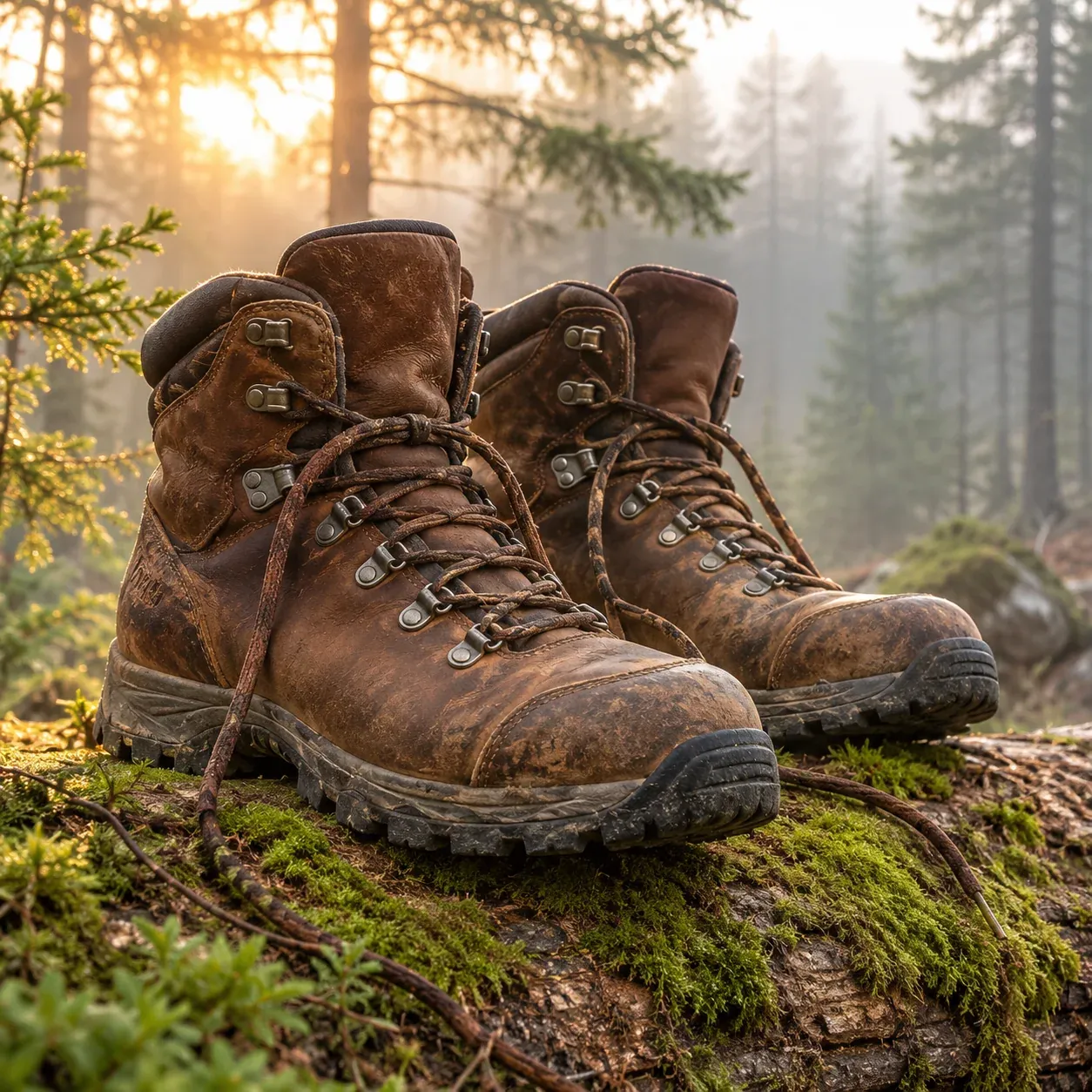
Photorealistic product photo of a pair of worn brown leather hiking boots resting on a mossy log in a misty pine forest, laces loose, morning light from behind, shallow depth of field, earthy muted colors, no text, no logo
*GPT Image 2.5 Flare, 1:1, 1K, 8 credits, single example.*
What the output shows: Worn brown leather hiking boots with loose laces on a mossy log in a misty pine forest, sun flaring through the trees behind, and a shallow depth of field.
Credits: 8 credits at 1K high quality.
3. Portrait of a generated person (GPT Image 2)
This prompt is written for a generated, fictional person, not a real human.
Square portrait photo of a generated, fictional young woman potter at a spinning wheel in a sunlit studio, wet clay on her hands and forearms, focused expression, shelves of unglazed bowls behind her, soft window light from the left, natural skin texture, photorealistic, no text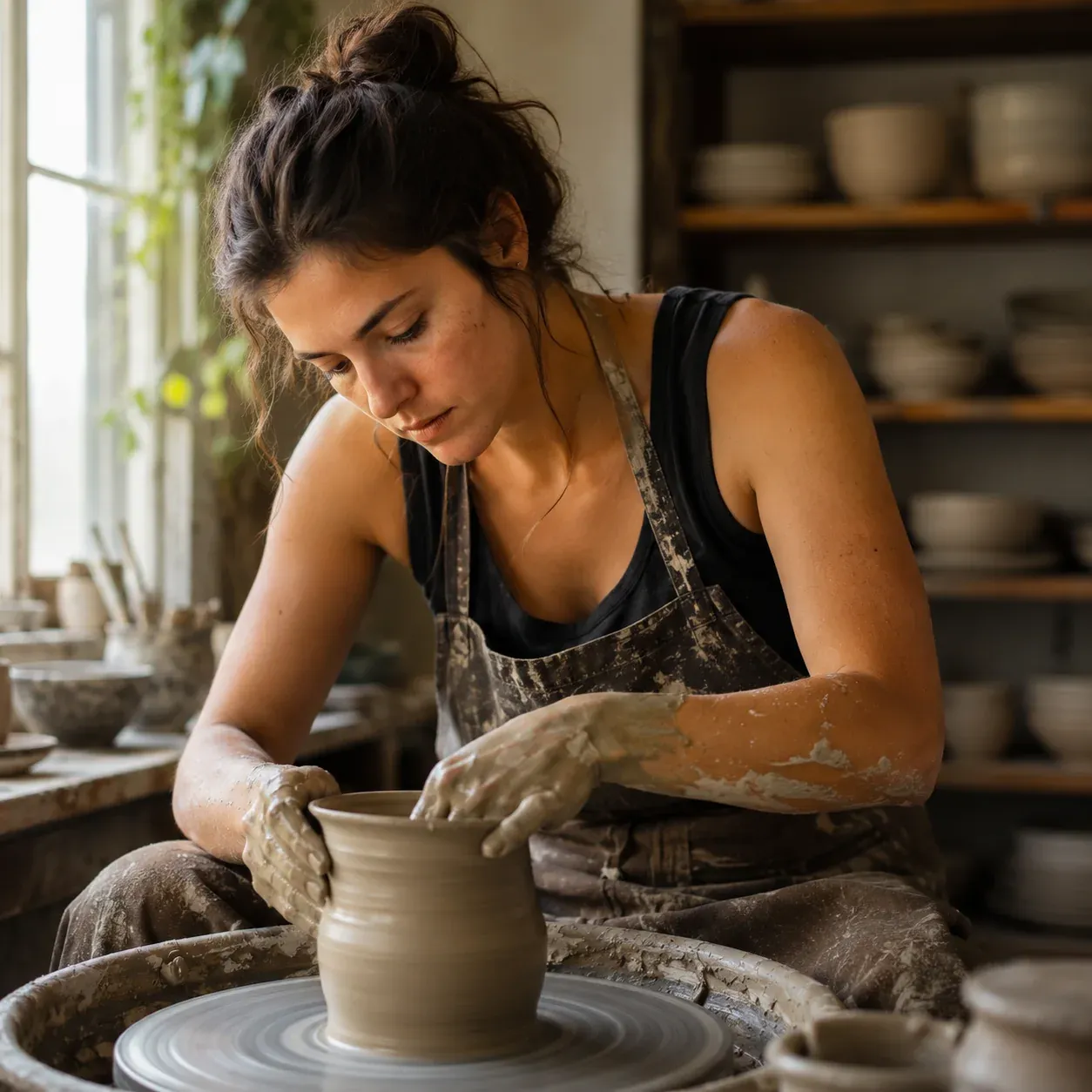
*Generated, fictional person (not a real individual). GPT Image 2, 1:1, 1K, 10 credits, single example.*
What the output shows: A generated, fictional young woman (not a real person) with dark hair in a bun, wearing a black top and a clay-streaked apron, shaping a clay vase on a wheel. Wet clay is on her hands and forearms, shelves of unglazed bowls sit behind her, and the window light comes from the left.
Credits: 10 credits at 1K.
4. Papercut illustration (Nano Banana 2)
Illustrative prompts respond well to naming the technique (layered papercut), the palette (navy, teal, cream) and the tiny details that sell the material (visible paper edges, soft shadows).
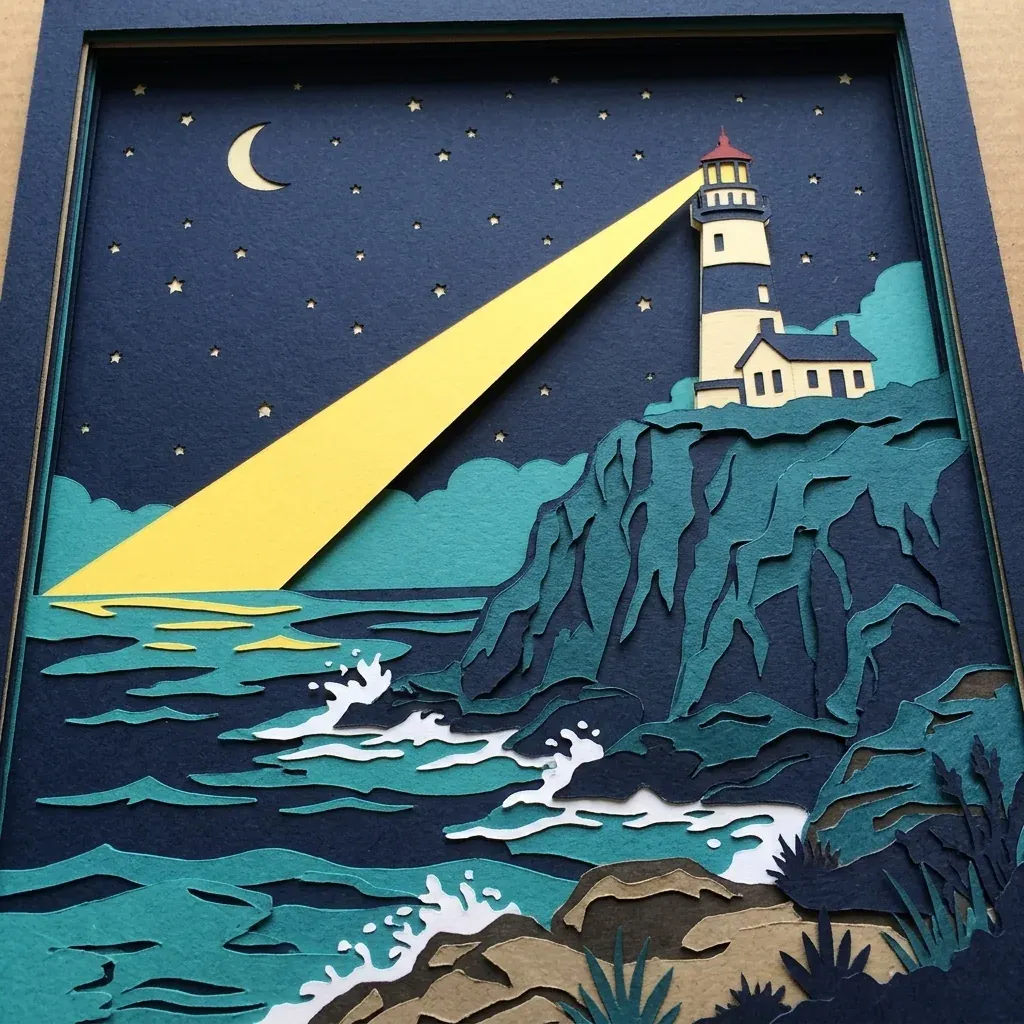
Layered papercut illustration of a lighthouse on a rocky cliff at night, five paper layers in navy, teal and cream, a yellow beam sweeping across the sea, tiny paper stars, visible paper edges and soft shadows between layers, no text
*Nano Banana 2, 1:1, 1K, 8 credits, single example.*
What the output shows: A layered papercut lighthouse on a cliff at night in navy, teal and cream, with a yellow beam across the sea, paper waves and a crescent moon. It is presented as a framed paper piece. Paper edges and layer shadows are visible.
Credits: 8 credits at 1K.
5. Macro photo (Nano Banana 2.1)
Macro prompts benefit from naming one hero element that must be in focus (one large drop) and one reflected element inside it.
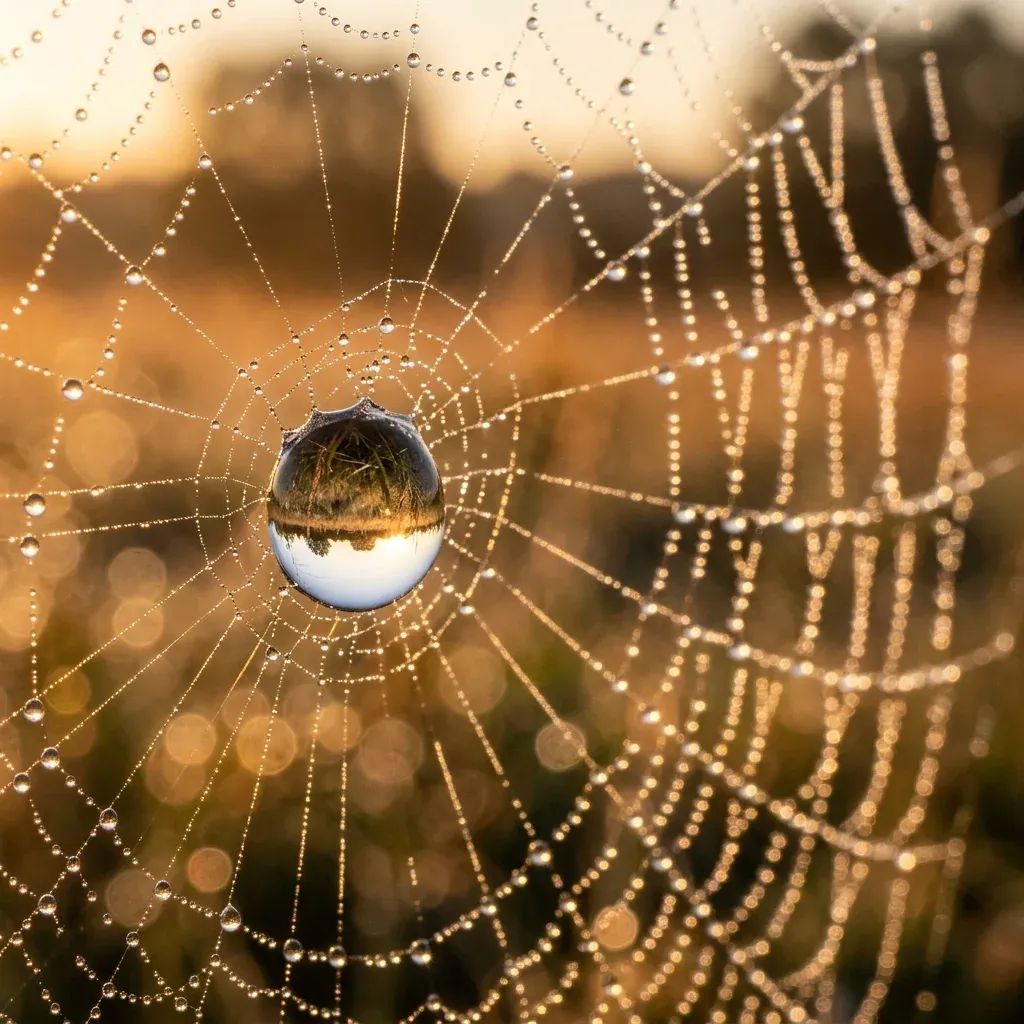
Macro photo of dew drops on a spider web at sunrise, one large drop in sharp focus reflecting a tiny upside-down meadow, golden backlight, creamy bokeh, photorealistic, no text
*Nano Banana 2.1, 1:1, 1K, 8 credits, single example.*
What the output shows: A spider web covered in dew at sunrise with one large drop in focus at the center that reflects an upside-down scene, golden backlight and soft bokeh.
Credits: 8 credits at 1K.
Video prompts
The five clips below use the cheapest live video route on Omnely, 480p. Four are on Grok Imagine Video 1.5, and the last is Wan 3.0. All are one run each. For a longer workflow built around short clips, see the faceless YouTube AI prompt guide.
1. Tracking shot (Grok Imagine Video 1.5)
Low-angle tracking shot of a small white paper boat floating down a rain-filled street gutter, raindrops rippling the water, blurred city lights in the background at dusk, cinematic, realistic*Grok Imagine Video 1.5, 480p, 30 credits, single example (real Omnely clip).*
What the clip shows: A white paper boat floating in rainwater along a curb on a wet city street at dusk, with reflections of street lights, a low camera close to the water, and a droplet splash near the boat toward the end. The camera stays low and the boat drifts slowly.
Credits: 30 credits for a 5-second request at 480p (6 per second). The Grok files came back about 6 seconds long.
2. Aerial drift (Grok Imagine Video 1.5)
Slow aerial drift over golden sand dunes at sunset, long shadows stretching across the ripples, a light wind lifting fine sand from the crests, warm color grade, realistic*Grok Imagine Video 1.5, 480p, 30 credits, single example.*
What the clip shows: A wide view of golden sand dunes at sunset with long shadows and ripples, the camera drifting slowly over them. The blowing sand is hard to see in this run.
Credits: 30 credits for 5 seconds at 480p.
3. Pet close-up (Grok Imagine Video 1.5)
Close-up of a ginger kitten batting at a dangling ball of red yarn on a wooden floor, soft afternoon window light, playful slow motion, realistic*Grok Imagine Video 1.5, 480p, 30 credits, single example.*
What the clip shows: A ginger kitten on a wooden floor reaching for and batting a dangling red yarn ball in warm window light; the ball swings on its string.
Credits: 30 credits for 5 seconds at 480p.
4. Food macro (Grok Imagine Video 1.5)
Macro close-up of marshmallows slowly melting into a mug of hot chocolate, a spoon stirring once, steam curling up, cozy warm kitchen light, realistic*Grok Imagine Video 1.5, 480p, 30 credits, single example.*
What the clip shows: A mug of hot chocolate with marshmallows, steam rising, and a spoon dipping in and lifting out. The marshmallows hold their shape rather than visibly melting in this clip.
Credits: 30 credits for 5 seconds at 480p.
5. Drone rise (Wan 3.0)
Drone shot rising slowly beside a striped hot air balloon lifting off over green rolling hills at dawn, mist in the valleys, soft golden light, realistic*Wan 3.0, 480p, 4 seconds, audio off, 32 credits, single example.*
What the clip shows: A striped hot air balloon over green rolling hills with mist in the valleys at dawn. Very little movement in this run: the balloon and the camera barely move across the 4 seconds.
Credits: 32 credits for 4 seconds at 480p (8 per second), audio off.
Credits at a glance
Image and video figures below are the exact rates used in this post. Chat credit use is not listed here; chat models need a paid Omnely plan.
| Model | Rate | Example run |
|---|---|---|
| GPT Image 2.5 Sunburst | 8 / 15 / 30 at 1K / 2K / 4K (high) | 8 credits at 1K |
| GPT Image 2.5 Flare | 8 / 15 / 30 at 1K / 2K / 4K (high) | 8 credits at 1K |
| GPT Image 2 | 10 / 15 / 20 at 1K / 2K / 4K | 10 credits at 1K |
| Nano Banana 2 | 8 / 12 / 15 at 1K / 2K / 4K | 8 credits at 1K |
| Nano Banana 2.1 | 8 / 15 / 20 at 1K / 2K / 4K | 8 credits at 1K |
| Grok Imagine Video 1.5 | 6 per sec at 480p and 720p, 20 per sec at 1080p | 30 credits for 5s at 480p |
| Wan 3.0 | 8 / 16 / 32 per sec at 480p / 720p / 1080p | 32 credits for 4s at 480p |
Fixes when AI prompts miss
- Try one action per clip, named as a verb. Video 4 asked for marshmallows melting and stirring at once, and the marshmallows held their shape. Picking just "melting" or just "stirring" usually lands cleaner.
- Try naming the motion more strongly. Video 5 barely moved across 4 seconds. Swap "rising slowly beside" for "rising fast past" or "pulling up past" to force visible travel.
- Try locking the output format in chat. For lists, give the count and the shape (table, bullets, columns). For emails, state a word cap and the required sections.
- Try one shot size and one camera move per video prompt. Pair a shot size (close-up, wide, macro) with a single move (dolly in, drift, pan) and nothing else.
- Try rerunning with one changed word before rewriting the whole prompt. Keep the rest of the prompt fixed, swap the verb or the light direction, and compare.
FAQ
Which models are newest on Omnely?
In chat, newer options in the /chat picker include GPT-6 Astra, Claude Opus 5, Gemini 3.6 Flash, Grok 4.6 and Kimi K3. In image, the newest GPT image models are GPT Image 2.5 Sunburst and GPT Image 2.5 Flare, with Nano Banana 2 and Nano Banana 2.1 covering illustration and macro work. In video, Grok Imagine Video 1.5 and Wan 3.0 were the clips used here.
Are these outputs cherry-picked?
No. Every image and video above is one run each, a single example per prompt. The "What the output shows" and "What the clip shows" notes describe that single run, including the places where the model missed part of the brief (such as the marshmallows that did not melt).
How many credits does a 5-second video take?
On Grok Imagine Video 1.5 at 480p or 720p the rate is 6 credits per second, so a 5-second clip costs 30 credits. At 1080p the rate is 20 credits per second, so a 5-second clip at 1080p costs 100 credits.
Do new users get free credits?
New users get free credits on sign-up to try the platform. The chat, image and video models in this guide need a paid Omnely plan.
Copy any prompt above into Omnely Chat, GPT Image 2 or Grok Imagine and run it as a single example first. Change one word, run it again, and the pattern behind good ai prompts gets clear fast.
For medium-specific examples, explore the AI image prompts, AI video prompts and AI art prompts guides.