AI Video Prompts: Copy-Ready Text and Image to Video Prompts With Real Clips
AI video prompts with real clips: shot-formula text and image to video prompts for Kling 3.0, MiniMax H3 and Grok Imagine on Omnely.

Great ai video prompts read like a one-shot film order: one subject, one motion, one camera move, one light cue. The paper-boat prompt below is the exact text used to generate the first clip in this post on Kling 3.0 — copy it, paste it, and you have a receipt-grade starting point.
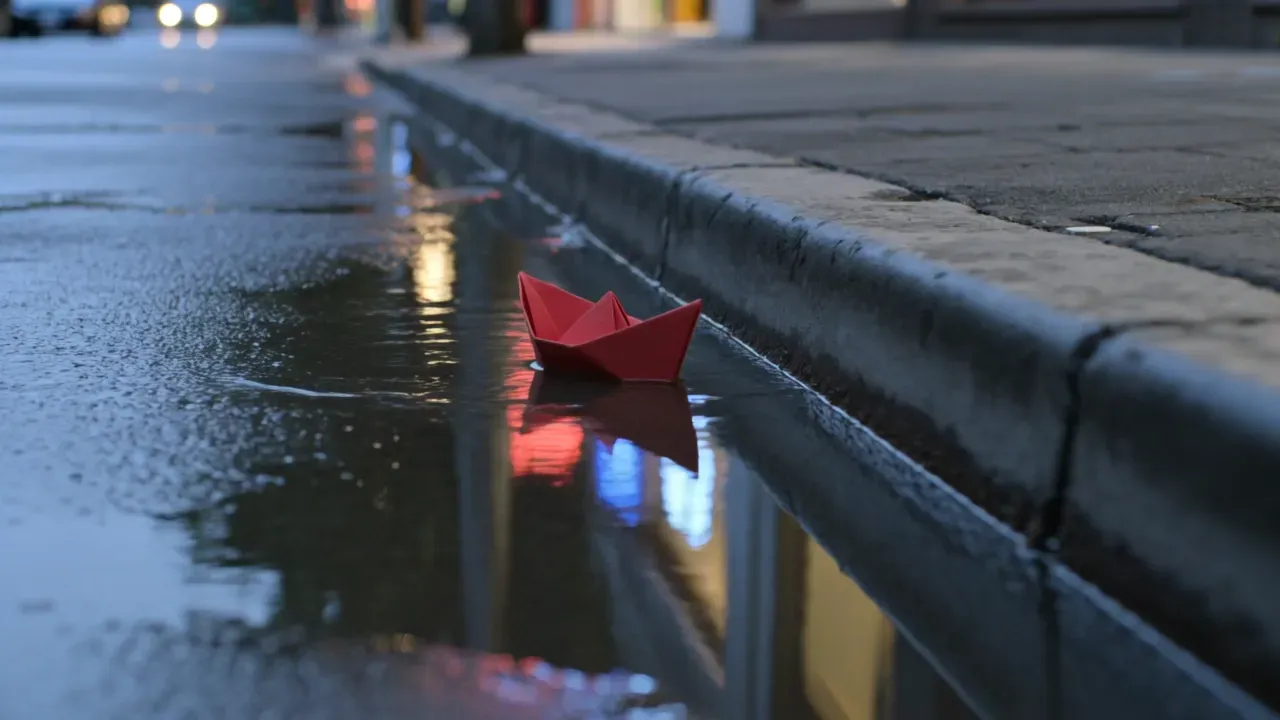
A red paper boat drifts slowly through rainwater along a wet city curb at dusk, gentle forward drift of the boat, fixed low camera at curb level, soft blue-hour light with neon storefront reflections on the water, cinematic, no text, no logos*A 3-second Kling 3.0 clip of a red paper boat drifting in curb rainwater at dusk, single example, 36 credits std silent on Omnely.*
Run this exact prompt on Kling 3.0 inside Omnely — new users get free credits to try, and video models run on a paid plan.
The shot formula behind strong ai video prompts
Most modern video model guides converge on the same skeleton. Runway's prompting guide recommends *[Camera Movement] + [Scene] + [Action] + [Details]*. Alibaba's Wan guide recommends *Entity + Scene + Motion* for text-to-video and *Motion + Camera* only for image-to-video, because the still already defines the subject and style. Both agree: one action per short clip, positive phrasing, no "then / next" chains.
A practical four-part skeleton that works across Kling, MiniMax and Grok Imagine:
- Subject — one clear noun phrase (a red paper boat, a ceramic coffee cup, a ginger kitten).
- Motion — one verb clause (drifts forward, bats a yarn ball, syrup slowly drips).
- Camera — one move (fixed low, slow push-in, static medium, slow aerial drift).
- Light + constraints — colour, time of day, and negatives (no text, no logos).
Short clips (3–8 seconds) hold up best when they describe one continuous moment. Cuts, flashbacks and "then it turns into…" phrasing confuse diffusion video models.
Credit cost for the video models used in this post
All credits below are live checkout numbers on Omnely. Examples use the exact clips generated for this article.
| Model | Resolution | Credits / sec | Example clip |
|---|---|---|---|
| Kling 3.0 (std silent) | 720p | 12 | 3s = 36 credits |
| Kling 3.0 (std + audio) | 720p | 18 | 5s = 90 credits |
| Kling 3.0 (Pro silent / Pro audio) | 720p | 17 / 24 | 5s Pro silent = 85 credits |
| MiniMax H3 | 768P | 8 | 4s = 32 credits |
| MiniMax H3 | 2K | 13 | 4s = 52 credits |
| MiniMax H3 Max | 480P / 768P / 1080P | 9.9 / 15 / 32 | 5s 480P = 49.5 credits |
| Grok Imagine Video 1.5 | 480p / 720p | 6 | 4s = 24 credits |
| Grok Imagine Video 1.5 | 1080p | 20 | 8s 1080p = 160 credits |
| FLUX 3 Video Beta | Draft HD / HD / FHD | 10 / 28 / 47 | 5s HD ≈ 140 credits |
Note on FLUX 3 Video Beta: the model page is live on Omnely with draft, HD and FHD pricing, but it was not exposed on the generation API list at the time this post was written, so there is no sample clip here. The checkout numbers above are accurate for when it is enabled on an account.
Text-to-video prompts with real clips
Each section below is a single example: one prompt, one model, one clip. Prompts are verbatim — copy the code block.
v1 — Paper boat in the rain (Kling 3.0)
A red paper boat drifts slowly through rainwater along a wet city curb at dusk, gentle forward drift of the boat, fixed low camera at curb level, soft blue-hour light with neon storefront reflections on the water, cinematic, no text, no logosKling 3.0 T2V, 3s standard silent, 36 credits. The curb-level camera and specific "blue-hour" cue kept the mood controlled, and Kling placed the red origami boat exactly in the puddle with neon reflections on the wet asphalt. Short durations like 3s are the cheapest way to iterate on a shot before committing to a longer version.
v2 — Coffee cup with steam (MiniMax H3)
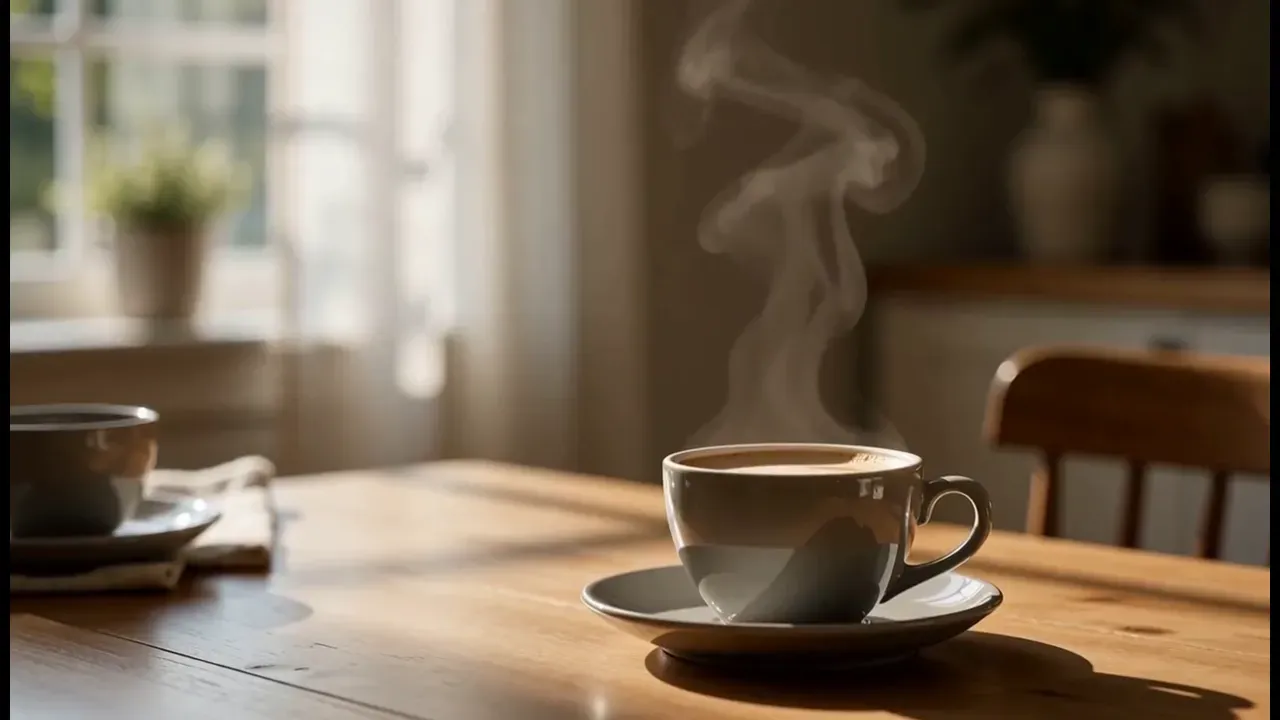
A ceramic coffee cup on a wooden table, thin steam rising in soft curls, slow gentle push-in toward the cup, morning window light from the left, shallow depth of field, photorealistic, no text*A ~4.5-second MiniMax H3 clip of steam rising from a coffee cup, single example, 4s 768P for 32 credits on Omnely.*
MiniMax H3 T2V, 4s 768P, 32 credits. The clip came back around 4.5 seconds — a white cup on a wood surface with visible steam curls and soft window bokeh behind it. MiniMax H3 is a good default for product-style shots at this price point because 768P is the native checkout tier.
v3 — Kitten and yarn (Grok Imagine Video 1.5)
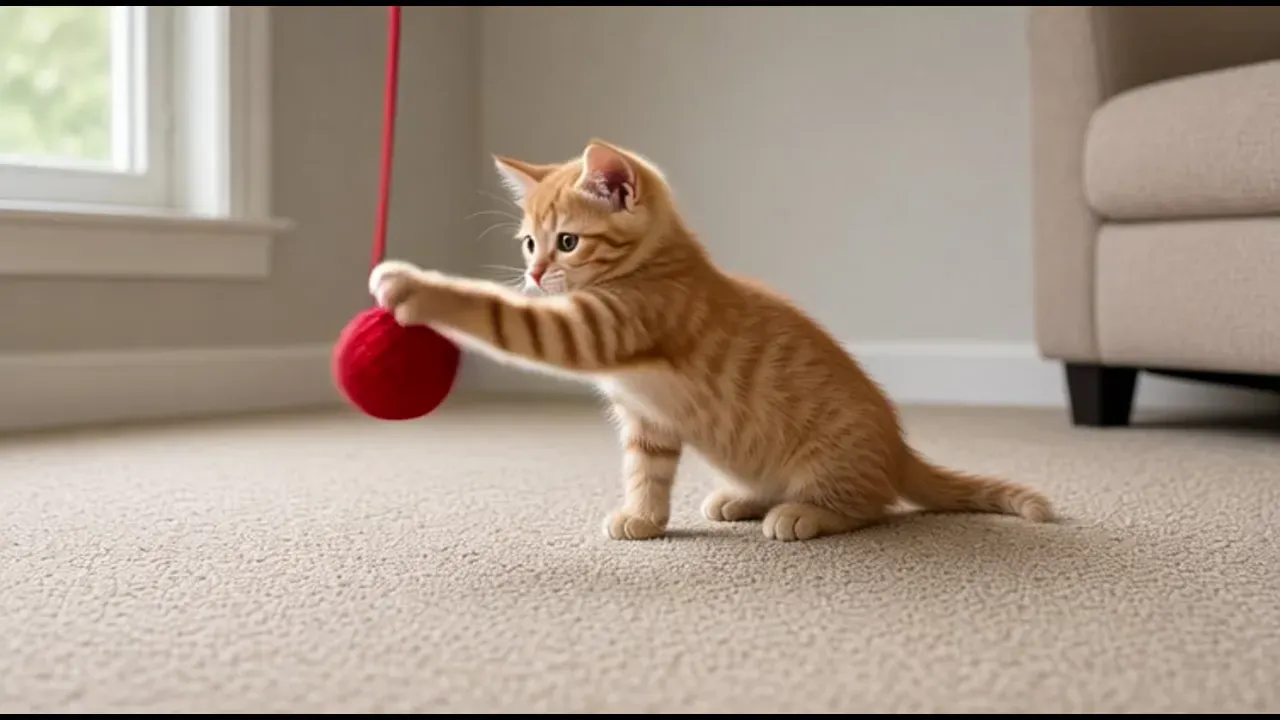
A ginger kitten on a beige carpet bats a dangling red yarn ball, playful quick paw swipes, static medium shot at floor level, soft daylight from a side window, no text, no logos*An about 6-second Grok Imagine Video 1.5 clip of a ginger kitten batting red yarn (requested 4s at 480p, 24 credits charged), single example on Omnely.*
Grok Imagine Video 1.5 T2V, requested 4s 480p, 24 credits charged. The returned file was about 6 seconds — Grok Imagine sometimes overshoots the requested duration, which is useful to know when budgeting. The orange tabby reaches for the red yarn ball on a beige carpet, and the floor-level static camera reads as a candid pet shot.
v4 — Golden sand dunes (MiniMax H3 Max)
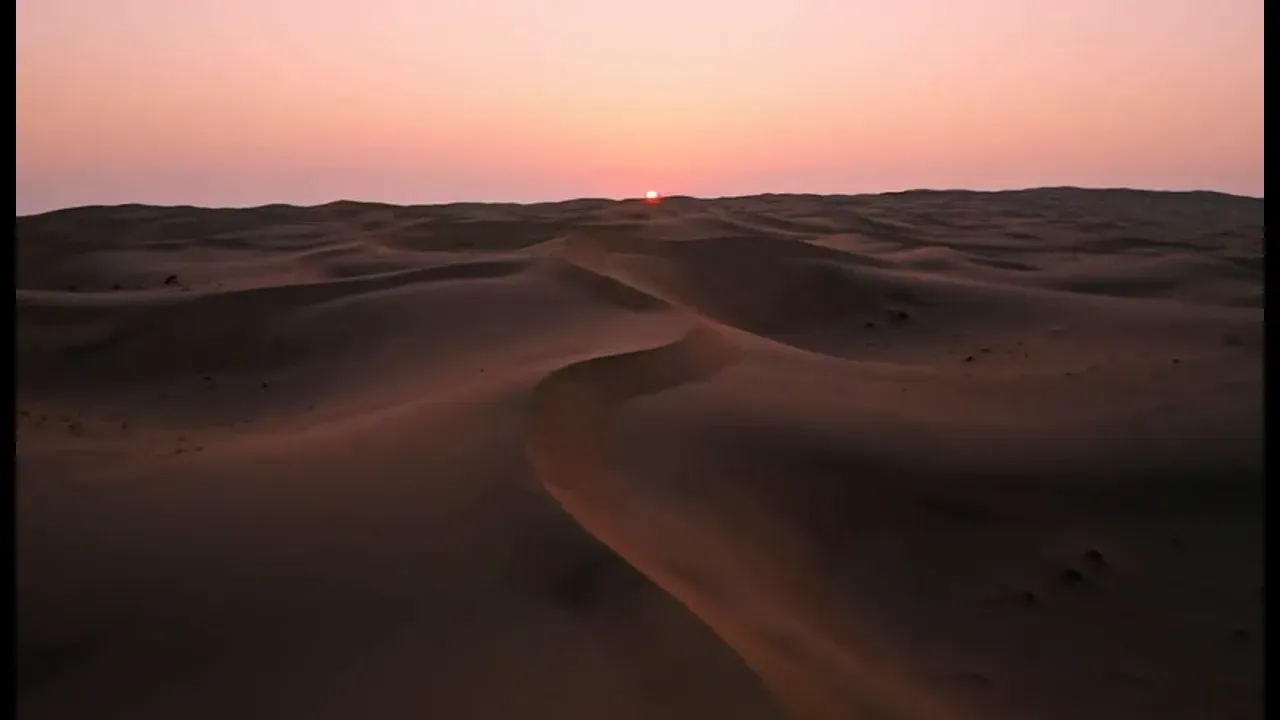
Golden sand dunes under a pink sunset sky, slow aerial drift forward over the ridges, warm low sun casting long soft shadows, cinematic landscape, no text*A 5-second MiniMax H3 Max clip of sand dunes at dusk with a slow aerial drift, single example, 480P for 49.5 credits on Omnely.*
MiniMax H3 Max T2V, 5s 480P, 49.5 credits. The rolling dunes and dusky pink sky give the shot the aerial-drone feel the prompt asked for. H3 Max is the right call for landscape and wide shots that need a little more motion fidelity than the base H3; 480P keeps the cost low while testing composition.
Image-to-video prompts with real clips
For image-to-video, the still already contains the subject, style, colours and framing. Your motion prompt should describe *only* the movement and the camera — exactly as the Wan guide recommends.
v5 — Cactus with sunglasses (Kling 3.0 I2V)
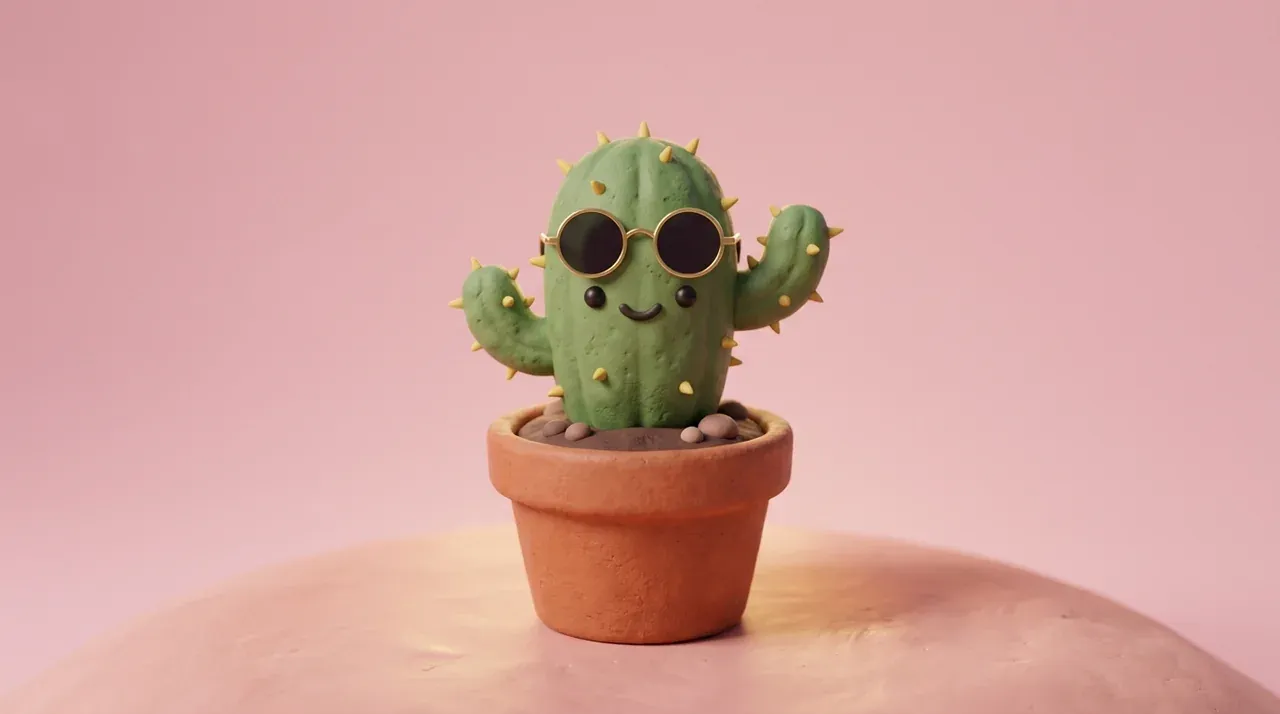
*Start frame for the Kling I2V cactus clip. Single Nano Banana 2 still at 16:9 1K on Omnely.*
Slow gentle camera orbit to the left around the subject, soft studio light, subtle motion, keep the subject centered, no text*A 3-second Kling 3.0 image-to-video orbit of a clay cactus still, single example, 36 credits std silent on Omnely.*
Kling 3.0 I2V, 3s standard silent, 36 credits. Still generated on Nano Banana 2. The clay cactus with sunglasses and a painted smile sits on the pink background from the still, and Kling adds a gentle orbit-left without warping the subject. Kling handles I2V subject preservation well on short clips — longer orbits risk melting features.
v6 — Pancake stack with syrup (MiniMax H3 I2V)
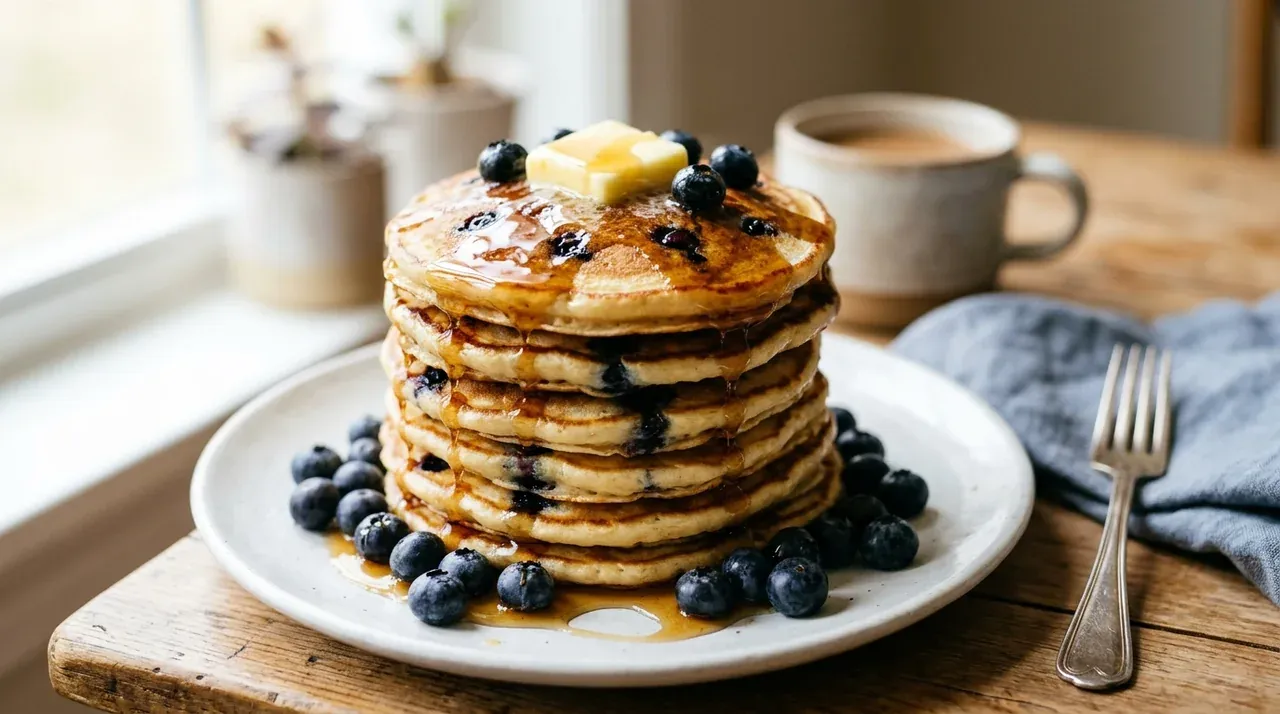
*Start frame for the MiniMax H3 I2V pancake clip. Single Nano Banana 2 still at 16:9 1K on Omnely.*
Maple syrup slowly drips down the pancake stack, butter softens, gentle steam, static close-up, soft morning light, no text*A ~4.5-second MiniMax H3 image-to-video of syrup dripping on a pancake stack, single example, 4s 768P for 32 credits on Omnely.*
MiniMax H3 I2V, 4s 768P, 32 credits. Still generated on Nano Banana 2. MiniMax animates the blueberry pancake stack with syrup running down the side while the butter on top softens — the fork from the still stays stable. For food b-roll, I2V from a strong Nano Banana 2 still is more consistent than pure T2V because the plate, lighting and composition are already locked.
More copy-ready video prompts
Templates below follow the subject + motion + camera + light formula. They have not been run as clips in this post — paste them into Kling 3.0, MiniMax H3 or Grok Imagine Video 1.5 and adjust nouns to taste.
Product and still life
A sealed glass perfume bottle on polished black marble, a single drop slides down the glass, slow gentle orbit to the right, soft overhead key light with a warm rim, shallow depth of field, photorealistic, no textAn open leather notebook with a fountain pen resting on the page, a breeze lifts the corner of the page, static top-down shot, soft side window light, warm wood table, photorealistic, no textA fresh croissant on a marble board, a knife slices clean through the middle, steam rises from the cut, static medium close-up, morning window light, shallow depth of field, no textLandscape and atmosphere
A quiet pine forest at dawn, thin mist drifts between the trunks, slow dolly forward at waist height, cool blue tones with a soft warm sun flare through branches, cinematic, no textSnow falls gently over a lone wooden cabin at night, warm orange glow in the window, fixed wide shot, moonlit blue snow, cinematic, no text, no logosOcean waves wash over dark volcanic rocks, slow push-in toward a single tide pool, overcast grey light, cinematic wide shot, photorealistic, no textCharacter and portrait
A woman in a long red coat walks slowly across an empty rainy street at night, static medium shot from behind, neon storefront reflections on the wet pavement, cinematic, no textAn older man reads a book by a fireplace, slow gentle push-in on his face, warm firelight from the right, dark wood study, shallow depth of field, cinematic, no textAbstract and motion graphics
Thick red paint slowly pours onto a white ceramic plate, static top-down shot, bright even softbox light, photorealistic, no textInk drops bloom in clear water, slow gentle orbit around the glass, backlit soft white light, dark background, photorealistic, no textGold glitter falls through a sunbeam in a dark room, static wide shot, single hard side light, slow motion feel, cinematic, no textShort tips for better video prompts
- One action per clip. Under 10 seconds, pick a single verb. "The boat drifts" beats "the boat drifts, then the rain stops, then a car passes."
- Lead with the shot, end with the light. Models weight the first and last clauses heavily.
- Negatives at the end. "No text, no logos, no captions" cuts down on watermark-style artefacts.
- Use I2V when the subject matters. Generate the still on a high-fidelity image model first, then animate only the motion.
- Test at the cheapest tier first. 480p or 768P at 3–4 seconds is the fastest way to iterate before going to 1080p or FHD.
FAQ
How long should an AI video prompt be?
Two to four short clauses usually outperforms a paragraph. The subject, motion, camera and light clauses from the formula above are enough for Kling, MiniMax and Grok Imagine. Extra adjectives beyond that mostly add noise.
Should camera movement go in the prompt or the settings?
On Omnely, camera movement stays in the prompt text for all three models covered here — there is no separate camera control field. Phrases like "slow push-in", "static medium shot" and "slow aerial drift" are read directly as motion instructions.
Which model is cheapest to iterate on?
Grok Imagine Video 1.5 at 480p or 720p is 6 credits per second, so a 4-second test costs 24 credits. MiniMax H3 at 768P is 8 credits per second. For final renders where subject consistency matters, Kling 3.0 standard silent at 12 credits per second is usually worth the extra cost.
Try the paper-boat prompt
The fastest way to feel the difference between a flat prompt and a shot-formula prompt is to paste the v1 paper-boat block into Kling 3.0 on Omnely at 3 seconds standard silent (36 credits) and compare it with your previous style. For more worked examples, see the Seedance 2.0 prompts and Grok Imagine prompts guides, or browse the full catalogue on the Omnely video workspace.
Build a stronger start frame with AI image prompts or the medium-focused AI art prompts. For chat, image and video workflows together, see the AI prompts overview.