GPT Image 2 Prompts: Copy-Ready Templates With Real Outputs
GPT Image 2 prompts: copy-ready templates for subject, style, lighting, text, aspect and reference images, each with its real Omnely output and credits.
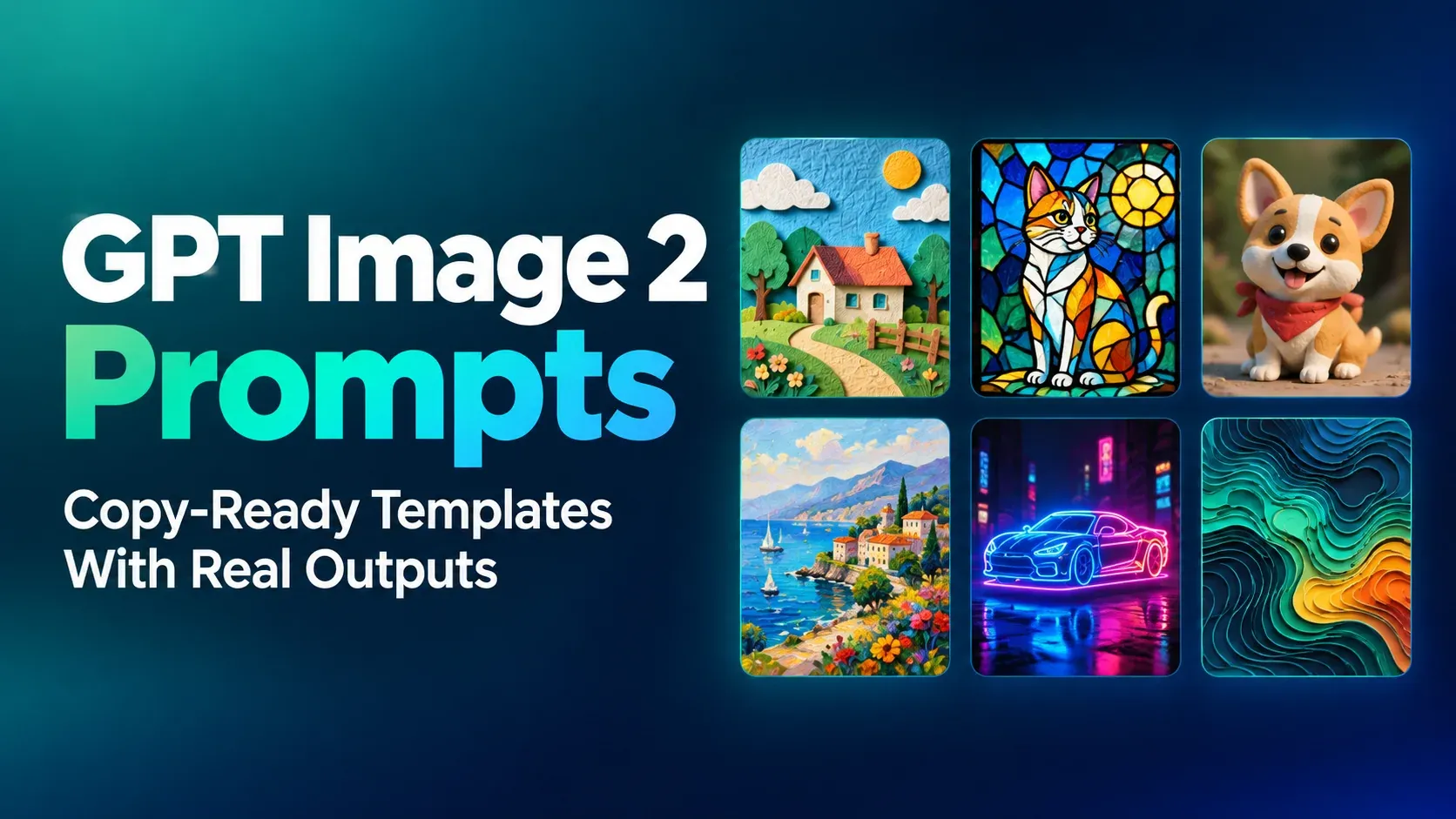
Eleven reusable GPT Image 2 prompt templates, built from subject, style, lighting, exact quoted text, aspect ratio and reference images, each shown with the real Omnely output it produced on GPT Image 2 at 1K for 10 credits. Copy any block and swap the bracketed slots to reuse the structure on a new subject.
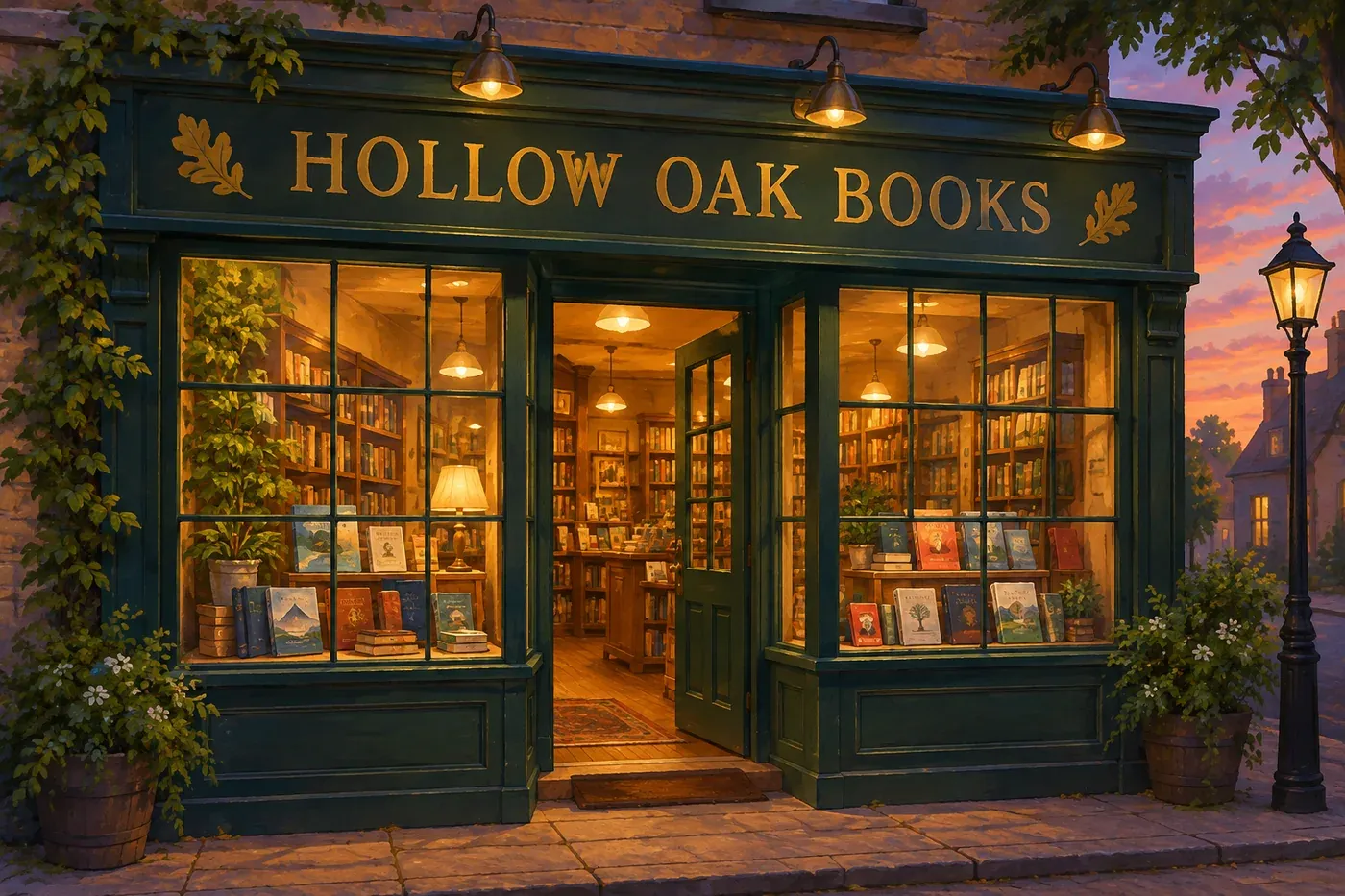
Bookshop storefront at dusk, hand-painted gold lettering on a dark green sign reading "HOLLOW OAK BOOKS", window display of stacked books, warm interior glow, flat painterly illustration style, 3:2, no other text
*Real Omnely output: GPT Image 2, 1K, 10 credits.*
| Template slot | What to write | Example from this post |
|---|---|---|
| Output type and subject | What the image is of | "Bookshop storefront at dusk" |
| Style or medium | The look | "flat painterly illustration style" |
| Lighting | The light source and mood | "warm interior glow" |
| Exact quoted text | In straight quotes | "HOLLOW OAK BOOKS" |
| Aspect ratio | Inside the prompt | 3:2 |
| Constraints | What to exclude | no other text |
The GPT Image 2 prompt formula
Every prompt below follows the same six-slot formula. Keeping the structure fixed makes it easy to change one variable at a time.
1. Output type and subject: what the image is, in a short noun phrase.
2. Style or medium: paper-cut, stained glass, claymation, digital painting, flat vector, matte painting.
3. Lighting: soft overcast, warm desk lamp, dusk gradient, studio key light.
4. Exact quoted text: any words that must appear in the image, wrapped in straight quotes.
5. Aspect ratio: stated inside the prompt (3:2, 16:9, 9:16 and so on).
6. Constraints: what to leave out, usually "no text" or "no other text".
Here is the blank reusable template:
[Output type] of [subject with 2-3 concrete details], [style or medium], [lighting description], [exact "QUOTED TEXT" if any], [aspect ratio], [constraints]Four tips before the examples:
- Quote the text. Put any words that must appear in the image inside straight double quotes. Everything outside the quotes is description, not text.
- State the aspect ratio inside the prompt. That keeps the prompt self-contained when it is pasted elsewhere.
- Name what to exclude. "No text" or "no other text" removes stray signage and watermarks.
- Change one thing at a time. Keep every other slot identical when iterating. That is how the lighting pair below (prompts 4 and 5) works.
Subject and style templates
Pairing the subject with a named medium is the quickest way to change the look of an image. A medium with a physical texture (paper layers, clay, lead lines) gives the prompt something concrete to describe.
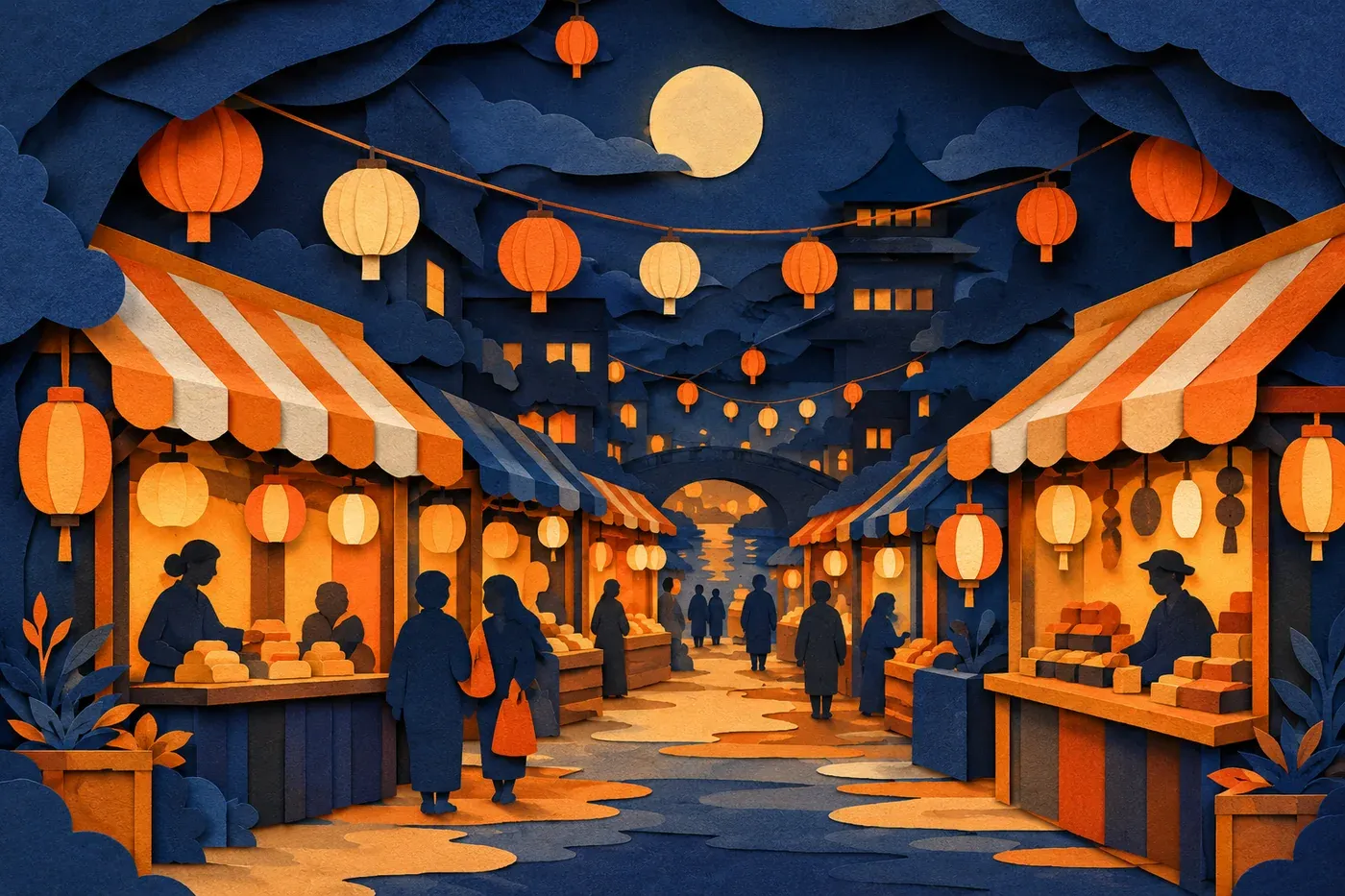
1. Paper-cut lantern night market
Layered paper-cut diorama of a lantern-lit night market, five depth layers of cut paper in deep indigo, orange and cream, small stalls with striped awnings and hanging paper lanterns, soft shadows between layers, handmade craft style, 3:2, no text
*Real Omnely output: GPT Image 2, 1K, 10 credits.*
Template: Layered paper-cut diorama of [scene], [N] depth layers of cut paper in [palette], [2-3 scene details], soft shadows between layers, handmade craft style, [aspect], no text
Why it works: Naming the number of depth layers and a three-color palette describes a physical construction instead of a flat illustration.
2. Stained-glass heron
Stained-glass window of a heron standing in a river at dawn, bold black lead lines, jewel tones of teal, amber and rose, light glowing through the glass, gothic arched frame, 2:3, no text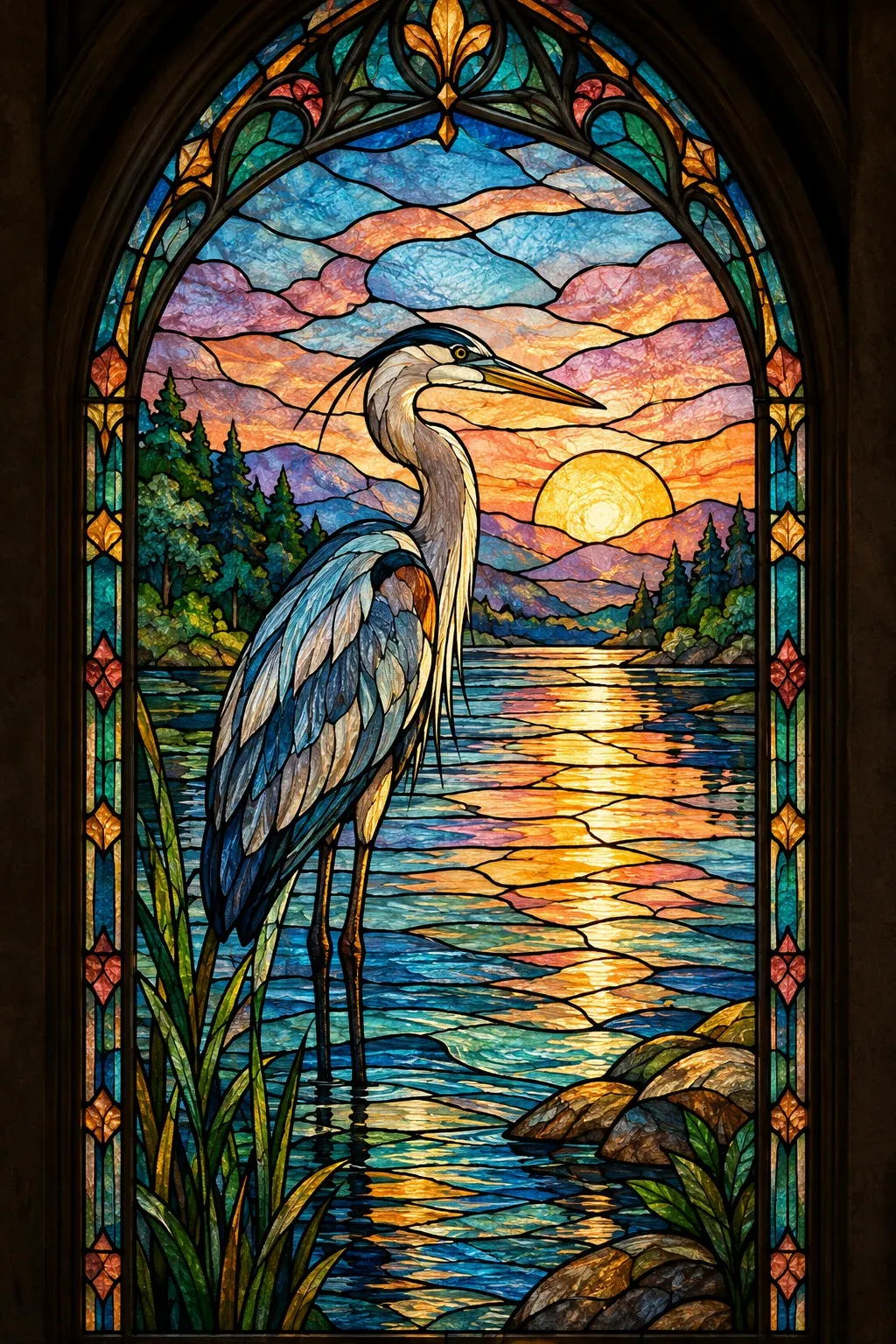
*Real Omnely output: GPT Image 2, 1K, 10 credits.*
Template: Stained-glass window of [subject] in [setting], bold black lead lines, jewel tones of [3 colors], light glowing through the glass, [frame style] frame, [aspect], no text
Why it works: "Bold black lead lines" and "light glowing through the glass" are the two cues that describe stained glass; both go in the style slot.
3. Claymation bakery
Claymation-style miniature bakery storefront on a small round base, soft fingerprint textures in the clay, pastel pink and mint colors, tiny bread loaves in the window, warm studio lighting, shallow depth of field, 1:1, no text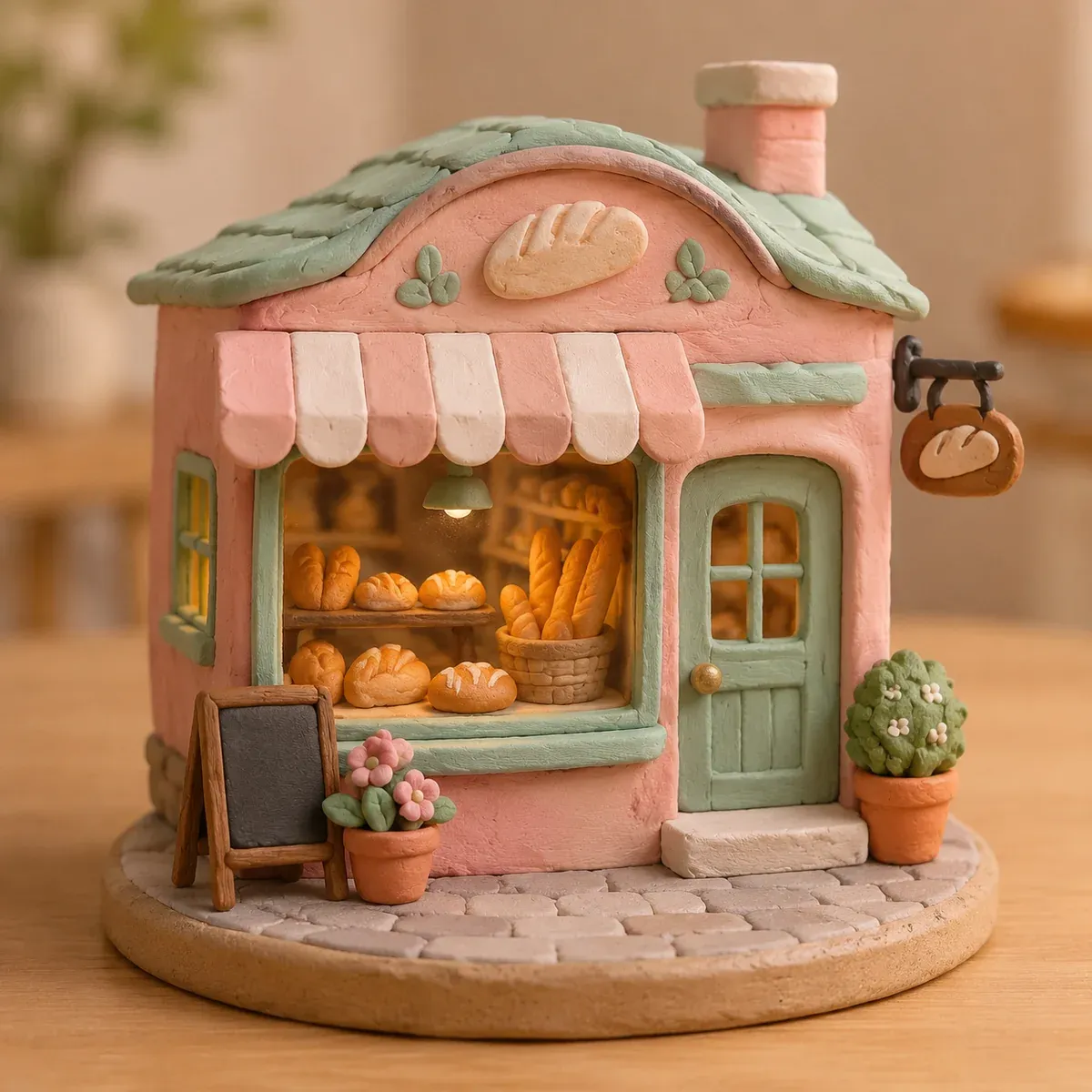
*Real Omnely output: GPT Image 2, 1K, 10 credits.*
Template: Claymation-style miniature [subject] on a small round base, soft fingerprint textures in the clay, [palette], [1-2 small details], warm studio lighting, shallow depth of field, [aspect], no text
Why it works: "Fingerprint textures" is a physical texture cue; "shallow depth of field" sits next to the lighting slot.
Lighting templates
Prompts 4 and 5 are identical except for the lighting clause. Keeping every other slot the same is the cleanest way to see what light alone changes.
4. Terrarium: soft overcast light
Detailed digital painting of a glass terrarium with a tiny fern and a brass key on a walnut desk, soft overcast window light from the left, cool even tones, gentle shadows, 4:3, no text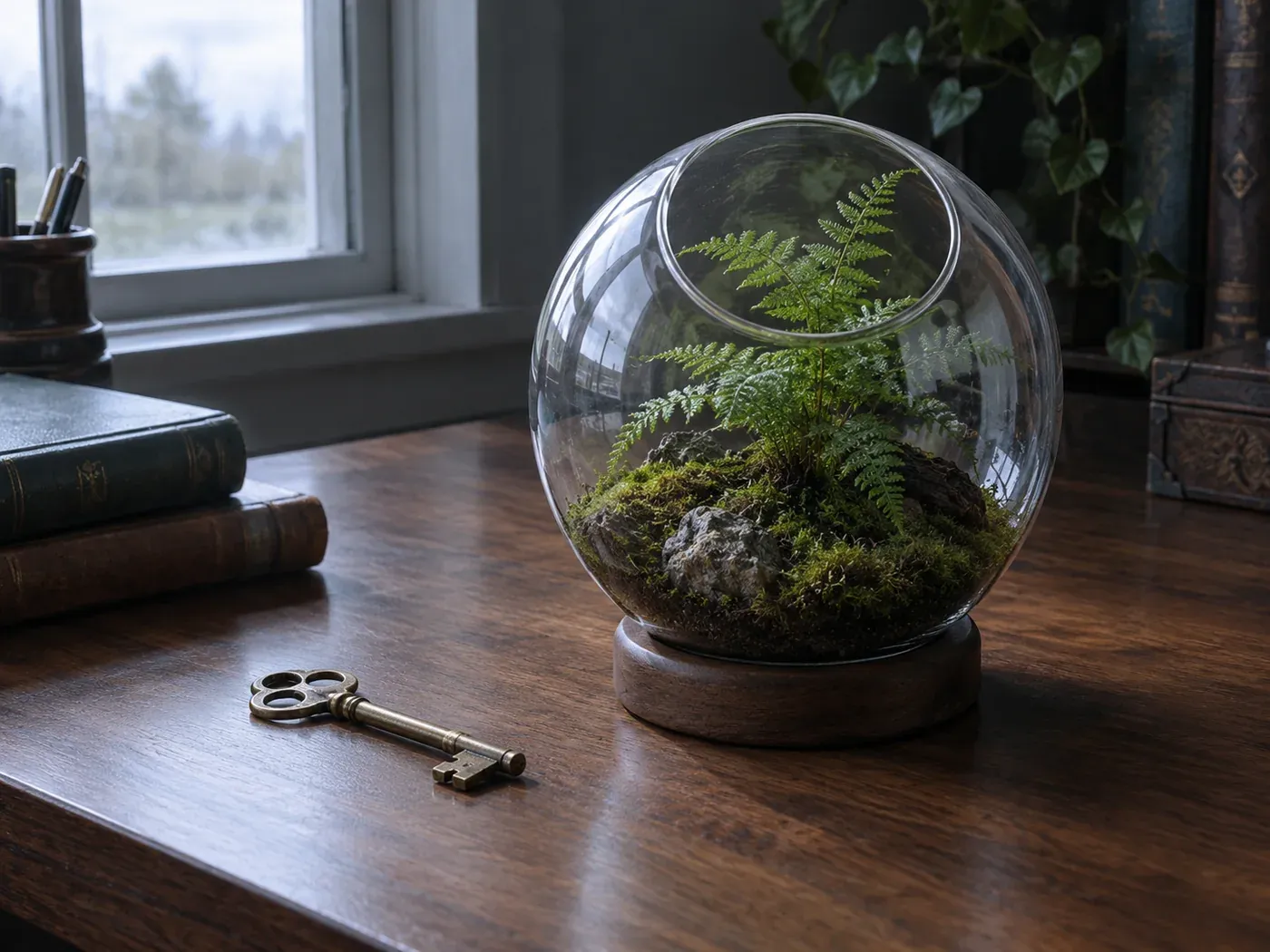
*Real Omnely output: GPT Image 2, 1K, 10 credits.*
Template: Detailed digital painting of [subject] on [surface], soft overcast window light from the [direction], cool even tones, gentle shadows, [aspect], no text
Why it works: "Soft overcast" plus "cool even tones" asks for gentle shadows and low contrast.
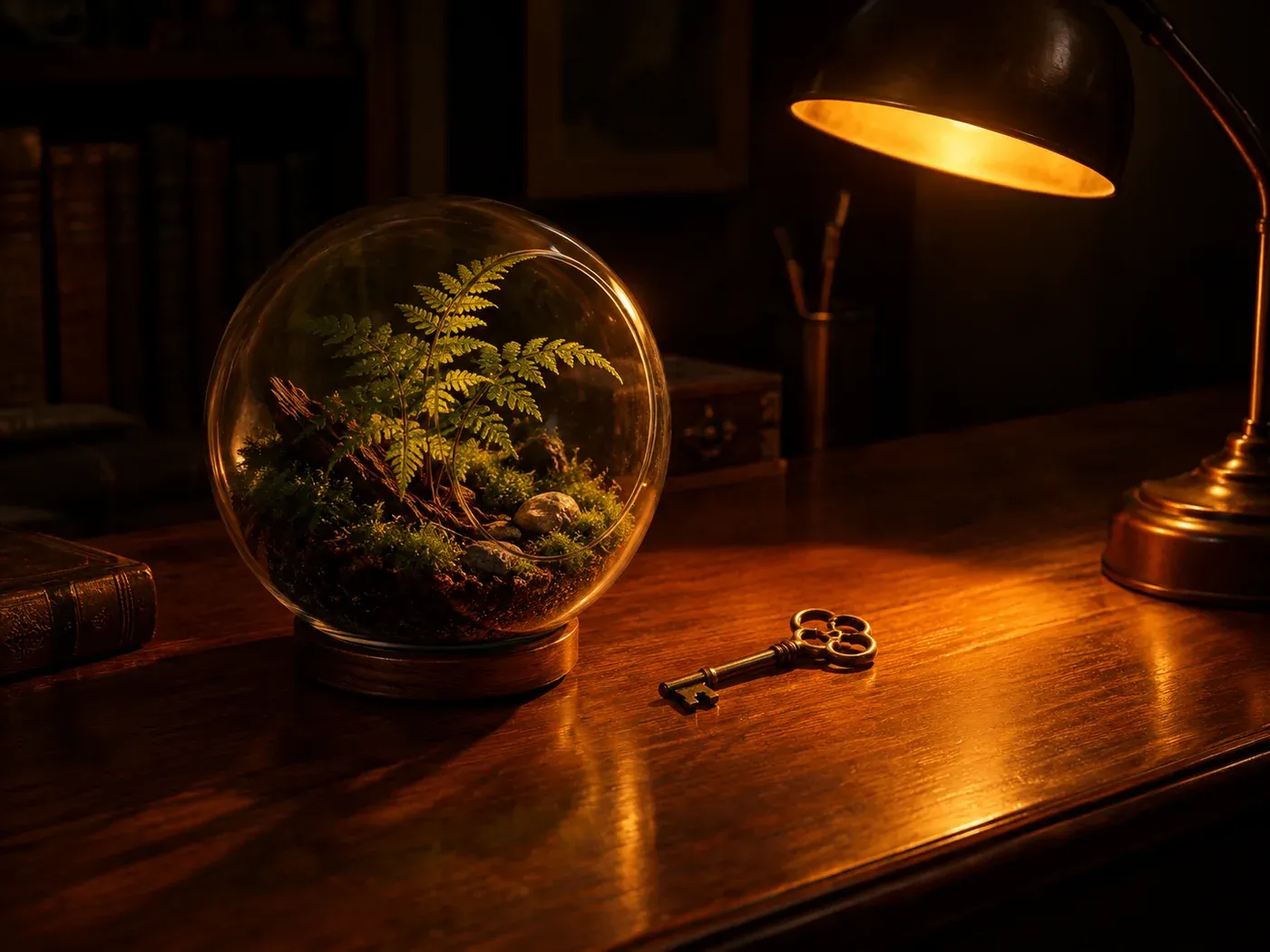
5. Terrarium: single warm desk lamp
Detailed digital painting of a glass terrarium with a tiny fern and a brass key on a walnut desk, a single warm desk lamp pool of light in an otherwise dark room, deep amber glow, long soft shadows, 4:3, no text
*Real Omnely output: GPT Image 2, 1K, 10 credits.*
Template: Detailed digital painting of [same subject] on [same surface], a single warm [light source] pool of light in an otherwise dark room, deep [color] glow, long soft shadows, [aspect], no text
Why it works: Only the lighting clause changed. This is the one-variable-at-a-time test in action: the subject is reused verbatim and only the light vocabulary changes.
Text-in-image templates
The rule is simple: words that must appear in the image go inside straight double quotes. Everything else is description. Pair the quoted text with "no other text" to keep the model from adding extra signage.
6. Bookshop sign
Bookshop storefront at dusk, hand-painted gold lettering on a dark green sign reading "HOLLOW OAK BOOKS", window display of stacked books, warm interior glow, flat painterly illustration style, 3:2, no other text
*Real Omnely output: GPT Image 2, 1K, 10 credits.*
Template: [Scene] at [time of day], [lettering style] lettering on a [sign color] sign reading "QUOTED TEXT", [1-2 scene details], [lighting], [style], [aspect], no other text
Why it works: The lettering style ("hand-painted gold") and sign color ("dark green") sit next to the quoted phrase, so the typography description stays attached to the text slot.
7. Enamel pin backing card
Enamel pin backing card design, cream card with a small illustrated paper plane pin at the top, the words "SMALL WINS" in bold rounded teal letters below, thin dotted border, flat vector style, 4:5, no other text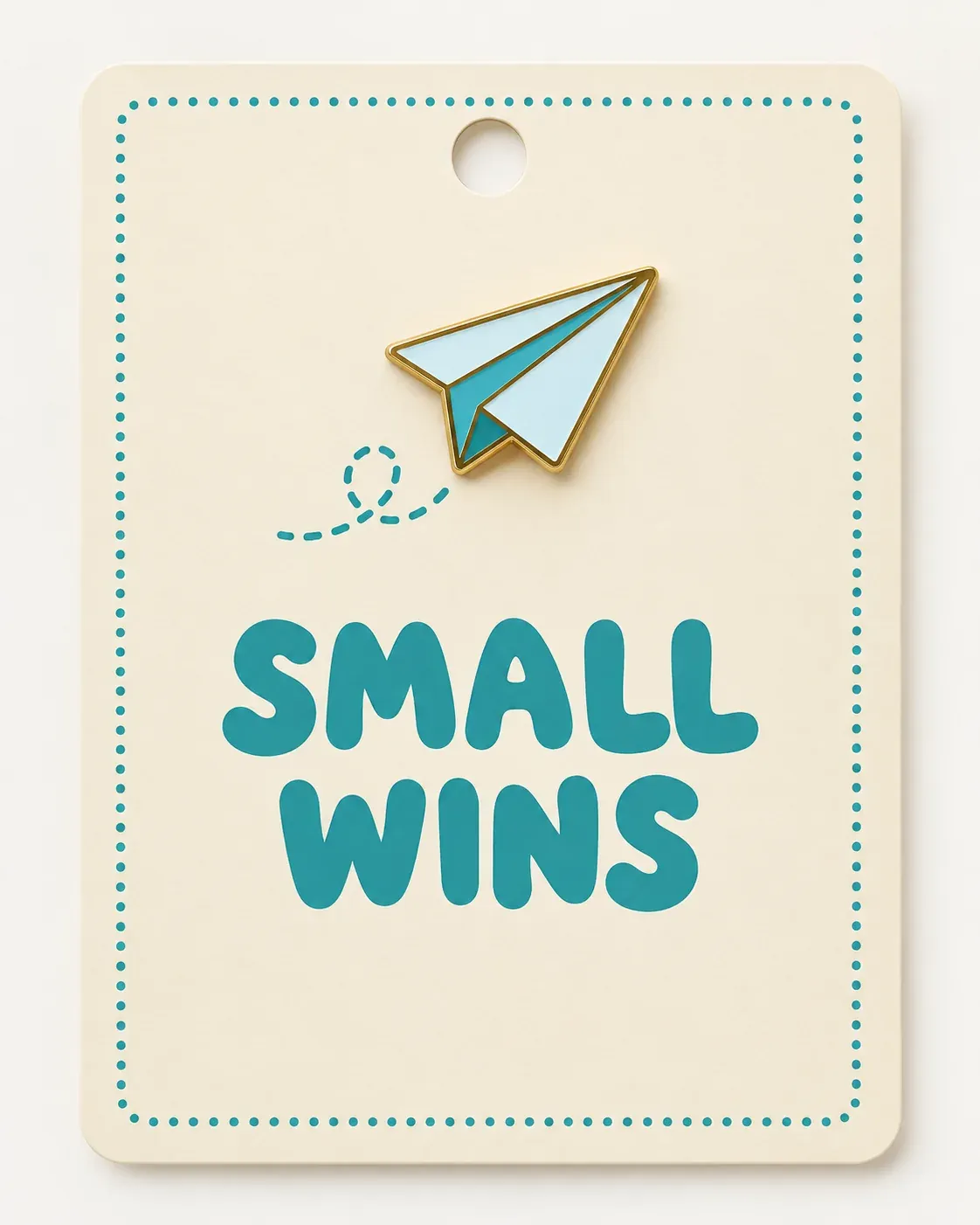
*Real Omnely output: GPT Image 2, 1K, 10 credits.*
Template: [Product type] design, [card color] card with a small illustrated [subject] at the top, the words "QUOTED TEXT" in [weight + shape + color] letters below, [border detail], flat vector style, [aspect], no other text
Why it works: Describing the letters with three attributes (weight, shape, color) before the quoted phrase gives the lettering a concrete description, not just a font name.
Aspect ratio templates
GPT Image 2 on Omnely supports a wide range of aspect ratios: auto (default), 1:1, 3:2, 2:3, 4:3, 3:4, 5:4, 4:5, 16:9, 9:16, 2:1, 1:2, 3:1, 1:3, 21:9, and 9:21. A few resolution limits to know: auto only renders at 1K, 1:1 tops out at 2K, and the far-off-square ratios 4:5, 5:4, 3:1, 1:3 and 9:21 are 1K only. Everything in this post is 1K, which is 10 credits per image regardless of ratio.
8. Wide panorama
Wide panorama of a lone steam train crossing a desert viaduct at dusk, long purple shadows, orange sky gradient, painterly matte-painting style, tiny train for scale, 21:9, no text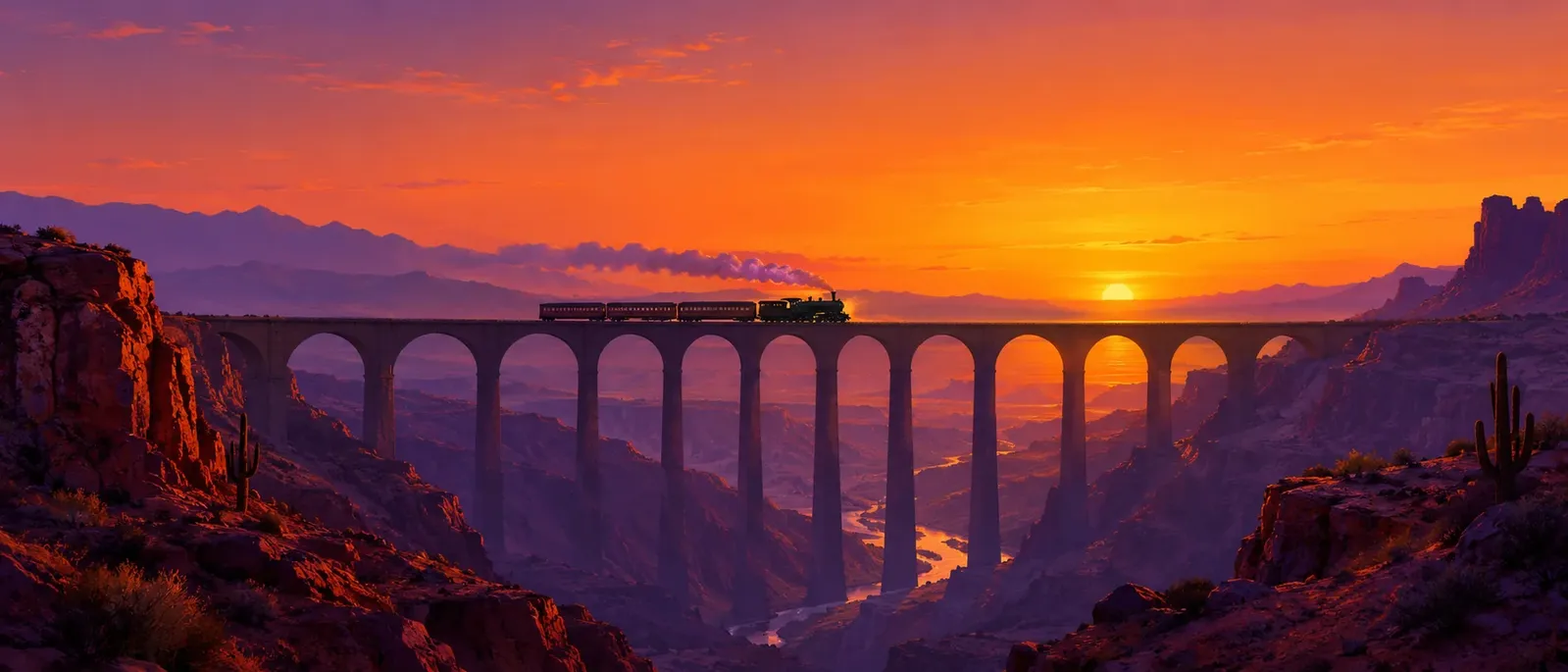
*Real Omnely output: GPT Image 2, 1K, 10 credits.*
Template: Wide panorama of [subject] in [setting] at [time], long [color] shadows, [sky color] gradient, painterly matte-painting style, tiny [subject] for scale, 21:9, no text
Why it works: "Tiny [subject] for scale" pairs with the 21:9 aspect: a small subject in a wide frame gives the scene a sense of scale.
9. Phone wallpaper
Phone wallpaper of abstract topographic contour lines in teal on warm sand, subtle gradient, clean minimal, lots of calm space near the top for a clock, 9:16, no text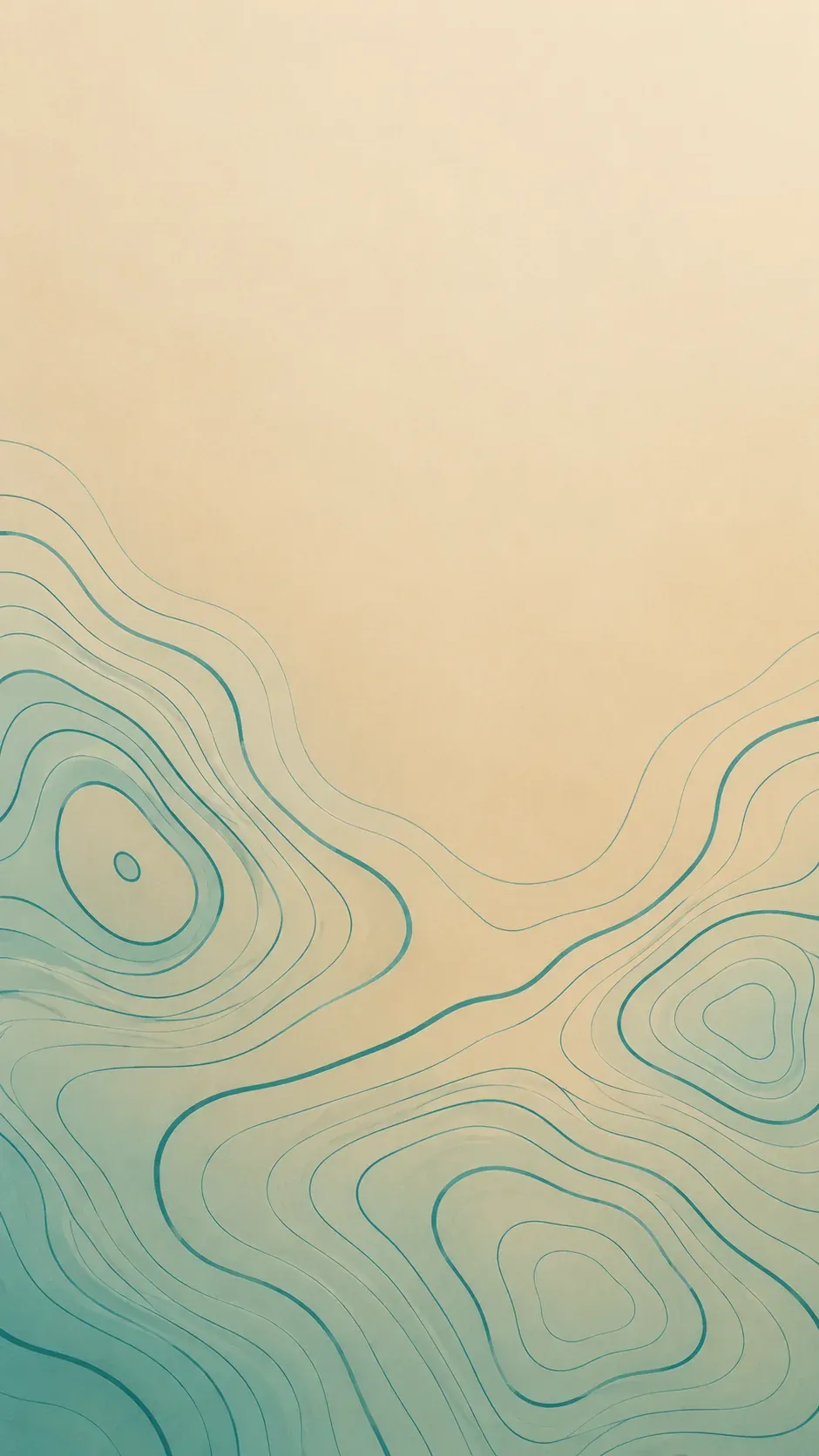
*Real Omnely output: GPT Image 2, 1K, 10 credits.*
Template: Phone wallpaper of [abstract pattern] in [color] on [background color], subtle gradient, clean minimal, lots of calm space near [screen zone] for [UI element], 9:16, no text
Why it works: Reserving "calm space near the top for a clock" treats the 9:16 frame as a phone screen and reserves a quiet area for the clock.
Reference-image prompts for GPT Image 2
GPT Image 2 accepts between 1 and 16 reference images as public URLs, and when any references are passed, the job runs as an edit. References are passed as an ordered list, and the prompt refers to them by number: "Image 1" is the first URL passed, "Image 2" is the second, and so on. The two examples below use 2 references and 4 references, both well under the 16-image limit. The GPT Image 2 how-to guide covers the generator and its settings.
10. Restyle one image in the style of another (2 references)
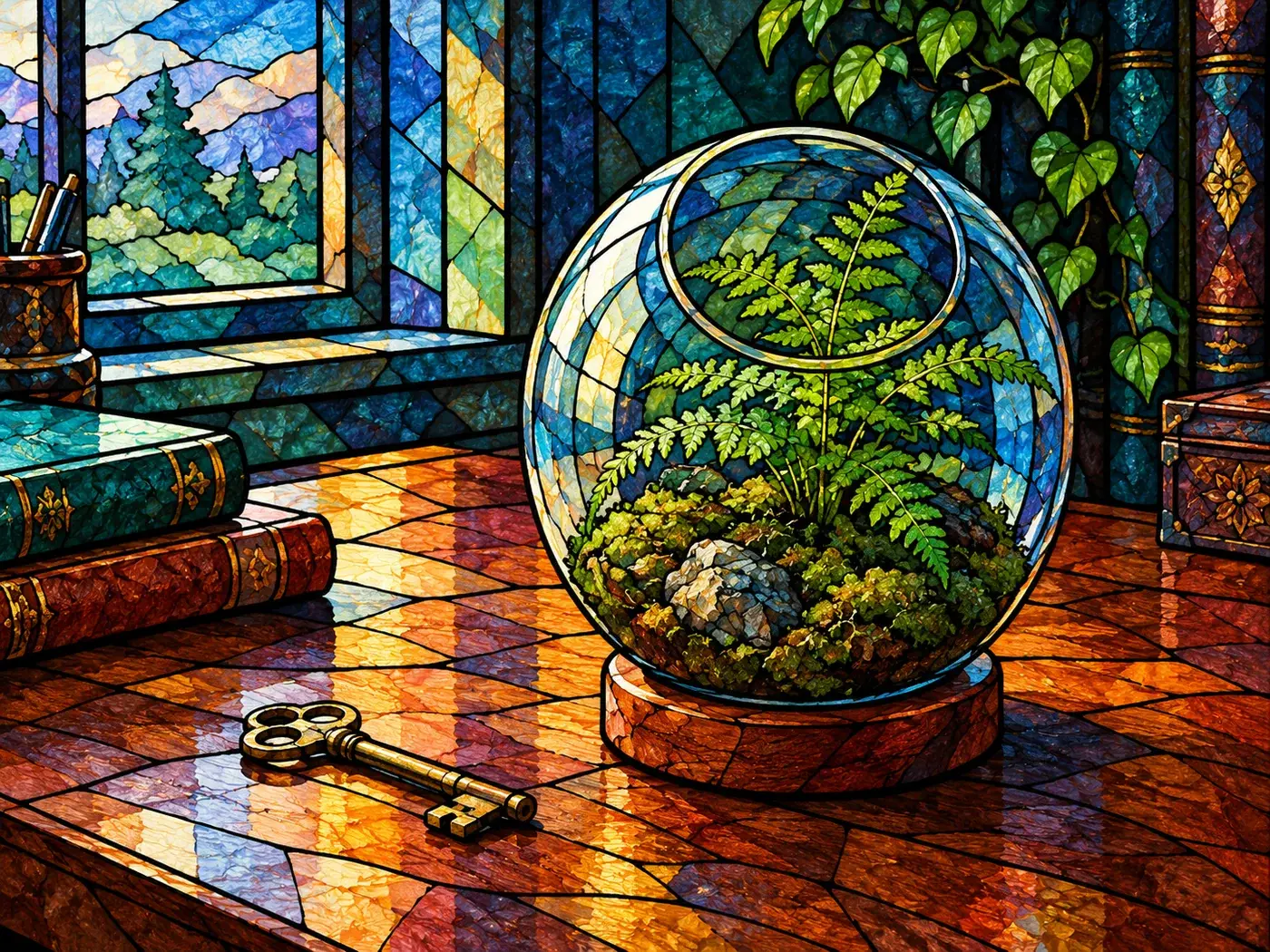
Image 1 is a stained-glass heron. Image 2 is a terrarium on a desk. Redraw Image 2 in the stained-glass style of Image 1: bold black lead lines and jewel-tone glass, keep the terrarium, fern and key layout from Image 2, 4:3, no textImage 1 here is the output of prompt 2 (the stained-glass heron) and Image 2 is the output of prompt 4 (the overcast terrarium). The result is the terrarium restyled as stained glass.
*Real Omnely output: GPT Image 2, 1K, 10 credits. Made with 2 reference images (the outputs of prompts 2 and 4).*
Template: Image 1 is [description]. Image 2 is [description]. Redraw Image 2 in the style of Image 1: [2-3 style cues], keep the [layout/subject] from Image 2, [aspect], no text
Why it works: Labelling each reference by number and then giving explicit "take style from X, take layout from Y" instructions makes clear which image supplies the style and which supplies the layout.
11. Four-panel moodboard (4 references)
Create a 16:9 moodboard on a cream background with four equal panels. Use Image 1 as panel one, Image 2 as panel two, Image 3 as panel three and Image 4 as panel four. Keep each picture in its own style and colors, thin cream gaps between panels, no textImage 1 through Image 4 here are the outputs of prompts 1, 2, 3 and 5, in that order. The result is a four-panel moodboard.
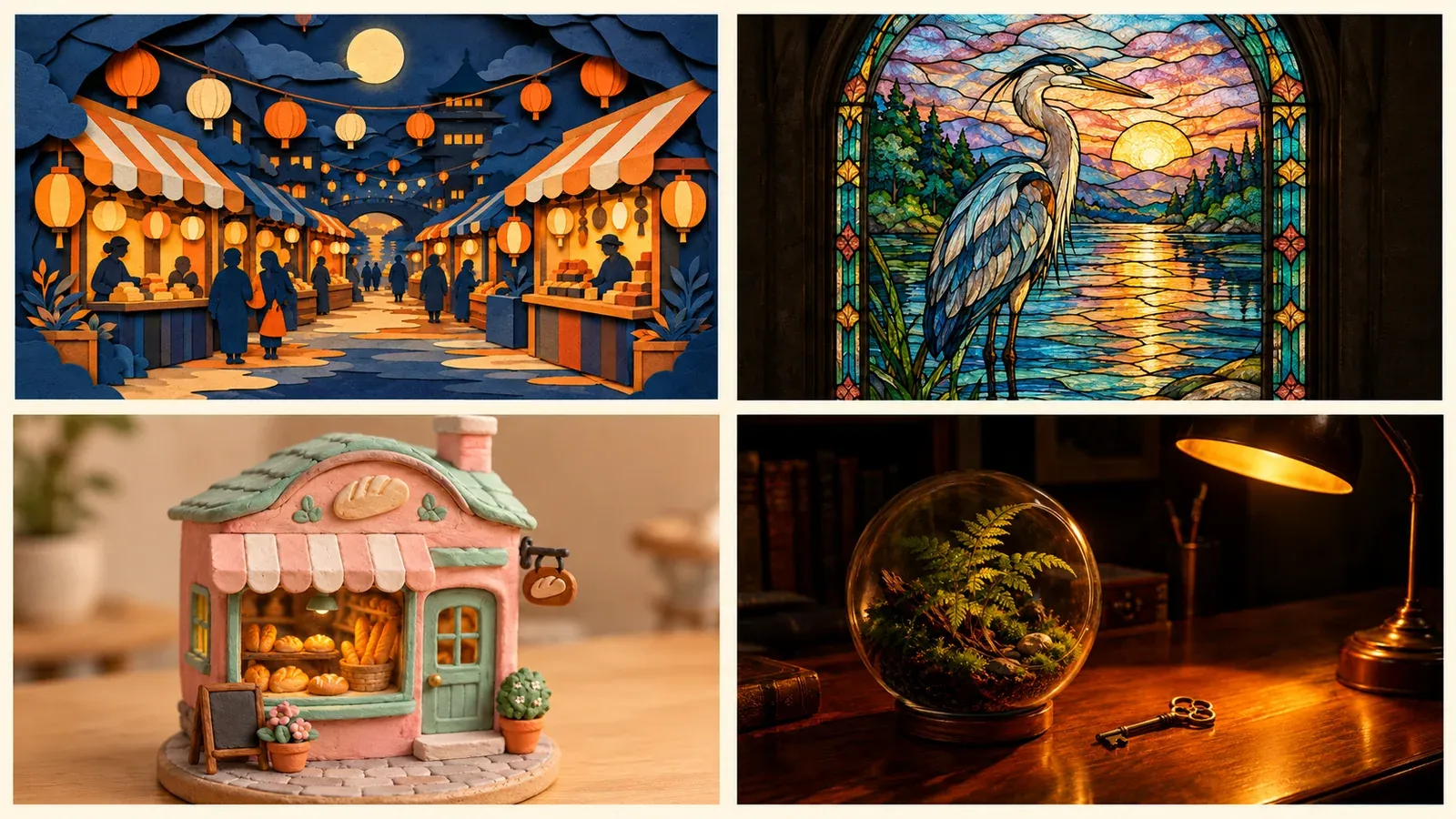
*Real Omnely output: GPT Image 2, 1K, 10 credits. Made with 4 reference images (the outputs of prompts 1, 2, 3 and 5).*
Template: Create a [aspect] moodboard on a [background] background with four equal panels. Use Image 1 as panel one, Image 2 as panel two, Image 3 as panel three and Image 4 as panel four. Keep each picture in its own style and colors, thin [color] gaps between panels, no text
Why it works: Assigning each reference to a specific panel number removes ambiguity about placement, and "keep each picture in its own style and colors" asks for the panels to stay distinct.
Credits and settings for GPT Image 2 prompts
GPT Image 2 has no quality setting on Omnely, so cost depends only on resolution. Every output in this post is 1K.
| Resolution | Credits per image |
|---|---|
| 1K (default) | 10 |
| 2K | 15 |
| 4K | 20 |
Omnely also offers the newer GPT Image 2.5 Flare and GPT Image 2.5 Sunburst, at 8 / 15 / 30 credits at 1K / 2K / 4K (high quality), with up to 16 references like GPT Image 2. Poster, infographic and heavy-text-in-image prompts for those newer models are collected in the ChatGPT image prompts guide. Photo, portrait and selfie prompts live in the ChatGPT photo prompts guide.
The same six-slot formula transfers to other Omnely image models: Nano Banana 2 and Seedream 5.0 Pro can be tried with the same six slots, for example in the Nano Banana 2 generator.
New users get free credits when they sign up, and the image models need a paid Omnely plan.
Fixing a GPT Image 2 prompt that misses
- Text is misspelled or multiplied. Add
no other textto the constraints slot and keep the quoted phrase short, one line only. - Style looks generic. Replace adjectives ("nice", "beautiful") with a named medium plus a physical texture cue, as in "fingerprint textures in the clay".
- Composition is wrong for the aspect ratio. State the aspect inside the prompt and add a scale cue like "tiny [subject] for scale" or "lots of calm space near the top".
- Lighting is flat. Specify a single light source and its direction, then its color temperature, instead of describing mood.
- References blended into one look. Label each reference by number and say explicitly which element to take from which image.
FAQ
How many reference images does GPT Image 2 accept?
Between 1 and 16 public image URLs. When any reference is passed, GPT Image 2 runs the job as an edit. The examples in this post used 2 and 4 references, well below the limit.
How many credits is a GPT Image 2 prompt?
10 credits at 1K, 15 at 2K, and 20 at 4K. GPT Image 2 has no quality setting on Omnely, so a 1K image is always 10 credits regardless of aspect ratio.
Where should the aspect ratio go in a GPT Image 2 prompt?
Inside the prompt text, near the end, before the constraints slot. The templates above all follow that order. This keeps the prompt self-contained if it is reused across tools.
Does GPT Image 2 generate text inside images?
Yes. Wrap the exact words in straight double quotes and describe the lettering (weight, shape, color, surface) right next to the quoted phrase. Add no other text to the constraints slot to prevent extra signage. Prompts 6 and 7 above both do this.
Pick any template, swap the bracketed slots, and run it on GPT Image 2.