ChatGPT Headshot Prompt: Copy-Ready Prompts for LinkedIn and Work Photos
ChatGPT headshot prompt guide: copy-ready prompts for LinkedIn and work photos, with real outputs from one selfie on Omnely.
Here are eight chatgpt headshot prompt examples for LinkedIn, office, studio, outdoor and work photos, each run on GPT Image 2 on Omnely from a single selfie reference, with the real output and a cost of 10 credits per image. The selfie used throughout this post is a generated photo of a fictional man, not a real person.
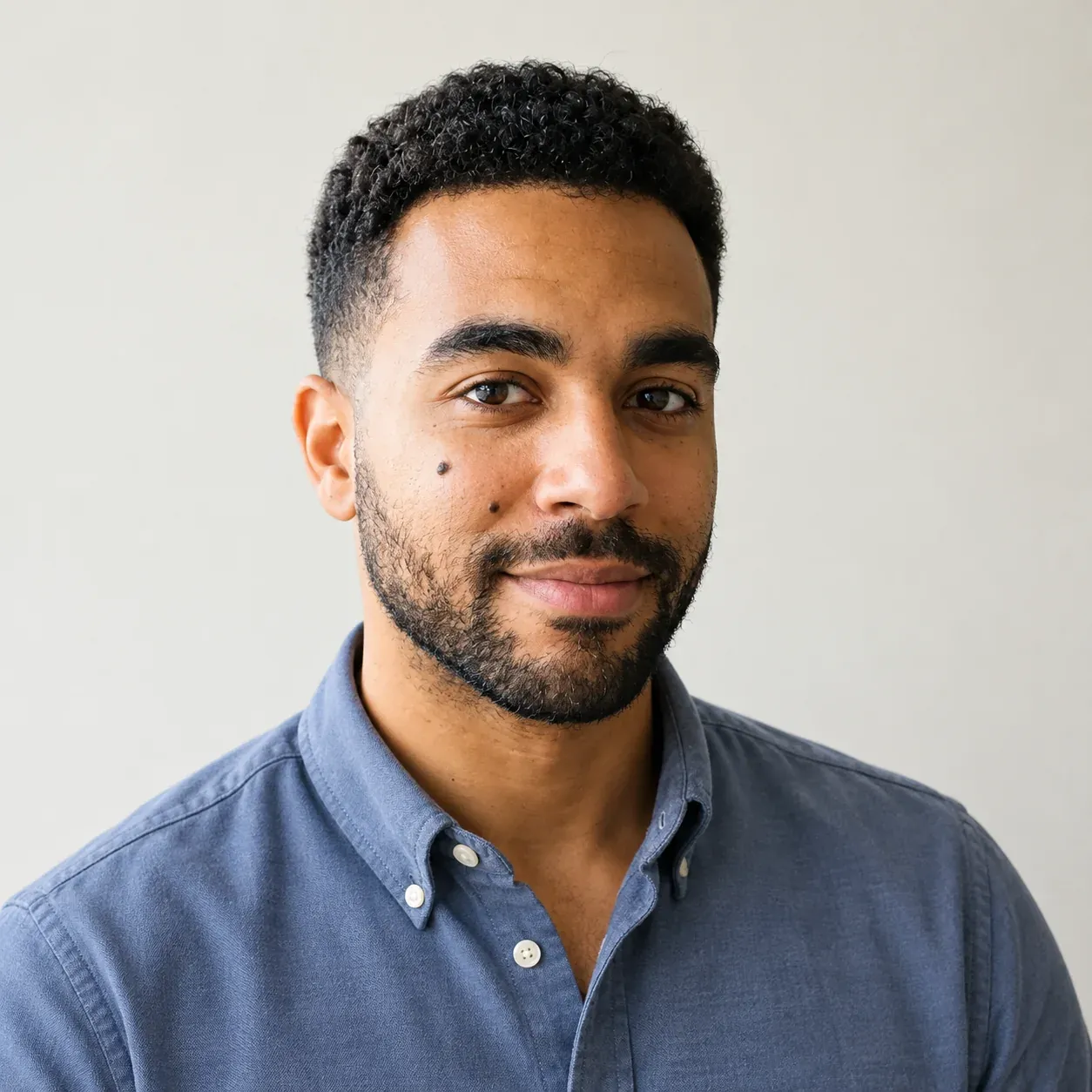
Using the uploaded selfie as the only identity reference, keep the same person: face shape, skin tone, short dark curly hair with a fade, trimmed beard, thick eyebrows and the small mole on his left cheek. Do not change his age or facial features. Create a square LinkedIn profile photo: head and shoulders centered with space around the head for a circular crop, slate-blue button-down shirt with the top button open and no jacket, plain soft off-white wall behind him, even window light from the front, relaxed natural smile, looking into the lens, natural skin texture, 1:1, no text, no watermark
GPT Image 2, image to image, 1K, 10 credits (real Omnely output; the selfie is generated and fictional).
Try it on GPT Image 2 · Nano Banana Pro
| Part | What to write | Example from this post |
|---|---|---|
| Identity lock | Describe the face in words | short dark curly hair with a fade, trimmed beard, thick eyebrows, small mole on left cheek |
| Outfit | One garment, one color | slate-blue button-down shirt with the top button open, no jacket |
| Background | One plain setting | plain soft off-white wall |
| Lighting | Direction and softness | even window light from the front |
| Crop and aspect ratio | Framing and ratio | head and shoulders centered, 1:1 |
| Skin and expression | Texture plus mood | natural skin texture, relaxed natural smile, looking into the lens |
The chatgpt headshot prompt formula
A chatgpt headshot prompt that holds up usually follows a six-part shape used by prompt guides from Picassoia, PromptUp and Techpresso AI Academy: identity lock, outfit, background, lighting, crop and aspect ratio, and skin and expression. The identity lock goes first so the model treats the face as fixed and only edits the clothing, scene and framing around it.
Reusable template:
Using the uploaded selfie as the only identity reference, keep the same person: [face shape, skin tone, hair, beard, eyebrows, any distinctive mark]. Do not change his/her age or facial features. Create a [type of headshot]: [crop], [outfit], [background], [lighting], [expression], natural skin texture, [aspect ratio], no text, no watermarkFour tips grounded in the SERP research:
- Put the identity lock first and spell out the features by name, including a small mark like a mole or a scar if there is one.
- Name one outfit in one color. Two garments is fine (shirt plus jacket), but a long list of clothes pulls focus from the face.
- Keep the background plain. A wall, a seamless backdrop or a softly blurred room reads cleaner than a detailed scene.
- Regenerate two or three times and pick the closest match. Identity drift is normal across runs, so a short shortlist beats a single roll.
The selfie and how these were made
Omnely does not have a dedicated headshot product or headshot mode. These results are ordinary image-to-image edits with a general image model: one selfie is passed in as a reference image and the prompt describes the headshot to build around that face.
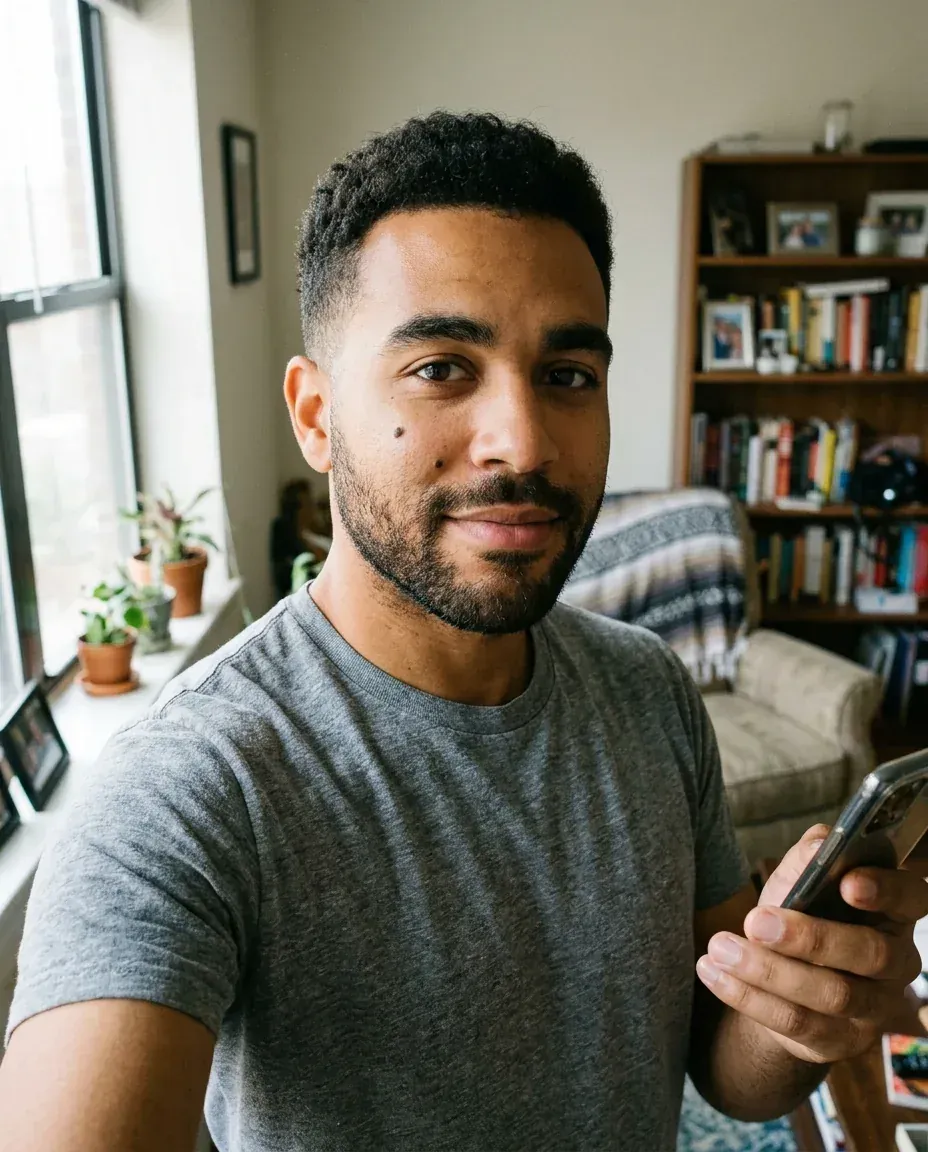
The reference selfie: a generated photo of a fictional man (not a real person), made with Nano Banana 2 for the earlier headshot examples post and reused here.
The selfie above is a generated photo of a fictional man, reused from the earlier post Headshot Examples From One Selfie. It shows short dark curly hair with a fade, a trimmed beard, thick eyebrows and a small mole on his left cheek, in a gray t-shirt beside a window.
Steps to reproduce any of the eight prompts below:
1. Open the Image workspace.
2. Pick GPT Image 2 from the model list.
3. Switch the mode to Image to Image.
4. Upload the selfie as the reference image.
5. Paste one of the prompts verbatim.
6. Set resolution to 1K and the aspect ratio shown inside the prompt.
These prompts are written in the plain-language style people use when they type a chatgpt headshot prompt into ChatGPT, but every output in this post was generated with GPT Image 2 on Omnely, so results shown here may not match what ChatGPT returns.
1. LinkedIn profile photo
Using the uploaded selfie as the only identity reference, keep the same person: face shape, skin tone, short dark curly hair with a fade, trimmed beard, thick eyebrows and the small mole on his left cheek. Do not change his age or facial features. Create a square LinkedIn profile photo: head and shoulders centered with space around the head for a circular crop, slate-blue button-down shirt with the top button open and no jacket, plain soft off-white wall behind him, even window light from the front, relaxed natural smile, looking into the lens, natural skin texture, 1:1, no text, no watermarkThe output for this prompt is the image at the top of this post.
What the output shows: a square frame of the same fictional man in a slate-blue button-down shirt with the top button open and no jacket, a plain off-white wall behind him, even soft front light, a relaxed closed-mouth smile and eyes into the lens. The head and shoulders sit centered, but there is little space above the hair, so a circular crop could clip the top.
Office
2. Office headshot
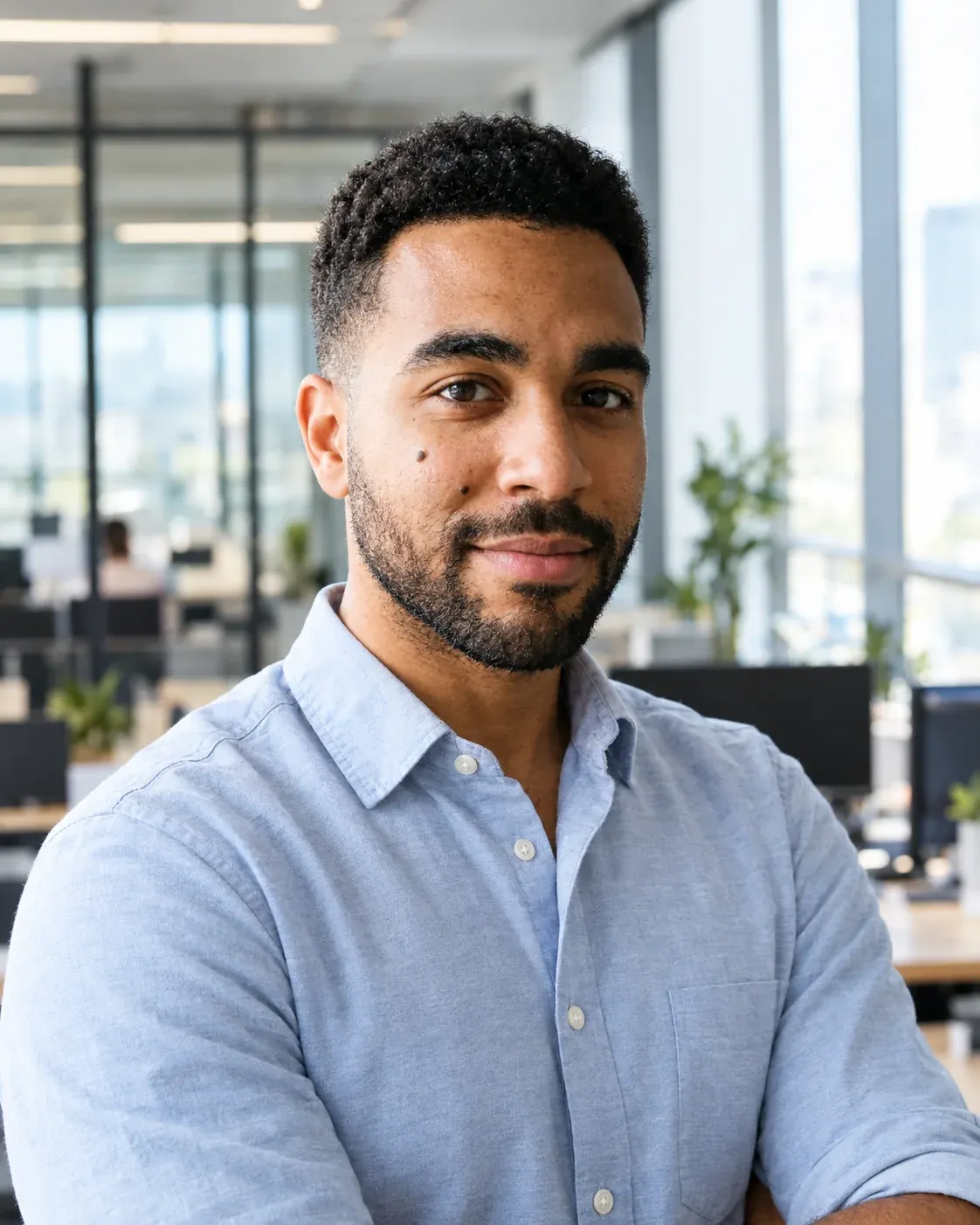
Using the uploaded selfie as the only identity reference, keep the same person: face shape, skin tone, short dark curly hair with a fade, trimmed beard, thick eyebrows and the small mole on his left cheek. Do not change his age or facial features. Create an office headshot: chest-up, light-blue oxford shirt with the sleeves rolled, standing in a bright modern open-plan office with glass partitions and desks softly blurred behind him, daylight from tall windows on the right, friendly confident expression, 85mm lens look, natural skin texture, 4:5, no text, no watermark
GPT Image 2, image to image, 1K, 10 credits (real Omnely output; the selfie is generated and fictional).
What the output shows: a chest-up frame in a light-blue oxford shirt with a blurred open-plan office behind him, glass partitions, desks and a few plants visible in the background. Light comes from windows on the right side and the expression is a composed smile.
Studio
3. Studio headshot on a sand backdrop
Using the uploaded selfie as the only identity reference, keep the same person: face shape, skin tone, short dark curly hair with a fade, trimmed beard, thick eyebrows and the small mole on his left cheek. Do not change his age or facial features. Create a studio headshot on a warm sand-colored seamless paper backdrop: dark green knit polo, soft key light from the front-left with gentle fill, a faint shadow on the backdrop, calm closed-mouth smile, sharp focus on the eyes, natural skin texture, 4:5, no text, no watermark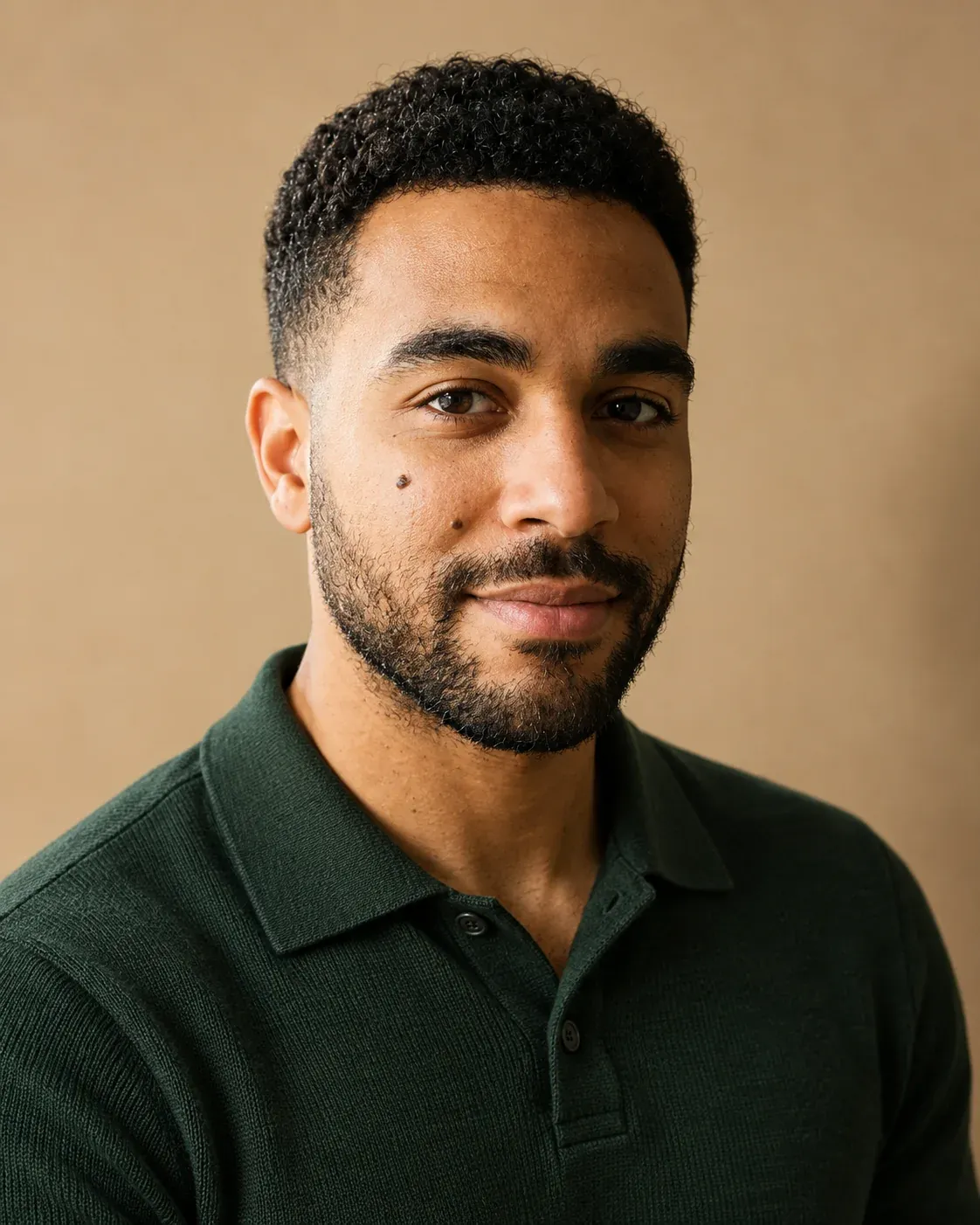
GPT Image 2, image to image, 1K, 10 credits (real Omnely output; the selfie is generated and fictional).
What the output shows: a dark green knit polo against a warm sand-colored backdrop with a soft gradient, a soft key light coming from the front-left and a calm closed-mouth smile.
Outdoor and stage
4. Outdoor business headshot
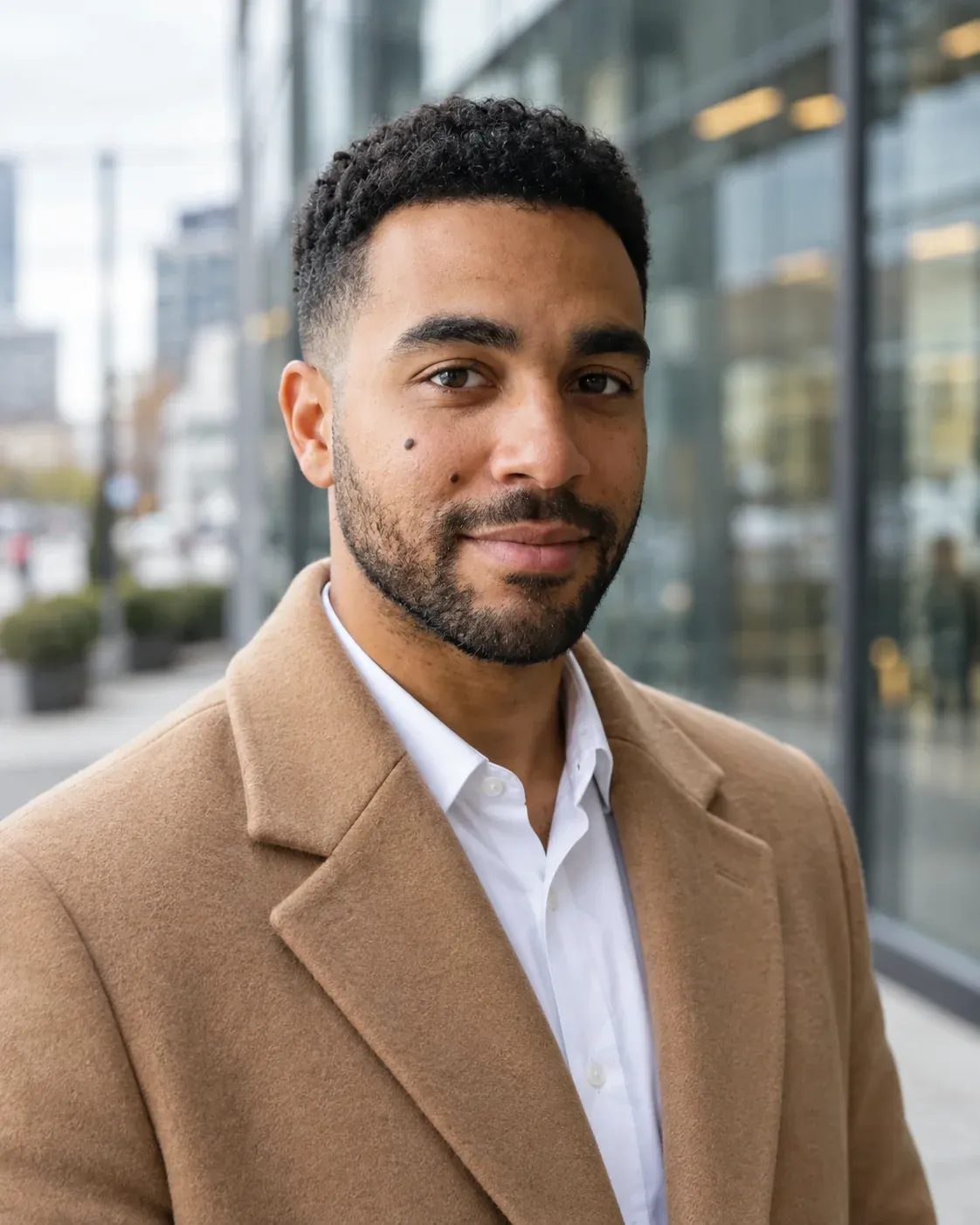
Using the uploaded selfie as the only identity reference, keep the same person: face shape, skin tone, short dark curly hair with a fade, trimmed beard, thick eyebrows and the small mole on his left cheek. Do not change his age or facial features. Create an outdoor business headshot: chest-up, camel wool overcoat over a white shirt, standing on a city sidewalk beside a glass office building on an overcast morning with the building softly blurred behind him, soft diffused light, composed smile, 85mm lens look, natural skin texture, 4:5, no text, no watermark
GPT Image 2, image to image, 1K, 10 credits (real Omnely output; the selfie is generated and fictional).
What the output shows: a camel wool overcoat over a white open-collar shirt without a tie, a blurred glass office building and street behind him, soft overcast daylight and a composed smile.
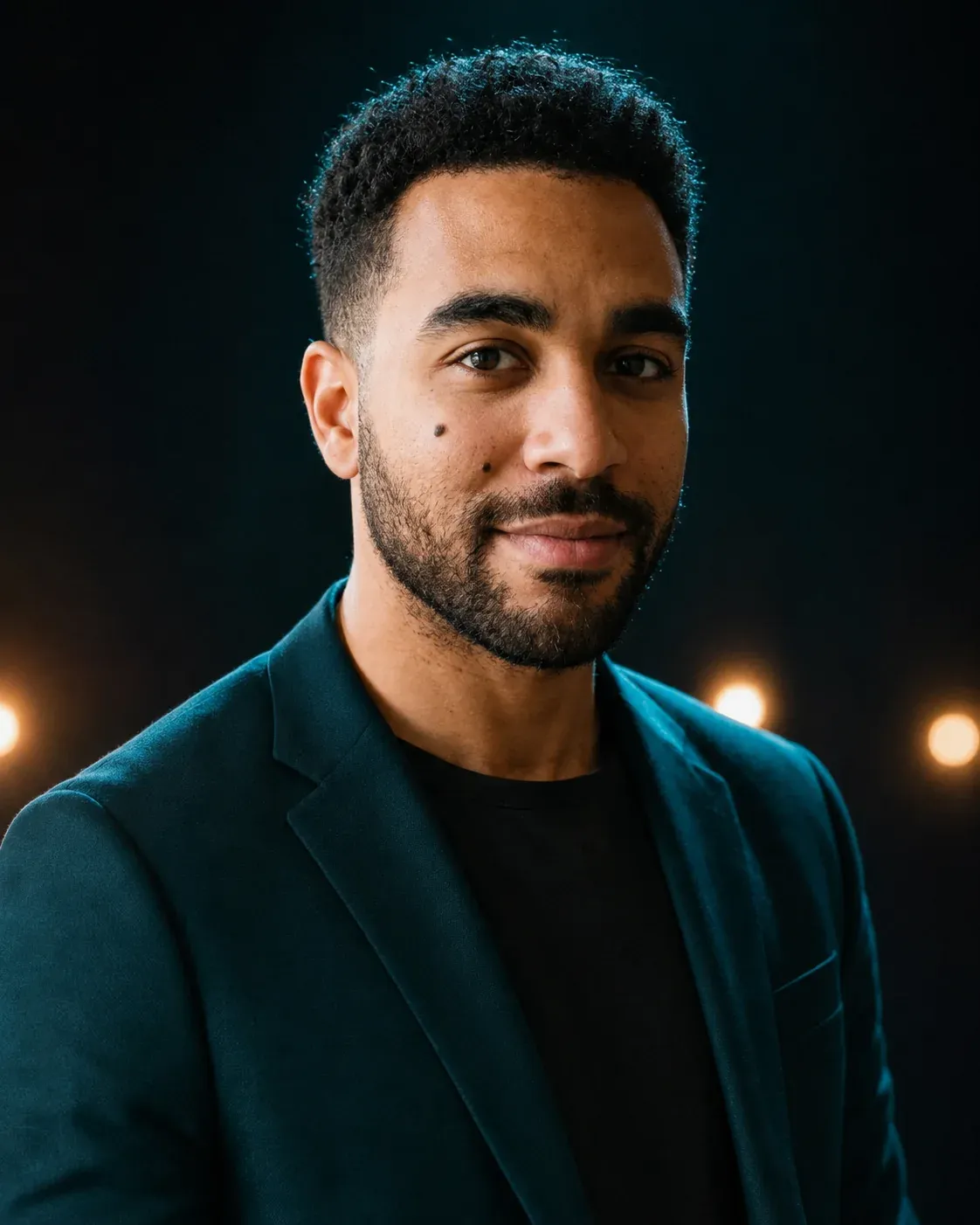
5. Speaker profile photo
Using the uploaded selfie as the only identity reference, keep the same person: face shape, skin tone, short dark curly hair with a fade, trimmed beard, thick eyebrows and the small mole on his left cheek. Do not change his age or facial features. Create a speaker profile photo for a conference page: chest-up, deep teal blazer over a black t-shirt, dark stage backdrop with small warm out-of-focus lights behind him, soft key light from the front with a gentle rim light on the hair, confident smile, natural skin texture, 4:5, no text, no watermark
GPT Image 2, image to image, 1K, 10 credits (real Omnely output; the selfie is generated and fictional).
What the output shows: a deep teal blazer over a black t-shirt against a dark backdrop with a few small warm out-of-focus lights, soft front key light and a confident smile.
Workspace, remote and team pages
6. Co-working portrait
Using the uploaded selfie as the only identity reference, keep the same person: face shape, skin tone, short dark curly hair with a fade, trimmed beard, thick eyebrows and the small mole on his left cheek. Do not change his age or facial features. Create an environmental work portrait: waist-up, cream linen shirt with the sleeves rolled, standing in a bright co-working space with green plants and a pale wooden shelf softly blurred behind him, soft daylight from the left, relaxed smile, looking into the lens, natural skin texture, 3:2, no text, no watermark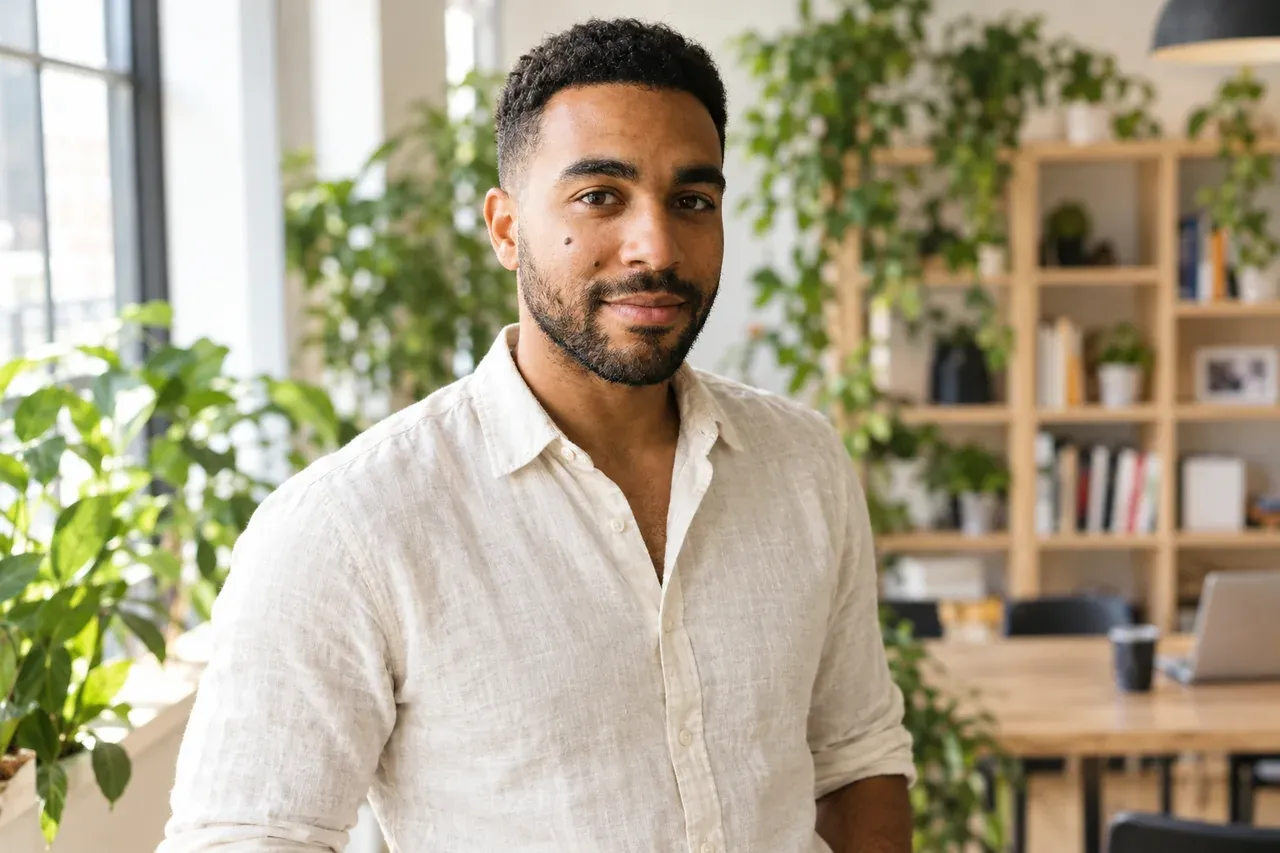
GPT Image 2, image to image, 1K, 10 credits (real Omnely output; the selfie is generated and fictional).
What the output shows: a waist-up frame in a cream linen shirt inside a bright co-working space with many green plants, a pale wooden shelf and a laptop on a table blurred behind him, daylight from the left. Because the crop is wider than the chest-up shots, the face occupies a smaller share of the frame.
7. Remote work photo
Using the uploaded selfie as the only identity reference, keep the same person: face shape, skin tone, short dark curly hair with a fade, trimmed beard, thick eyebrows and the small mole on his left cheek. Do not change his age or facial features. Create a remote-work profile photo for video calls: chest-up, gray cardigan over a white t-shirt, seated at a home desk with a tidy bookshelf softly blurred behind him and a small warm desk lamp out of focus, soft window light from the left, friendly expression, natural skin texture, 4:5, no text, no watermark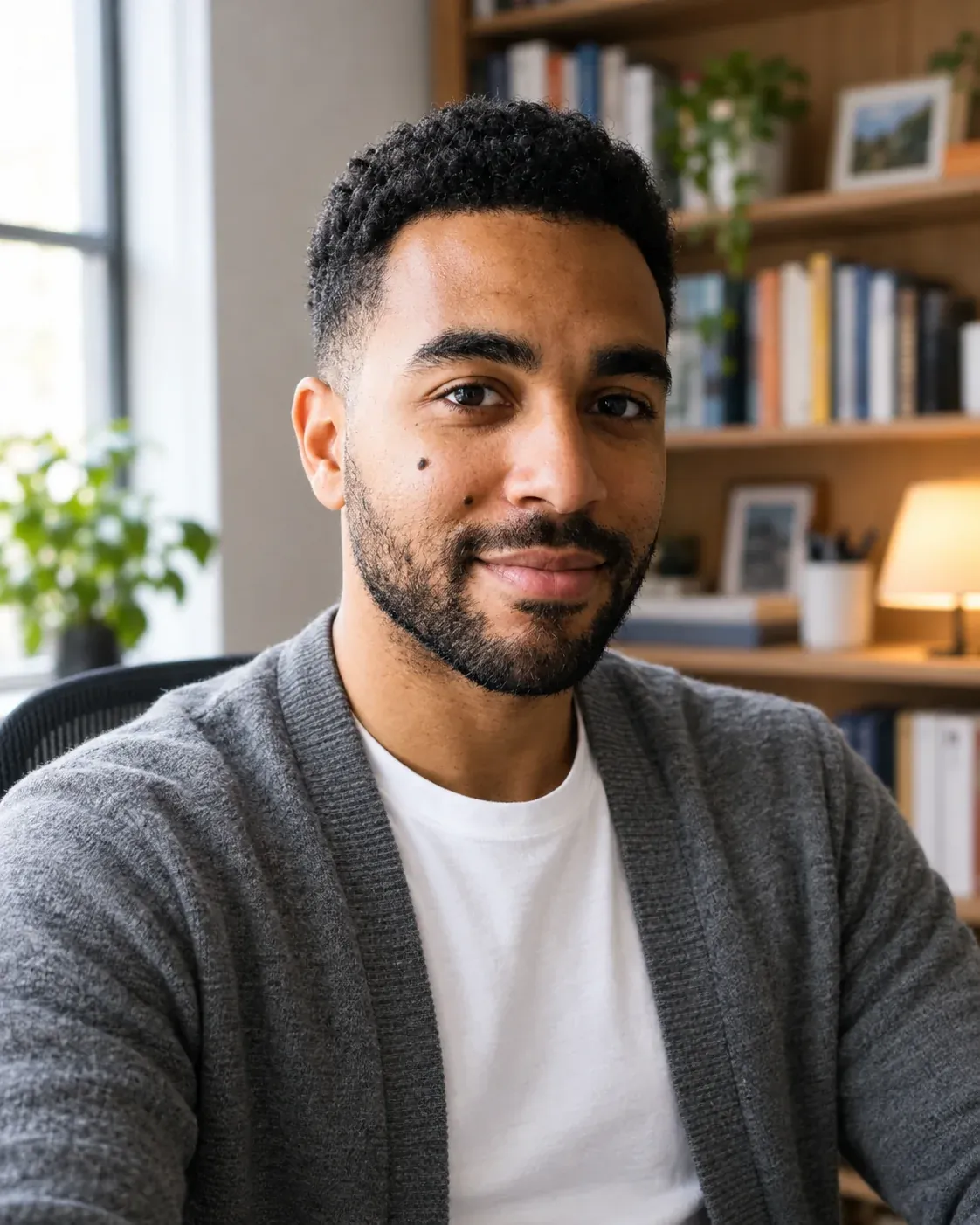
GPT Image 2, image to image, 1K, 10 credits (real Omnely output; the selfie is generated and fictional).
What the output shows: a gray cardigan over a white t-shirt, seated, with a tidy bookshelf, a window and a lit desk lamp blurred behind him. The bookshelf-and-window setting resembles the room in the original selfie.
8. Team page headshot
Using the uploaded selfie as the only identity reference, keep the same person: face shape, skin tone, short dark curly hair with a fade, trimmed beard, thick eyebrows and the small mole on his left cheek. Do not change his age or facial features. Create a team-page headshot: head and shoulders, burgundy crew-neck sweater, soft mint-green seamless backdrop, even soft light with a gentle fill, warm smile showing a little teeth, eyes looking into the lens, natural skin texture, 4:5, no text, no watermark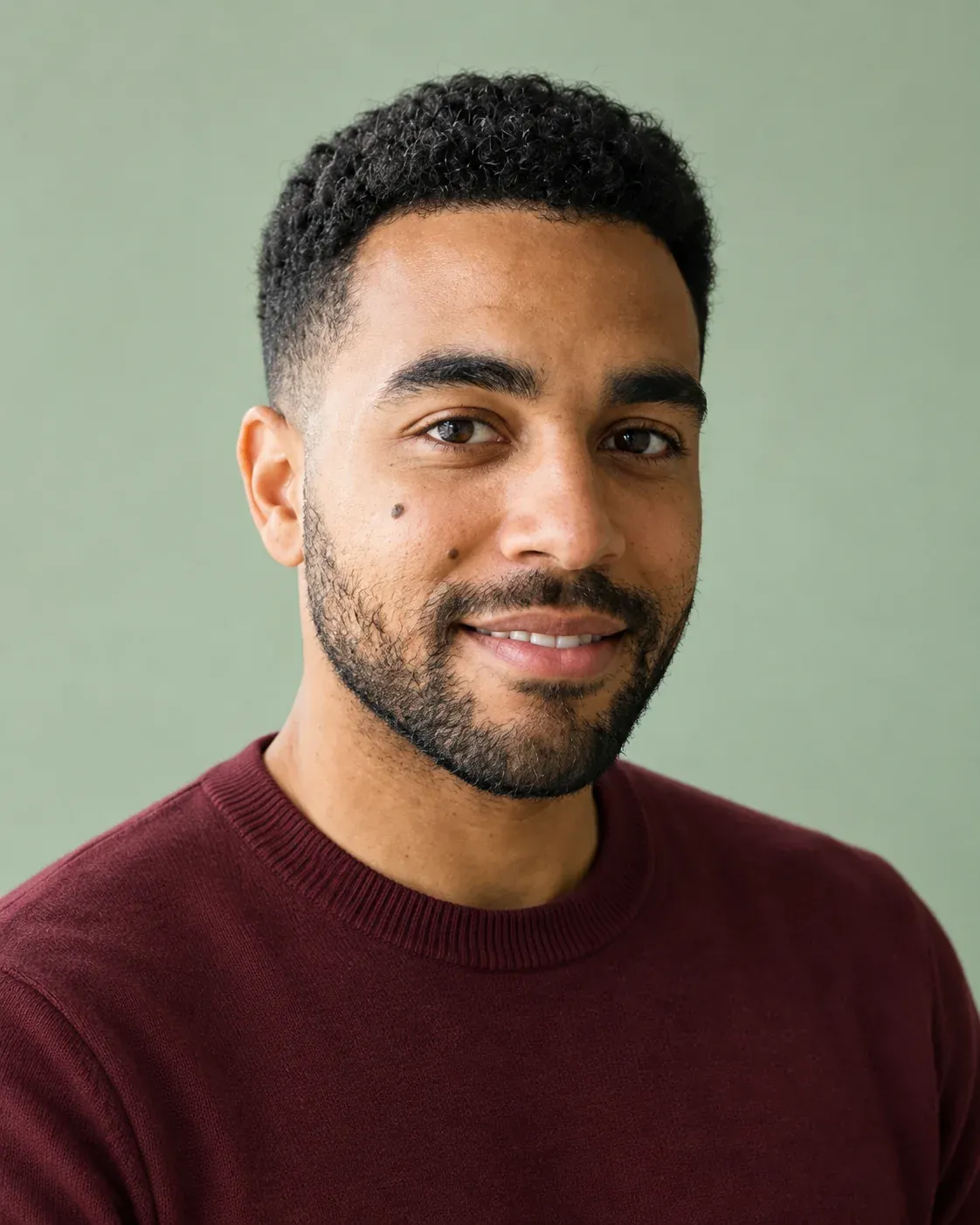
GPT Image 2, image to image, 1K, 10 credits (real Omnely output; the selfie is generated and fictional).
What the output shows: head and shoulders in a burgundy crew-neck sweater against a plain soft mint-green backdrop, even light, a warm smile with a little teeth and eyes into the lens.
Credits and settings for a chatgpt headshot prompt
| Model | 1K | 2K | 4K | Reference images |
|---|---|---|---|---|
| GPT Image 2 | 10 credits | 15 credits | 20 credits | 1 to 16 |
| Nano Banana Pro | 15 credits | 15 credits | 20 credits | up to 14 |
| Nano Banana 2 | 8 credits | 12 credits | 15 credits | up to 8 |
On GPT Image 2, the 4:5 and 5:4 ratios are 1K only, the 1:1 ratio maxes out at 2K, and the auto ratio is 1K only. Every output shown in this post was generated at 1K, so each image cost exactly 10 credits.
The same prompts can be run on Nano Banana Pro or Nano Banana 2 with the single selfie attached as the reference image. For five more headshot styles made from the same fictional selfie with Nano Banana Pro, see Headshot Examples From One Selfie. For the broader library of photo prompts across portrait, product, food and edits, see ChatGPT Photo Prompts for GPT Image 2. The step-by-step on GPT Image 2 itself lives in How to Use GPT Image 2, and the editing walkthrough is in ChatGPT Image Editor. New users get free credits when they sign up, and the image models need a paid Omnely plan.
Fixing a chatgpt headshot prompt that drifts
- Try tightening the identity lock: repeat the hair, beard, brows and any mark by name, and add "do not change his age or facial features" to push back on face drift.
- Try widening the top of the frame: if the circular LinkedIn crop clips the hair, add "with extra headroom above the hair" to the crop line.
- Try asking for natural skin texture explicitly: if skin looks smoothed, add "visible skin texture, pores, no retouching" at the end of the prompt.
- Try plainer backgrounds: if the scene feels busy, swap the setting for a seamless backdrop or a plain wall and set the subject-background separation with a short line like "softly blurred behind him."
- Try two or three regenerations and pick the closest one: identity match varies run to run, so generating a small set and choosing beats editing a single result.
These suggestions were not run on the eight images above; they are starting points for tuning. All eight outputs here are single runs against one fictional face, so identity likeness varies and results on other faces may differ.
FAQ
How many reference images can GPT Image 2 take?
GPT Image 2 on Omnely accepts between 1 and 16 reference image URLs. Passing any reference image makes the request an edit job, which is what a headshot prompt relies on.
How many credits is a chatgpt headshot prompt?
With GPT Image 2, a single headshot costs 10 credits at 1K, 15 credits at 2K and 20 credits at 4K. Each image in this post was generated at 1K, so each one cost 10 credits.
Will the headshot look like the original selfie?
Likeness varies. The eight outputs above were judged by eye on one fictional face with one run per prompt, so the match on a different face can be closer or looser. A sharp, front-facing, evenly lit selfie at eye level without filters gives the model the clearest reference to work from.
Which aspect ratio works for LinkedIn?
LinkedIn shows profile photos in a circle, so a square 1:1 image with the head centered is a practical starting point; the output for prompt 1 had little space above the hair, so extra headroom may help. Vertical 4:5 was used here for the office, studio, outdoor, speaker, remote and team-page prompts.
Open the Image workspace, pick GPT Image 2, switch to Image to Image, upload one clean selfie and paste any prompt above to run your own set.