Headshot Examples by Style With Nano Banana Pro
Five headshot examples of one fictional person from a single selfie: corporate, LinkedIn, actor, outdoor and studio, made with Nano Banana Pro on Omnely, with exact prompts and credits.
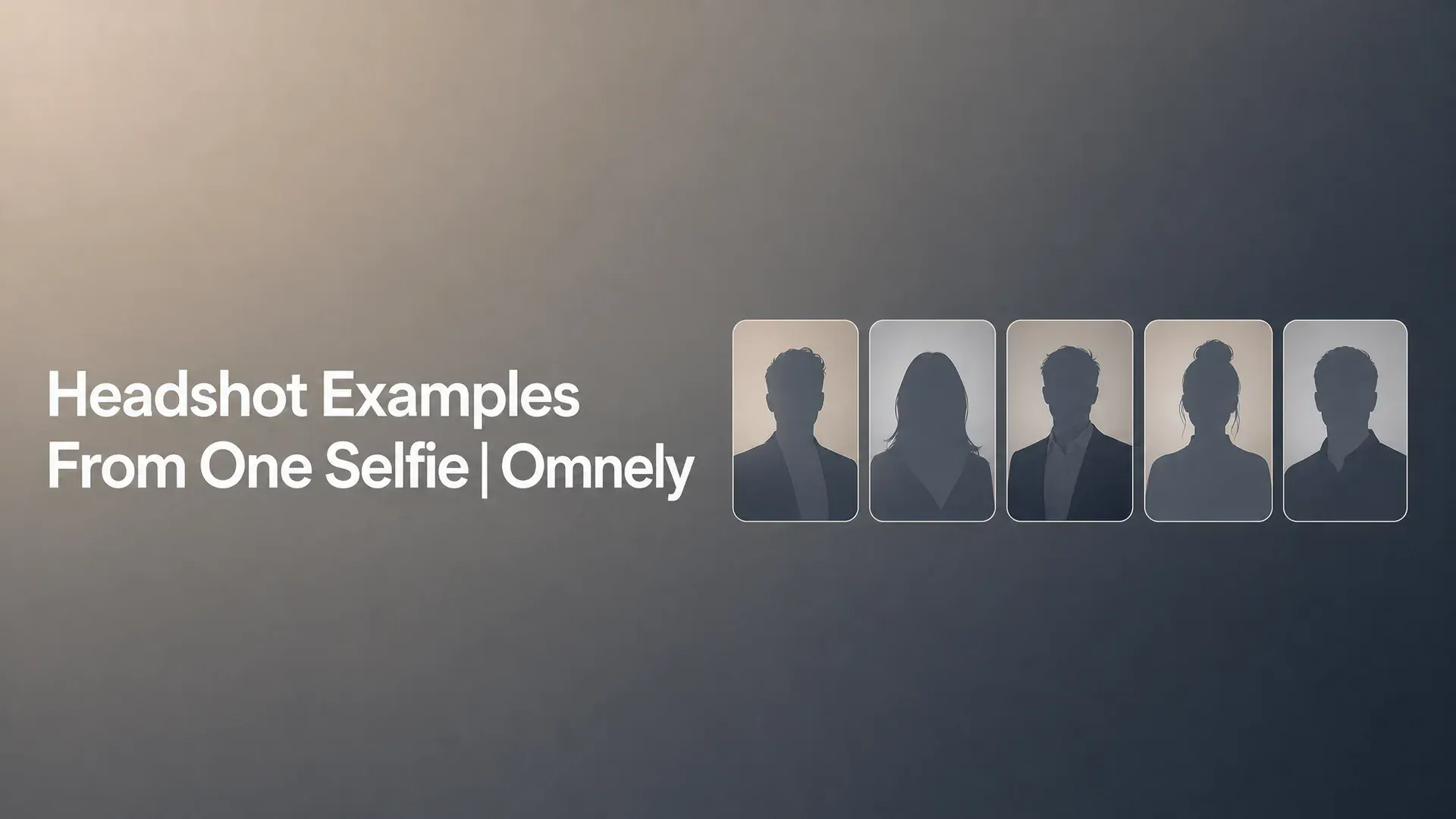
This post walks through five headshot examples of one fictional person — corporate, LinkedIn, actor, outdoor, and studio — all generated from a single synthetic selfie using Nano Banana Pro reference-guided edits on Omnely. Every prompt is pasted verbatim, every image uses the same reference, and the exact credit cost is listed next to each setting. By the end you can copy any style, swap in your own selfie, and run it in the Image workspace.
What good headshot examples have in common
Strong headshots share a short list of traits that work across industries and platforms:
- Eyes: sharp focus on the eyes, with clear catchlights and direct engagement with the lens
- Light: soft, directional light (softbox, window, or beauty dish) that sculpts the face without hard shadows
- Crop: head and shoulders or chest-up, framed so the face still reads at thumbnail size
- Background: clean and uncluttered, tonally separated from the subject so the face pops
- Wardrobe: solid colors, one level above daily dress, matched to the role or industry
- Expression: approachable and competent — a genuine closed-mouth smile or a grounded neutral look, never forced
Every example below is built around those six traits. Only the styling, lighting, and background change between runs.
How these examples were made: one selfie, one model
Omnely does not have a dedicated headshot product or mode. These headshots are reference-guided Image to Image edits with a general image model: upload one selfie as the reference, write a style prompt that locks the likeness, and the model restyles the person into a different wardrobe, background, and lighting setup.
The reference selfie itself is a synthetic photo of a fictional man generated with Nano Banana 2 in Text to Image mode. This gives a consistent, realistic face to restyle without using a real person's likeness.
Photorealistic casual smartphone selfie of a fictional man in his early 30s, not based on any real person. Light-brown skin, short dark curly hair with a neat fade, short trimmed beard, thick dark eyebrows, dark brown eyes and a small mole on his left cheek. He wears a plain heather-gray t-shirt and has a relaxed half smile. Taken at arm's length indoors next to a window, natural daylight, slightly cluttered living room behind him, mild wide-angle phone-lens perspective, no filters. No text, no watermark.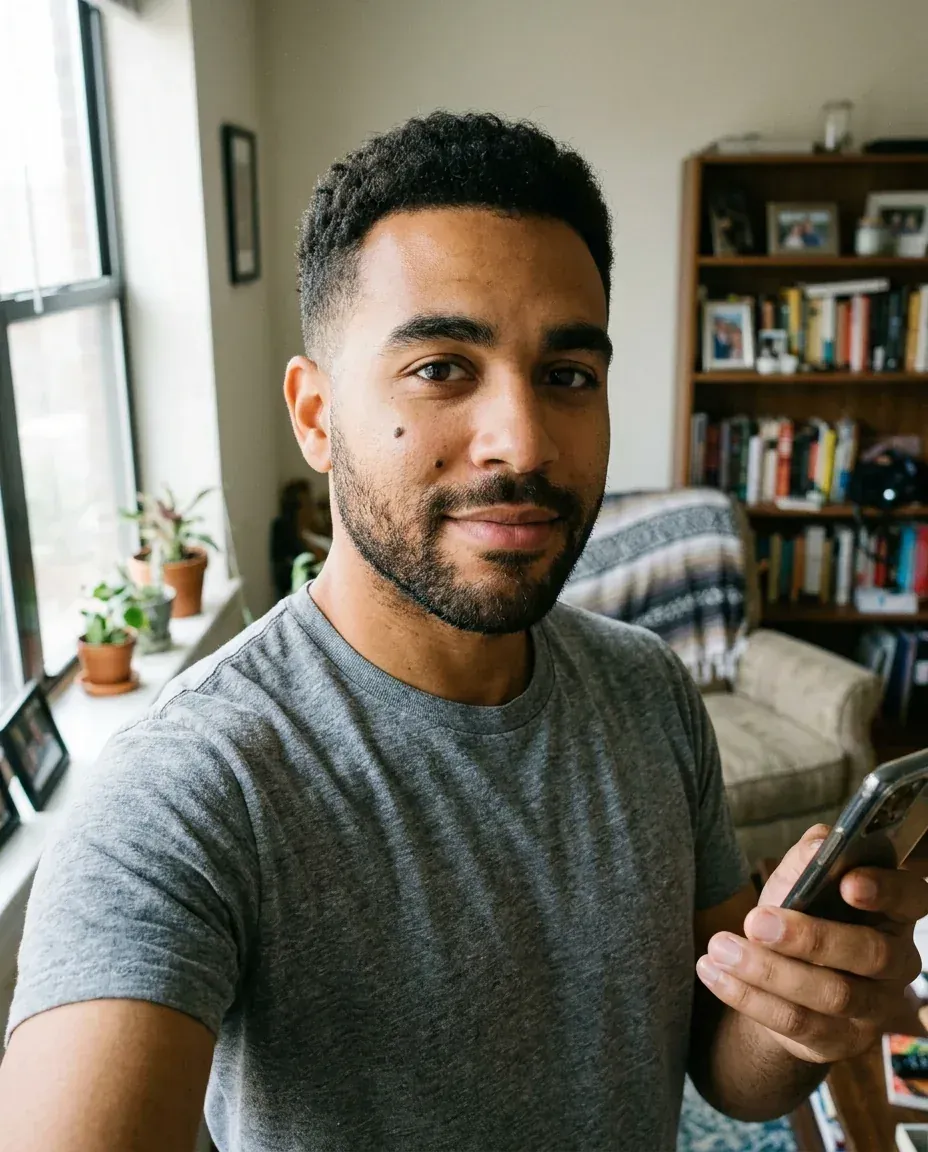
Synthetic reference selfie of a fictional man (not a real person), generated with Nano Banana 2 on Omnely from the prompt above (Text to Image, 4:5, 1K, 8 credits).
Steps in the Image workspace:
- Open the Image workspace and pick Nano Banana Pro as the model.
- Switch to Image to Image and upload the selfie as the reference image.
- Set aspect ratio to 4:5 and resolution to 1K.
- Paste one of the five style prompts below.
- Generate — one PNG per run, 15 credits each.
Every style prompt below opens with the same likeness-lock sentence: "Use the uploaded selfie as the exact identity reference. Keep the same face, skin tone, curly hair, beard, eyebrows and the small mole on the left cheek; do not change facial features, age or body shape." That sentence does most of the work in keeping the person recognizable across five very different lighting and wardrobe setups.
Headshot examples by style
Corporate headshot
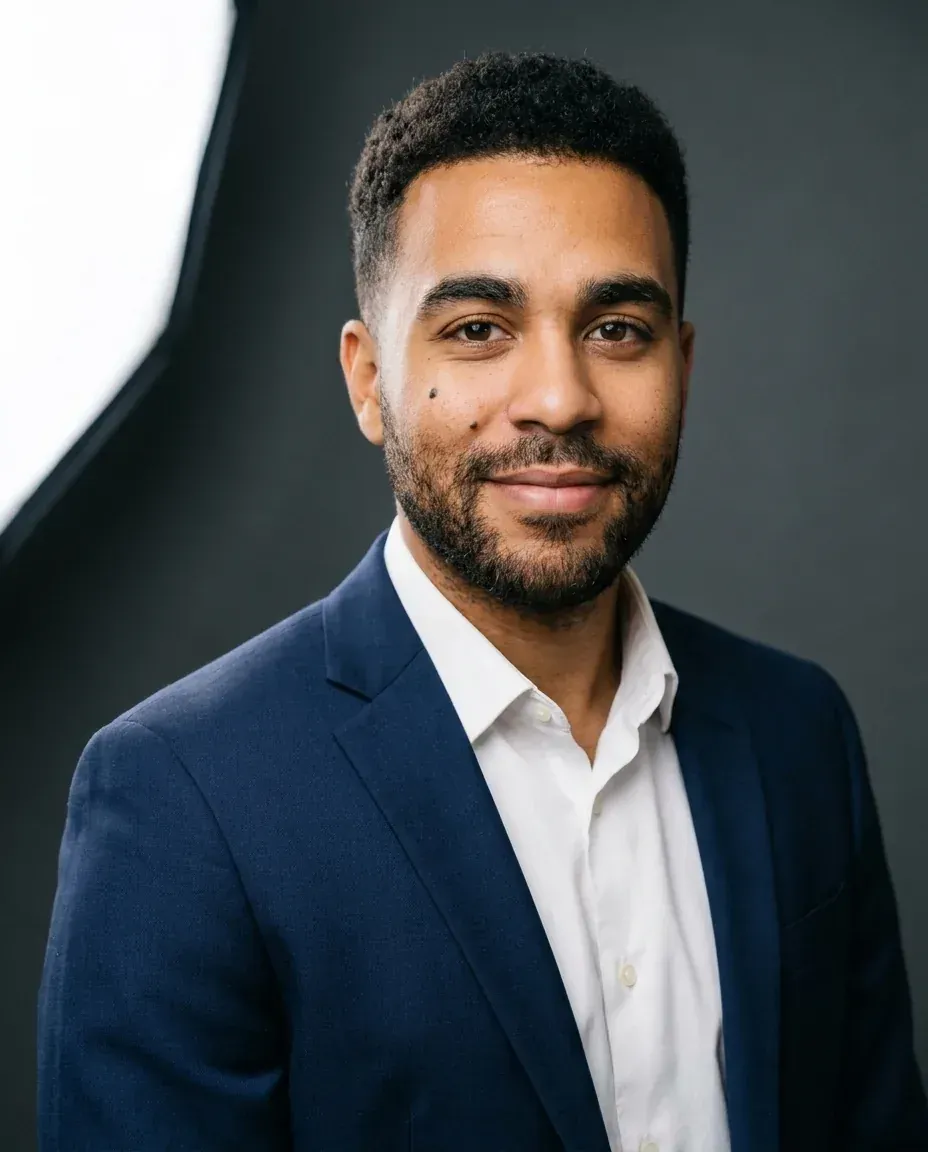
Use a corporate headshot for annual reports, speaker bios, finance and law firm websites, and executive team pages. What makes it work: a soft charcoal backdrop, a softbox key with gentle fill, a suit jacket with a crisp shirt, and a closed-mouth confident smile that reads as competent rather than casual.
Use the uploaded selfie as the exact identity reference. Keep the same face, skin tone, curly hair, beard, eyebrows and the small mole on the left cheek; do not change facial features, age or body shape. Create a professional corporate headshot: head and shoulders, eye-level camera, navy suit jacket with a white shirt and no tie, soft charcoal-gray seamless backdrop, large softbox key light from the left with gentle fill, sharp focus on the eyes, confident closed-mouth smile, natural skin texture with minimal retouching, 85mm portrait lens look. No text, no watermark.
Corporate headshot: Nano Banana Pro Image to Image on Omnely with the selfie above as the only reference (4:5, 1K, 15 credits).
LinkedIn headshot
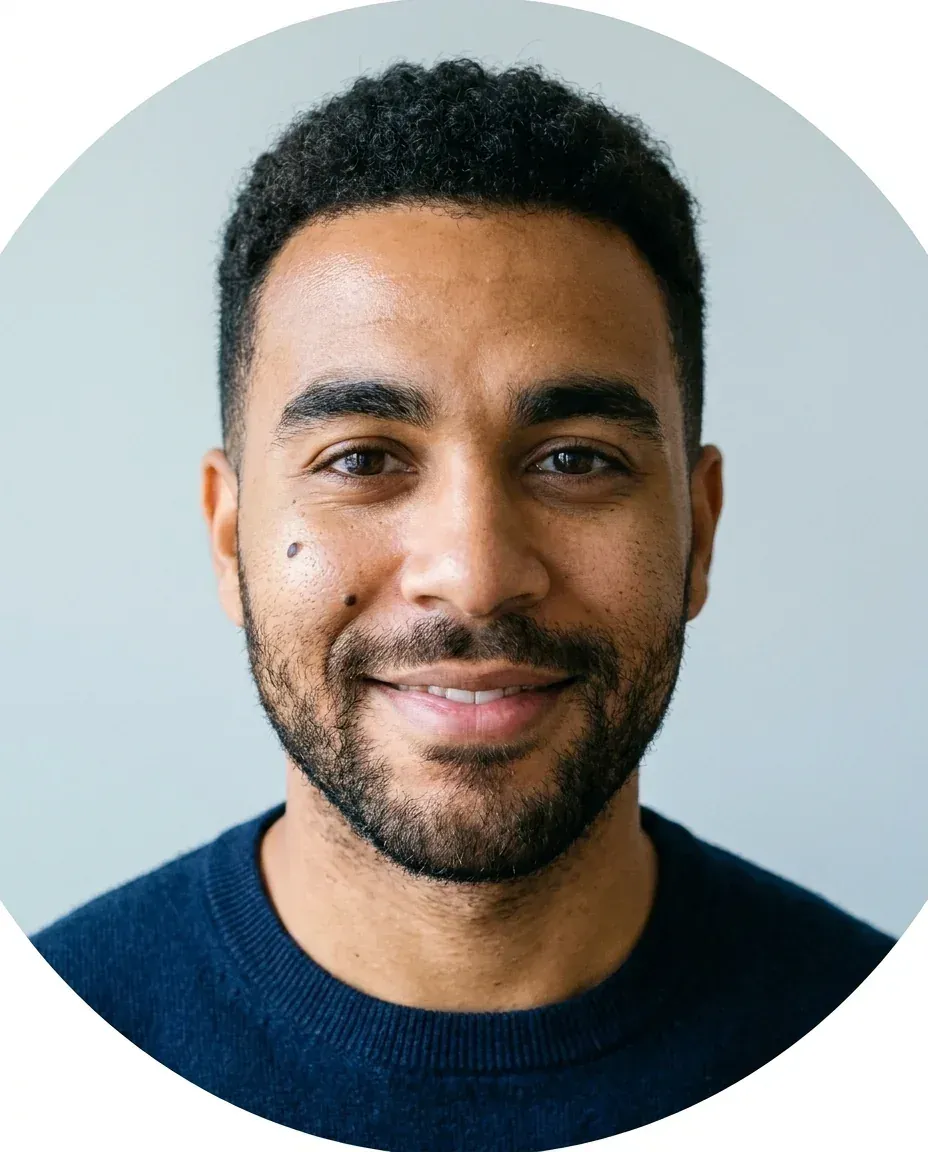
Use a LinkedIn headshot for profile photos, team pages, and any avatar that will be cropped into a circle. What makes it work: a tight head-and-shoulders crop centered on the face so it survives the circular mask, a bright even light, smart-casual wardrobe, and a warm genuine smile that invites recruiters to click.
Use the uploaded selfie as the exact identity reference. Keep the same face, skin tone, curly hair, beard, eyebrows and the small mole on the left cheek; do not change facial features, age or body shape. Create a LinkedIn profile headshot: tight head-and-shoulders crop with the face centered so it survives a circular crop, light gray-blue background, smart-casual navy crew-neck sweater, bright even lighting, warm genuine smile showing a little teeth, eyes looking straight into the lens, natural skin texture. No text, no watermark.
LinkedIn headshot: Nano Banana Pro Image to Image on Omnely with the same selfie as reference (4:5, 1K, 15 credits). The model drew the circular-crop instruction literally as a round frame.
Actor headshot
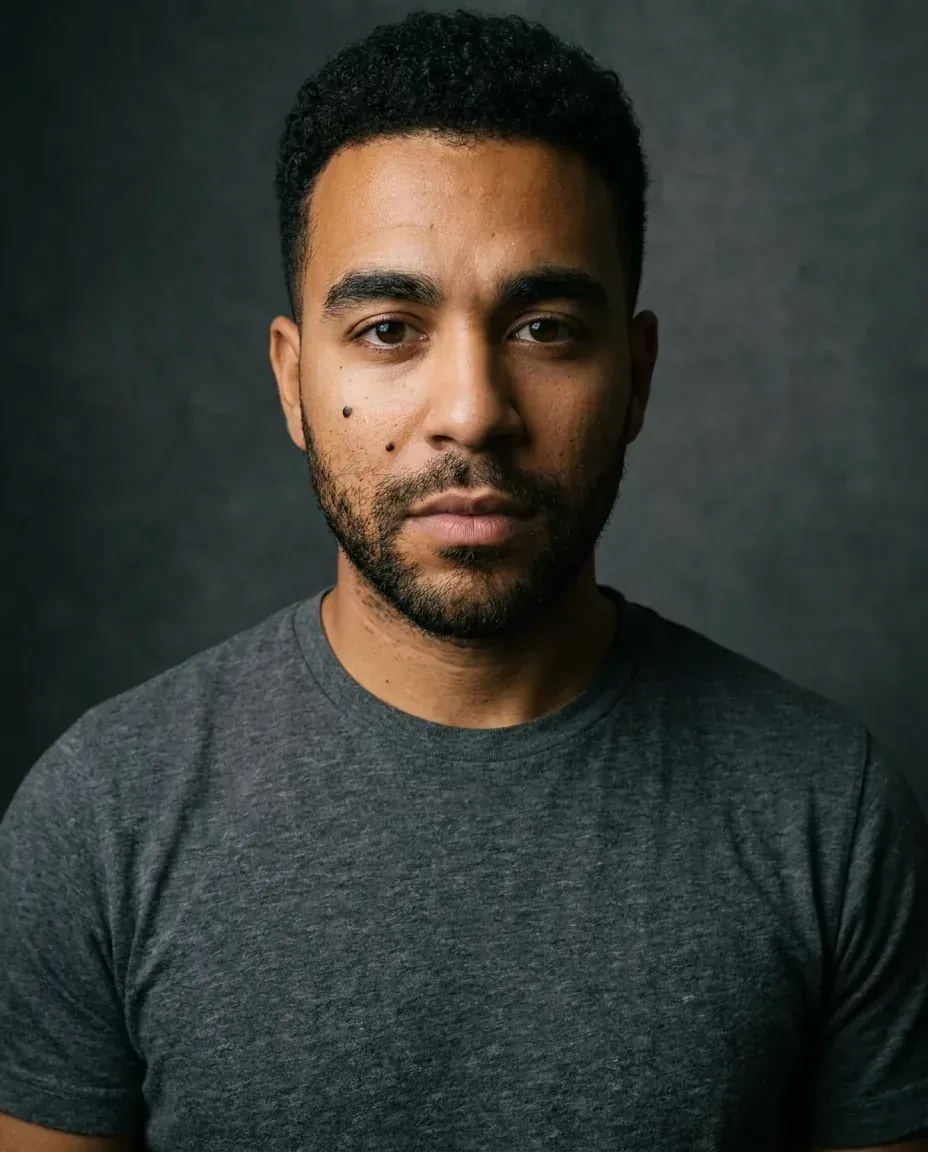
Use an actor headshot for casting profiles, agent submissions, and theatrical representation. What makes it work: a simple wardrobe that disappears, soft directional window-style light with honest shadow falloff, a plain textured background, and a grounded neutral expression. Casting directors want to see the person, not the retouching.
Use the uploaded selfie as the exact identity reference. Keep the same face, skin tone, curly hair, beard, eyebrows and the small mole on the left cheek; do not change facial features, age or body shape. Create a theatrical actor headshot: chest-up crop, plain charcoal t-shirt, soft directional window-style light from camera right with moody falloff, dark textured gray background, neutral grounded expression with direct eye contact and no smile, honest look with natural skin and no glamour retouching. No text, no watermark.
Actor headshot: Nano Banana Pro Image to Image on Omnely with the same selfie as reference (4:5, 1K, 15 credits).
Outdoor headshot
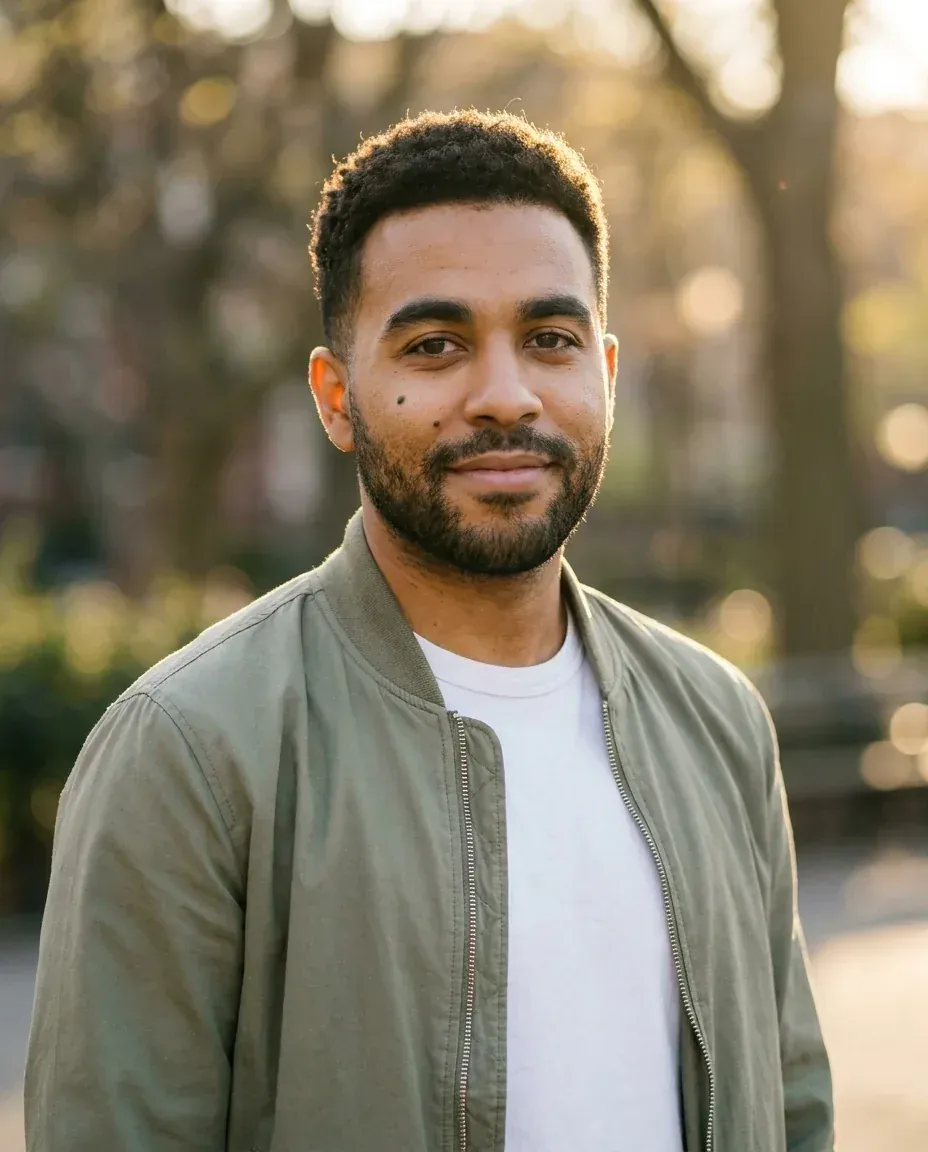
Use an outdoor environmental headshot for creative industries, consultants, realtors, authors, and personal brand sites that want warmth instead of a studio feel. What makes it work: golden-hour backlight with a rim on the hair, creamy bokeh from a wide aperture, a jacket-and-tee combo, and a relaxed smile that matches the softer setting.
Use the uploaded selfie as the exact identity reference. Keep the same face, skin tone, curly hair, beard, eyebrows and the small mole on the left cheek; do not change facial features, age or body shape. Create an outdoor environmental headshot: chest-up, light olive bomber jacket over a white tee, standing in a city park at golden hour, trees softly blurred behind him with creamy bokeh, warm backlight rim on the hair, relaxed friendly smile, 85mm lens look with shallow depth of field. No text, no watermark.
Outdoor headshot: Nano Banana Pro Image to Image on Omnely with the same selfie as reference (4:5, 1K, 15 credits).
Studio headshot
Use a classic studio headshot for editorial features, press kits, keynote slides, and anywhere you want a timeless, polished look. What makes it work: a pure white background, butterfly lighting from a beauty dish with subtle fill, a solid dark top, and a calm confident expression with crisp catchlights.
Use the uploaded selfie as the exact identity reference. Keep the same face, skin tone, curly hair, beard, eyebrows and the small mole on the left cheek; do not change facial features, age or body shape. Create a classic studio headshot: head and shoulders, black crew-neck sweater, pure white seamless background, clean butterfly lighting from a beauty dish with subtle fill, crisp catchlights in the eyes, calm confident expression with a slight smile, polished editorial finish that still keeps natural skin texture. No text, no watermark.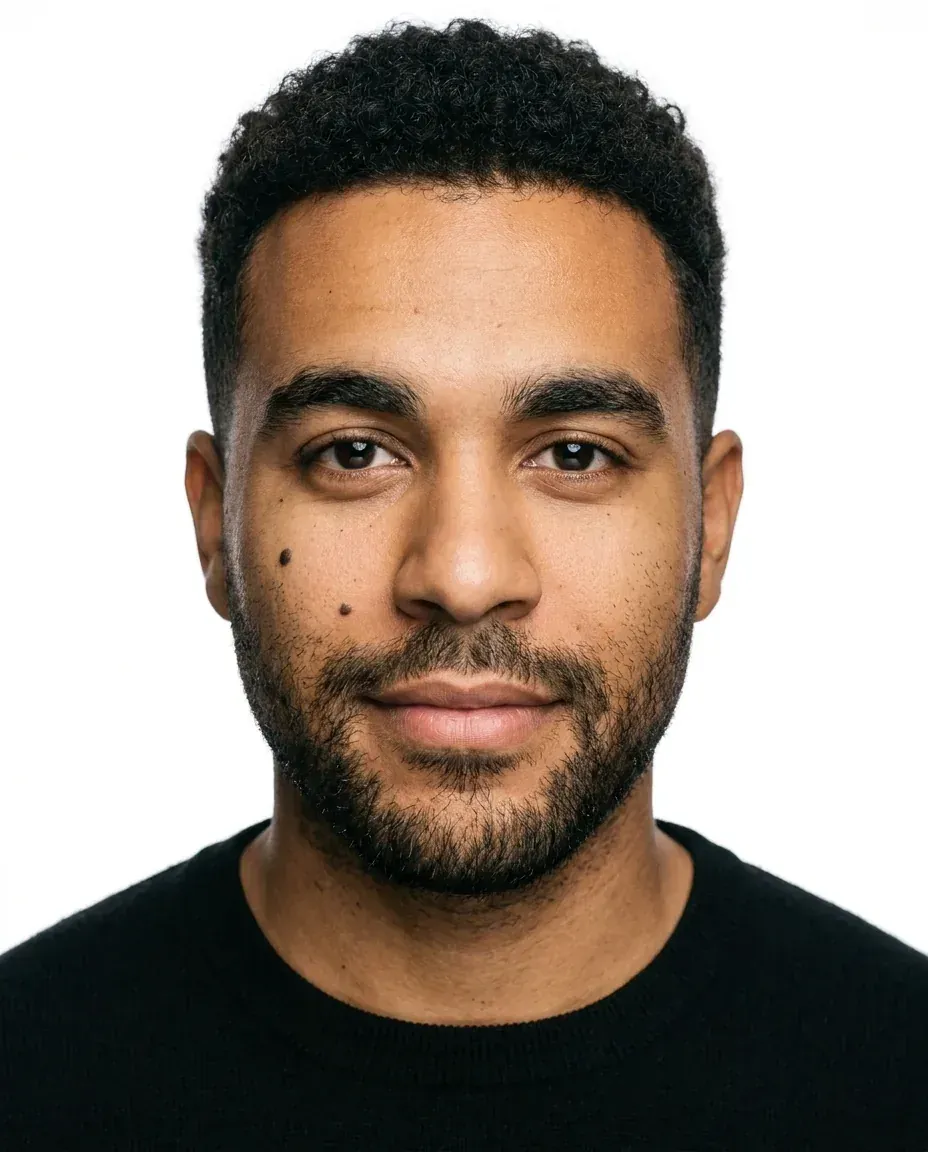
Studio headshot: Nano Banana Pro Image to Image on Omnely with the same selfie as reference (4:5, 1K, 15 credits).
Settings and credits for the full set
| Image | Model | Mode | Aspect | Resolution | Credits |
|---|---|---|---|---|---|
| Reference selfie | Nano Banana 2 | Text to Image | 4:5 | 1K | 8 |
| Corporate headshot | Nano Banana Pro | Image to Image | 4:5 | 1K | 15 |
| LinkedIn headshot | Nano Banana Pro | Image to Image | 4:5 | 1K | 15 |
| Actor headshot | Nano Banana Pro | Image to Image | 4:5 | 1K | 15 |
| Outdoor headshot | Nano Banana Pro | Image to Image | 4:5 | 1K | 15 |
| Studio headshot | Nano Banana Pro | Image to Image | 4:5 | 1K | 15 |
| Total | 83 credits ($0.83) |
A few things worth knowing about the price:
- On Nano Banana Pro, 1K and 2K cost the same 15 credits; 4K costs 20 credits. Rerunning the exact same prompt at 2K costs the same 15 credits.
- Aspect ratio and the number of reference images don't change the price.
- Nano Banana Pro accepts up to 14 reference images per edit if you want to supply multiple angles.
Tips for better reference-guided headshots
- Start with a clean selfie. Even light, eyes clearly visible, no sunglasses, neutral or softly smiling expression, no heavy filters or beauty-mode smoothing.
- Lead every style prompt with the likeness-lock sentence that names the face traits you need preserved (hair, beard, skin tone, distinctive marks).
- Change one thing per prompt. If a result drifts, don't rewrite everything — adjust the single element that was off (background, wardrobe, or expression).
- Keep 4:5 for most crops. For LinkedIn specifically, keep the face centered so a 1:1 circular crop still works.
- Iterate at 1K, then rerun the winner at 2K for the same 15 credits, or push to 4K for 20 credits when you need a print-ready file.
- Add a second reference angle if likeness drifts across styles — Nano Banana Pro accepts up to 14 references, and a profile or three-quarter shot alongside the main selfie helps lock features.
- Resist glamour retouching cues in your prompt. Phrases like "natural skin texture" and "minimal retouching" keep pores, freckles, and realism intact.
Use AI headshots honestly
- Only use your own face, or a face you have explicit permission to use. The person in this post is fictional and generated, which is why these examples are safe to publish.
- Headshots must still look like you. Recruiters, casting directors, and clients expect accuracy — if the AI version doesn't match the person they'll meet, it hurts you.
- Keep retouching natural. Skin texture, small moles, and asymmetry read as human; glass-smooth skin reads as fake.
- Disclose AI editing where an employer, agency, or casting platform requires real, unedited photos.
Other Omnely models for reference-guided headshots
Nano Banana Pro is the default pick for these examples, but a few other models work well for the same selfie-to-style workflow:
- GPT Image 2 — accepts 1 to 16 reference images, costs 10 / 15 / 20 credits at 1K / 2K / 4K. Note that 4:5 is 1K only on this model.
- Seedream 5.0 Pro — accepts 1 to 10 input images, costs 10 credits at 1K or 20 at 2K, plus 1 credit per extra input image. No 4:5 option — use 3:4 for a portrait headshot crop.
- Nano Banana 2 — up to 8 references, costs 8 / 12 / 15 credits at 1K / 2K / 4K. Good lower-cost option if you want to burn through many variations before upgrading the winner on Nano Banana Pro.
The same selfie-to-style approach is used in the ChatGPT caricature prompt guide, and if you're new to the editor, start with how to use Nano Banana Pro for the workspace basics.
Headshot examples FAQ
How much does one AI headshot cost on Omnely?
On Nano Banana Pro, one headshot at 1K or 2K is 15 credits ($0.15), and 4K is 20 credits ($0.20). The five-headshot set in this post plus the reference selfie costs 83 credits total, or $0.83.
How many reference images can you upload?
Nano Banana Pro supports up to 14 reference images per edit. One clean selfie is usually enough; add a second or third angle only if the model struggles to hold likeness across different lighting setups.
Can it actually keep your likeness?
Yes, with two caveats: start from a clear, well-lit reference, and always open the prompt with a likeness-lock sentence that names the specific features you need preserved. Expect to run two or three variations before you lock in a style you're happy with.
Is there a dedicated headshot tool on Omnely?
No. Omnely does not offer a dedicated headshot generator, mode, or page. These headshots are reference-guided Image to Image edits with general image models like Nano Banana Pro, Nano Banana 2, GPT Image 2, or Seedream 5.0 Pro.
Which aspect ratio should you use for LinkedIn?
Use 4:5 on Nano Banana Pro with the face centered so the image survives a 1:1 circular crop. LinkedIn displays profile photos in a circle, so the center of the frame is what matters — avoid tight edge crops.
About the title card
The cover image at the top was generated on Omnely with GPT Image 2 (Text to Image, 16:9, 2K, 15 credits) from this prompt:
Wide 16:9 editorial title card for a blog post. Clean modern design on a soft warm-gray to deep slate gradient background, with a subtle row of five small blank portrait frames (rounded rectangles with abstract head-and-shoulders silhouettes only, no faces) on the right third. Large, sharp, fully readable white sans-serif title text on the left, set on two lines exactly as: Headshot Examples From One Selfie | Omnely. Perfect spelling, no extra words, no logos, no watermark, no UI chrome.Try these prompts
Copy any style prompt from this post, swap the selfie for one of your own, and run it on Nano Banana Pro on Omnely. New users get free credits when they sign up on Omnely.