AI Wallpaper With Nano Banana 2
Four AI wallpaper examples made with Nano Banana 2 on Omnely: phone, AMOLED and desktop, with exact prompts, aspect ratios, 4K options and credits per image.
This guide walks through four AI wallpaper examples made with Nano Banana 2 on Omnely: three vertical 9:16 phone wallpapers (a misty alpine lake, an AMOLED jellyfish, and an illustrated rainy street) and one 16:9 desktop wallpaper that matches the lake scene. Each phone wallpaper used the exact prompts below at 1K for 8 credits, and the desktop match used the same resolution for 8 credits. Nano Banana 2 generates at 1K, 2K, or full 4K across 10 aspect ratios, so a draft at 1K is cheap and a rerun of your favorite at 4K is 15 credits.
AI wallpaper sizes: pick the aspect ratio first
Generate at the shape of your screen instead of making a square and cropping it. When the model composes directly for a tall or wide frame, it places the subject, the quiet zones, and the background in the right places for a lock-screen clock, app icons, or a desktop dock.
| Screen | Typical shape | Nano Banana 2 setting | Note |
|---|---|---|---|
| Phone lock and home screen | Tall, roughly 9:19.5 to 9:20 on many current phones | 9:16 | Keep the subject centered so a slight side crop is harmless |
| Desktop monitor (1920×1080, 2560×1440, 3840×2160) | 16:9 | 16:9 | – |
| Laptop with 16:10 screen | 16:10 | 16:9 or 3:2, then crop | 16:10 is not offered |
| Ultrawide monitor (3440×1440) | About 21:9 | 21:9 | – |
| Tablet | 4:3 or 3:4 | 4:3 / 3:4 | – |
Nano Banana 2 for wallpapers: 4K and 10 aspect ratios
The live Nano Banana 2 page documents generation at 1K, 2K, or full 4K across 10 aspect ratios. Those ratios are 1:1, 16:9, 9:16, 4:3, 3:4, 21:9, 3:2, 2:3, 5:4, and 4:5. Checkout cost is 8 credits at 1K, 12 at 2K, and 15 at 4K, and the aspect ratio does not change the price.
The 1K drafts in this post measured 768×1376 pixels at 9:16 and 1376×768 at 16:9, which is fine for picking a composition on screen but a little soft on a modern phone or 4K monitor. The practical workflow is to draft at 1K, then rerun the prompt you like best at 2K or 4K for the final file. A rerun is a new generation, so small details (clouds, ripples, foliage) will differ from the draft.
Nano Banana 2 does not offer 9:21, 16:10, or 32:9. For a 16:10 laptop, generate at 16:9 or 3:2 and crop a thin strip. For a tall 9:21 phone wallpaper, use GPT Image 2 instead (9:21 is 1K only there).
The AI wallpaper prompt formula
A good wallpaper prompt names the orientation, pins the subject to a quiet third, states the style, mood, and palette, and then explicitly protects the zones where the clock, app icons, or dock will sit. End with exclusions so no text, logo, or watermark sneaks into the frame.
[Vertical phone wallpaper | Wide desktop wallpaper]. [Subject] placed in the [middle third | right third], [style], [mood and lighting], [two or three palette colors]. Keep the [upper third | left third] as [clean sky | quiet mist | plain background] for the [lock-screen clock | desktop icons], and keep the [lower third | bottom edge] calm for [app icons | the taskbar or dock]. No text, no logos, no watermark.- Start with the orientation word so the model knows the frame before the subject.
- Name the quiet zone and what sits there (lock-screen clock, app grid, taskbar, dock).
- Pick two or three palette colors.
- Always end with exclusions: no text, no logos, no watermark.
AI wallpaper examples made with Nano Banana 2
Phone: misty lake at sunrise (9:16)
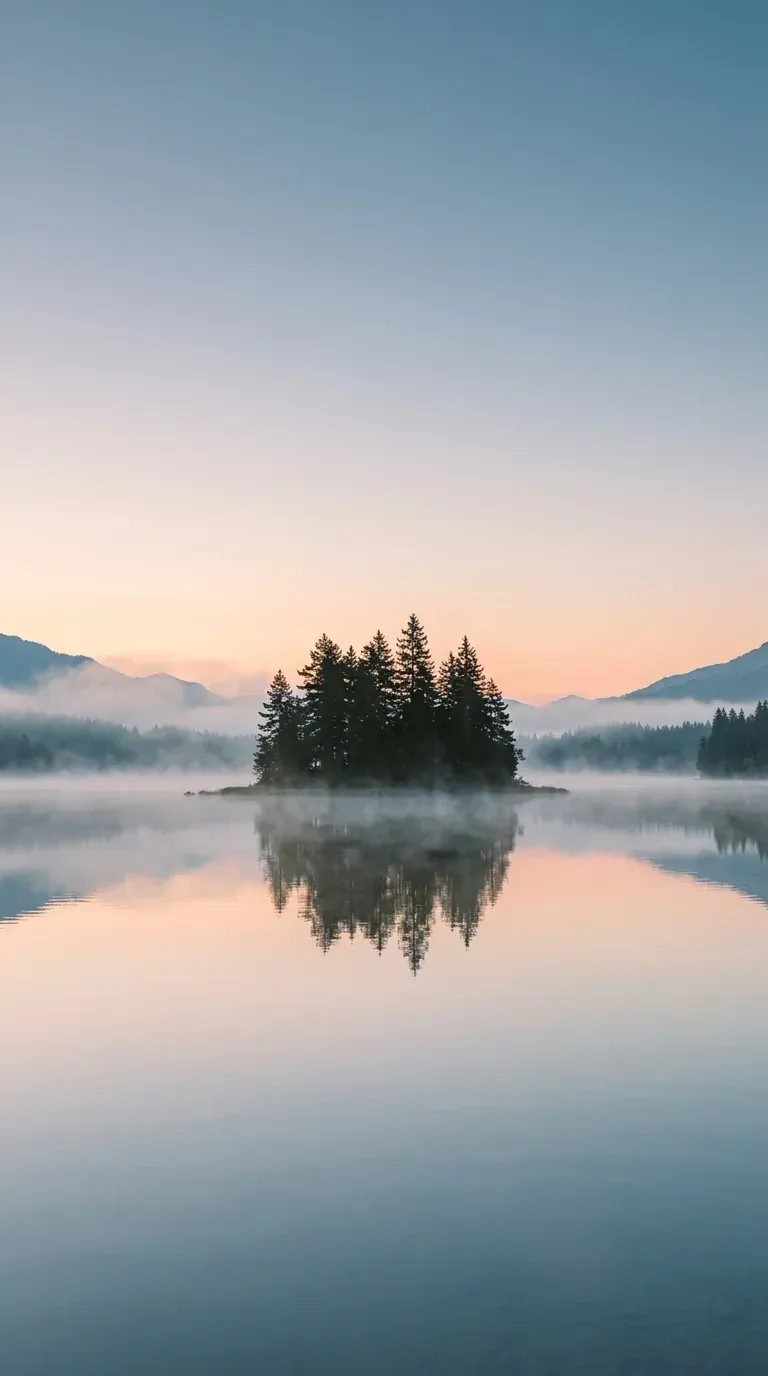
A calm, photographic phone wallpaper built around a single pine-covered island with quiet sky up top and still water below.
Vertical phone wallpaper. A calm alpine lake at sunrise with a single pine-covered island in the middle third, soft mist drifting over glassy water, pale peach and dusty-blue palette, photorealistic with gentle film grain. Keep the upper third as clean, softly graded sky for the lock-screen clock, and keep the lower third as calm reflective water for app icons. No text, no logos, no people, no watermark.
Phone wallpaper: Nano Banana 2 on Omnely, Text to Image, 9:16, 1K (768×1376), 8 credits.
The upper third came out as clean graded sky, the pine island sat in the middle third, and the lower third stayed calm reflective water, so a lock-screen clock and an app grid both land on quiet areas without covering any detail.
Desktop: the matching lake (16:9)
The same scene, flipped wide and rebalanced so the island hugs the right side and the icon side stays plain.
Wide desktop wallpaper. The same calm alpine lake at sunrise with a single pine-covered island placed on the right third, soft mist drifting over glassy water, pale peach and dusty-blue palette, photorealistic with gentle film grain. Keep the left third as quiet mist and sky for desktop icons, and keep the bottom edge calm for the taskbar or dock. No text, no logos, no people, no watermark.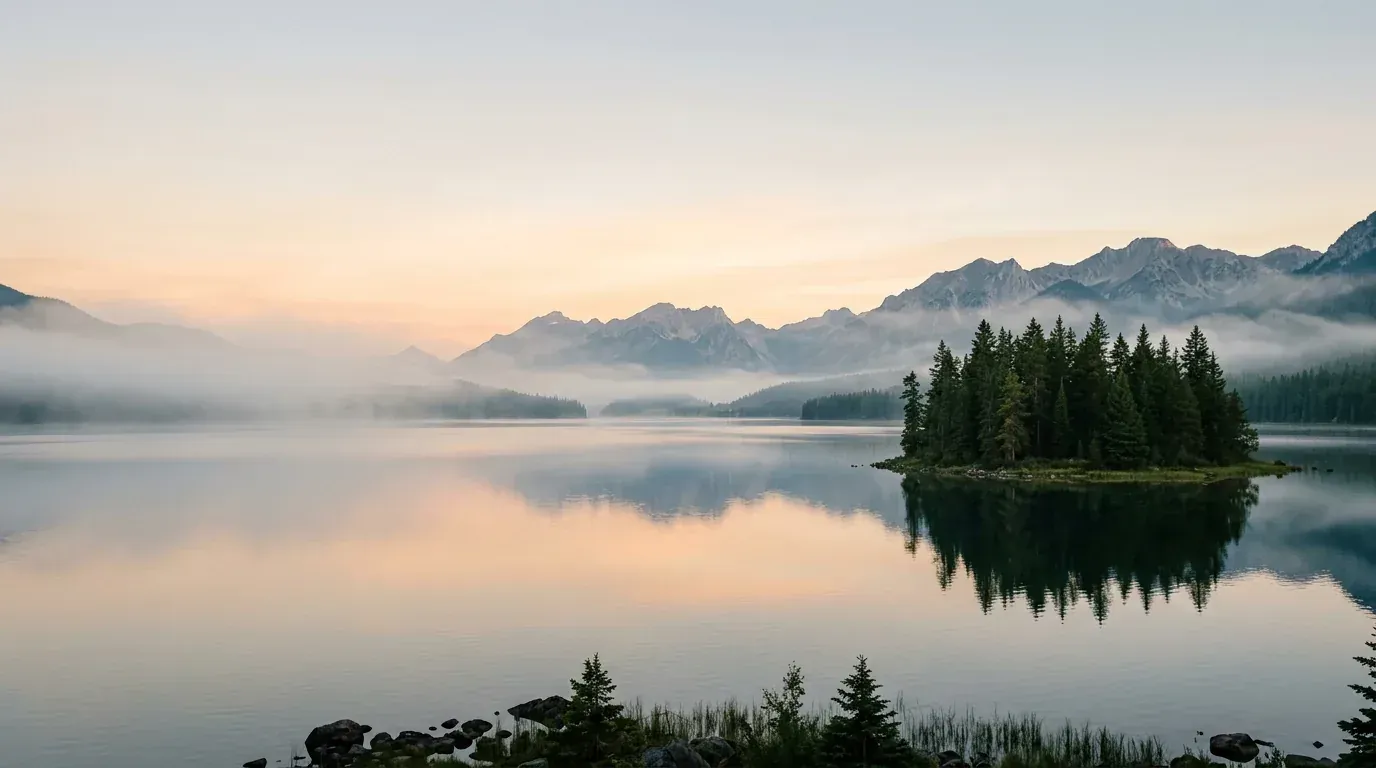
Desktop wallpaper: Nano Banana 2 on Omnely, Text to Image, 16:9, 1K (1376×768), 8 credits. Note the rocks and grass along the bottom edge.
The island moved to the right third and the left third stayed quiet mist and water, which is perfect for a desktop icon column. The bottom edge picked up rocks and grass despite the prompt, so a taskbar may sit over some detail. This is a matching scene in the same palette, not a pixel-for-pixel extension of the phone image — the island and mountains differ between the two generations.
Phone: AMOLED jellyfish (9:16)
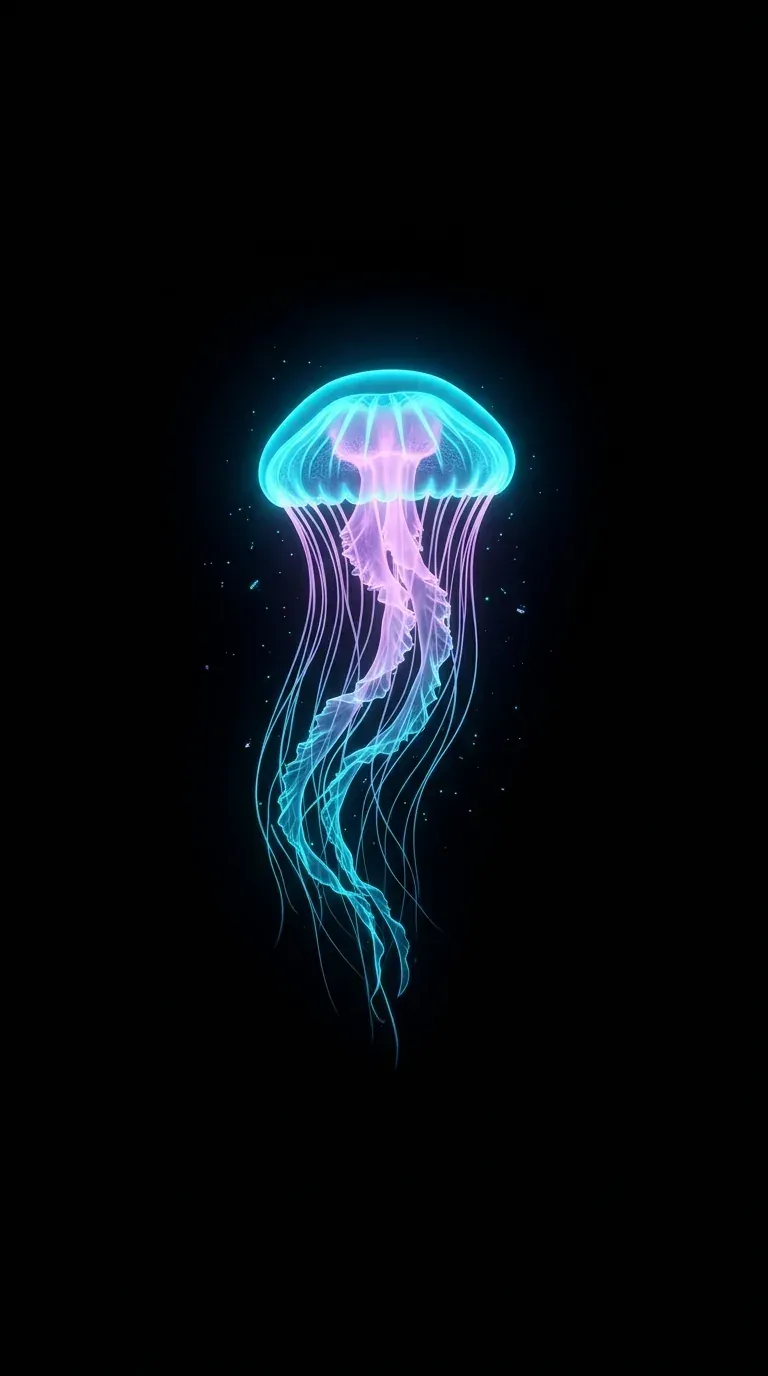
A true-black wallpaper for AMOLED screens, with all the color concentrated in a single glowing subject.
Vertical AMOLED phone wallpaper. A single glowing bioluminescent jellyfish in electric cyan and soft magenta, drifting in the center of the frame with long trailing tentacles, on a pure true-black background with no gradient and no texture. Minimal, crisp, high contrast, tiny scattered particles of light only near the jellyfish. Keep the top and bottom of the frame completely black. No text, no logos, no watermark.
AMOLED phone wallpaper: Nano Banana 2 on Omnely, Text to Image, 9:16, 1K (768×1376), 8 credits.
The background is genuinely black — in the top and bottom 15% of the frame every pixel measured 5/255 or darker, and about half were exactly 0 — with all the color concentrated in the jellyfish and a few particles immediately around it.
Phone: illustrated rainy street (9:16)
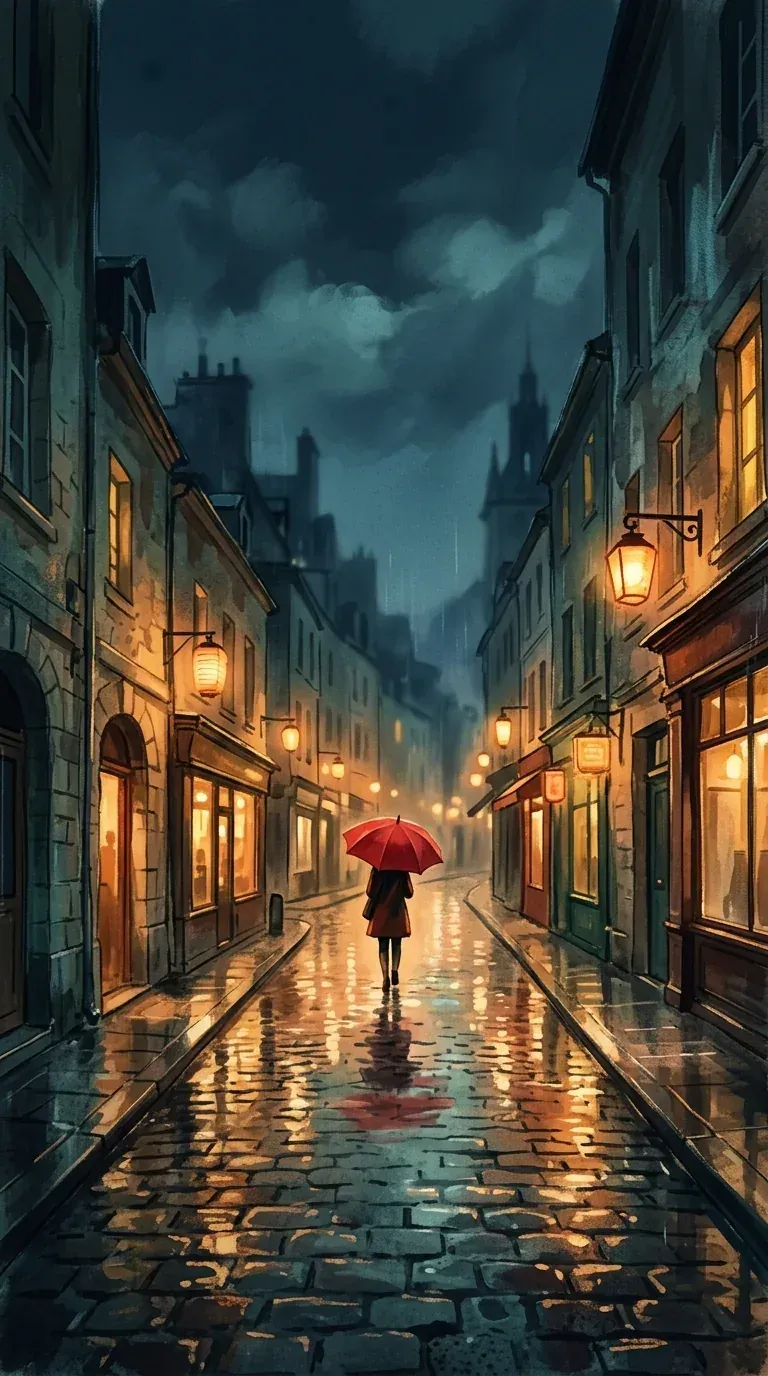
A hand-painted phone wallpaper with a single red accent in the middle and a dark sky zone up top for the clock.
Vertical phone wallpaper in a hand-painted illustrated style. A quiet rainy city street at night seen from a low angle, warm glowing shop windows and paper lanterns reflected in wet cobblestones, a lone red umbrella in the middle third, soft teal and amber palette, visible brush texture. Keep the upper third as a dark, softly clouded sky for the lock-screen clock. No readable signs, no text, no logos, no watermark.
Illustrated phone wallpaper: Nano Banana 2 on Omnely, Text to Image, 9:16, 1K (768×1376), 8 credits.
The upper third rendered as a dark clouded sky, perfect for the clock, and the red umbrella sat in the middle third with a small figure seen from behind. The paper lanterns came out as warm wall lamps rather than hanging lanterns, and no readable text appeared on any shop sign.
Settings and credits for the set
| Wallpaper | Model | Aspect | Resolution | Credits |
|---|---|---|---|---|
| Phone misty lake | Nano Banana 2 | 9:16 | 1K | 8 |
| Desktop misty lake | Nano Banana 2 | 16:9 | 1K | 8 |
| Phone AMOLED jellyfish | Nano Banana 2 | 9:16 | 1K | 8 |
| Phone illustrated rainy street | Nano Banana 2 | 9:16 | 1K | 8 |
| Total | 32 credits ($0.32) |
- A final 4K rerun of any single wallpaper on Nano Banana 2 costs 15 credits; a 2K rerun costs 12.
- The aspect ratio does not change the price — 9:16, 16:9, and 21:9 all cost the same at a given resolution.
Tips for phone and desktop wallpapers
- Keep the clock zone quiet on phones. On most lock screens that is the upper third, so prompt a plain sky, mist, or flat color there.
- Keep the lower third calm for app icons and the dock. Busy water, grass, or texture under icons makes labels hard to read.
- On desktops, decide which side your icons live on and keep that side plain in the prompt — a dark corner on a photograph is often enough.
- Build a matching set by reusing the same subject, palette, and lighting across orientations, and only changing the orientation word and the quiet-zone line.
- For AMOLED, ask for "pure true-black background with no gradient" and put all the color in one subject so the rest of the screen can genuinely power down pixels.
- Avoid text in wallpapers — image models often render it with soft spelling mistakes. View the result at full size before setting it as your wallpaper so you catch any artifacts near the edges.
Other Omnely models for wallpapers
Nano Banana 2 covers 9:16, 16:9, and 21:9 at up to 4K, and a few other Omnely models are worth knowing about.
| Model | 9:16 | 16:9 | 21:9 | Max resolution | Credits |
|---|---|---|---|---|---|
| Nano Banana 2 | yes | yes | yes | 4K | 8 / 12 / 15 |
| GPT Image 2 | yes | yes | yes (tall 9:21 at 1K only) | 4K | 10 / 15 / 20 |
| Seedream 5.0 Pro | yes | yes | no | 2K | 10 / 20 |
| Qwen 3 | yes | yes | yes | 2K | 5 at 1K or 2K (Qwen 3 Pro 6 / 12) |
For a side-by-side with the bigger Google model, see Nano Banana 2 vs Nano Banana Pro; for more prompt ideas in the same family, see Nano Banana Pro prompts.
Use AI wallpapers responsibly
- Avoid copyrighted characters, trademarked logos, and brand marks in your prompts.
- Keep real people out of wallpapers unless you have their permission.
- Check the terms of the service you generate with before selling or redistributing wallpapers.
AI wallpaper FAQ
Can Nano Banana 2 make 4K wallpapers?
Yes. 4K is 15 credits per image. The examples in this post were drafted at 1K for 8 credits each so you can pick a composition cheaply, then rerun the favorite at 4K for the final file.
What aspect ratio works for an iPhone or Android wallpaper?
Use 9:16 on Nano Banana 2. Modern phones are a bit taller (roughly 9:19.5 to 9:20), so keep the subject centered and anything important away from the extreme top and bottom — a small side crop on the lock screen will not hurt the composition.
Which models can make 21:9 ultrawide wallpapers?
Nano Banana 2, GPT Image 2, and Qwen 3 all support 21:9. Seedream 5.0 Pro does not.
Does the aspect ratio change the price?
Not on Nano Banana 2. 9:16, 16:9, 21:9, and the square options all cost the same at a given resolution — 8 credits at 1K, 12 at 2K, 15 at 4K.
Is there a dedicated wallpaper generator on Omnely?
No. Use Nano Banana 2 in the Image workspace and set the aspect ratio and resolution yourself.
About the title card
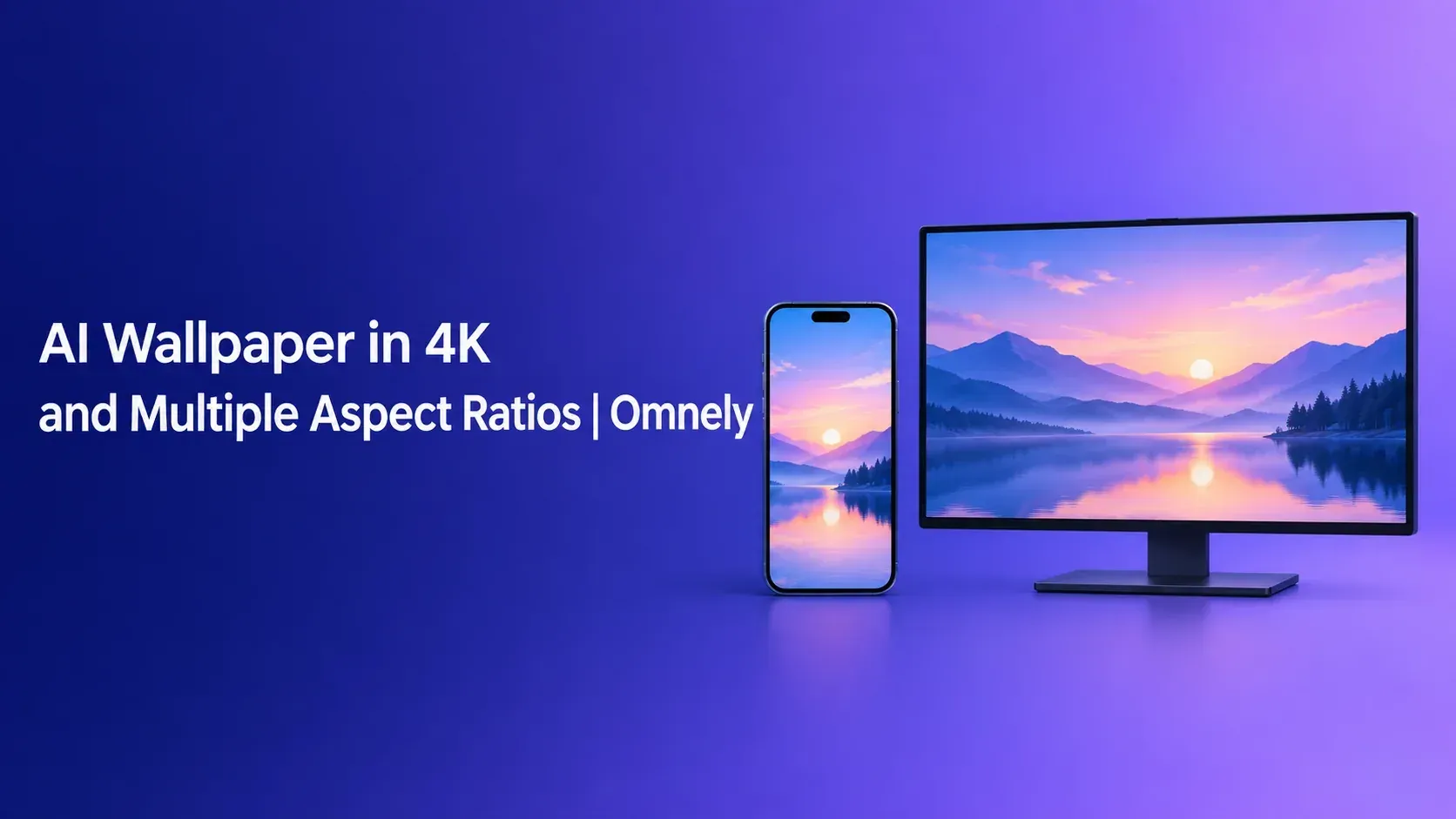
The cover image above was generated on Omnely with GPT Image 2 in Text to Image at 16:9 and 1K for 10 credits, from this prompt:
Wide 16:9 editorial title card for a blog post. Clean modern design on a deep indigo to soft violet gradient background. On the right third, a flat illustration of a smartphone and a widescreen monitor side by side, both showing the same simple misty mountain-lake wallpaper at sunrise; no people, no logos. Large, sharp, fully readable white sans-serif title text on the left, set on two lines exactly as: AI Wallpaper in 4K and Multiple Aspect Ratios | Omnely. Perfect spelling, no extra words, no watermark, no UI chrome.Try this wallpaper prompt
Copy the phone misty lake prompt above, swap in your own subject and palette (a city skyline, a desert dune, a specific flower), and run it on Nano Banana 2 on Omnely at 9:16 and 1K for 8 credits. When one draft clicks, rerun the same prompt at 4K for 15 credits as your final file. New users get free credits when they sign up on Omnely.