AI Clipart With Nano Banana 2
Four AI clipart examples made with Nano Banana 2 on Omnely: flat vector, watercolor, sticker sheet and retro, with exact prompts, results and credits per image.
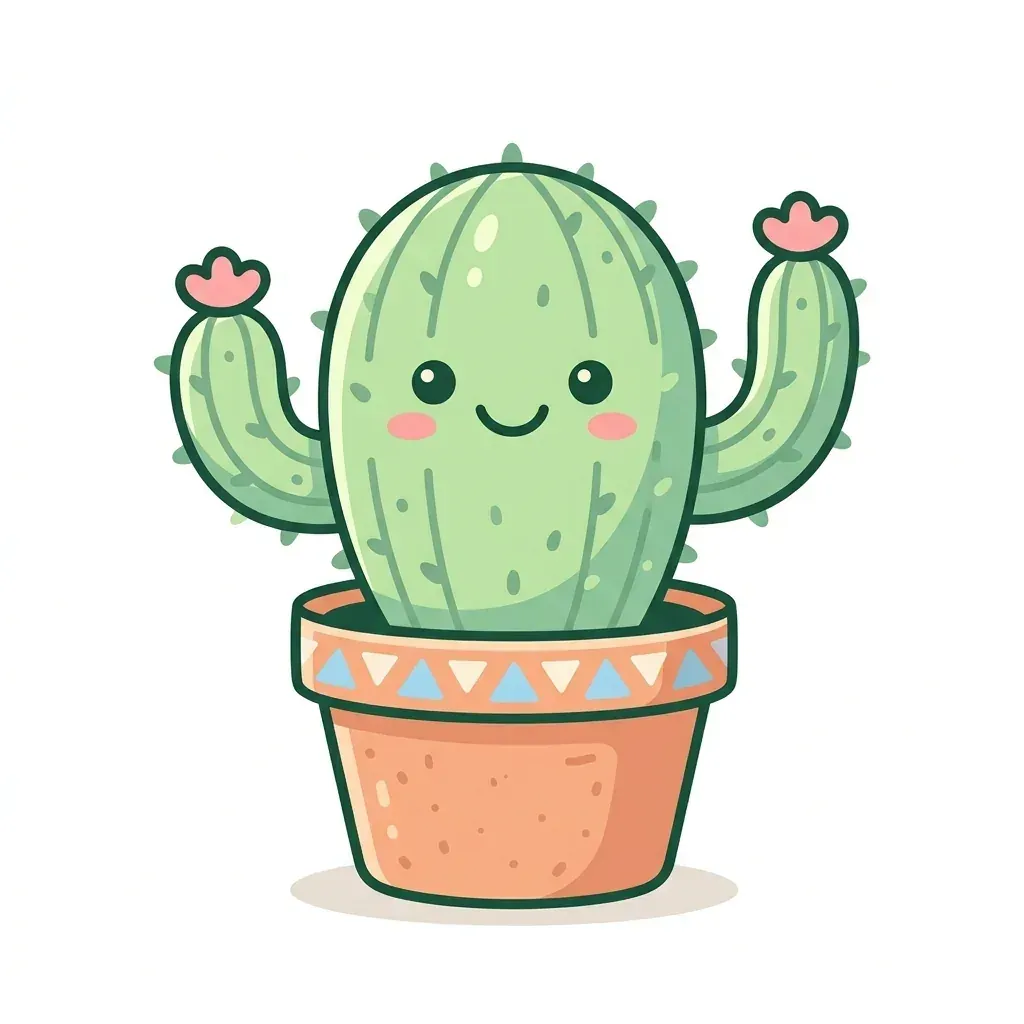
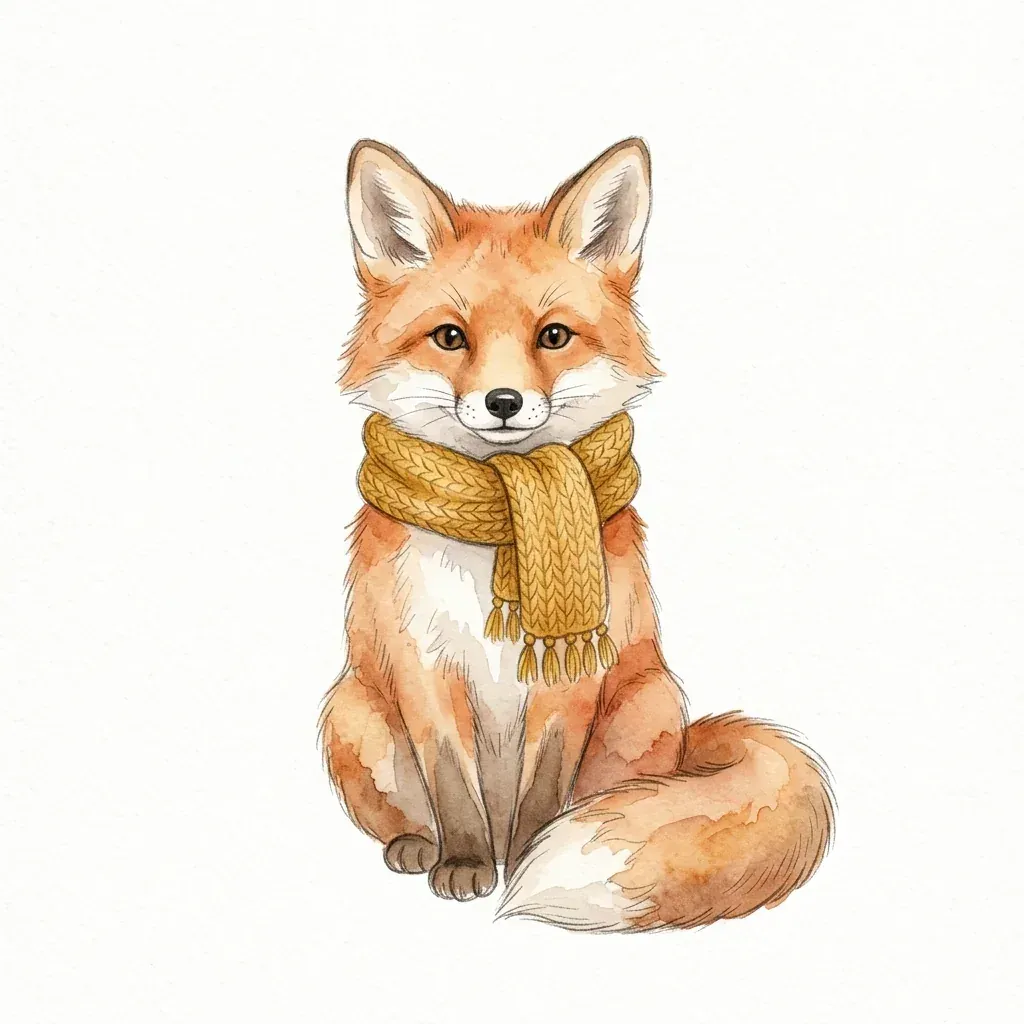
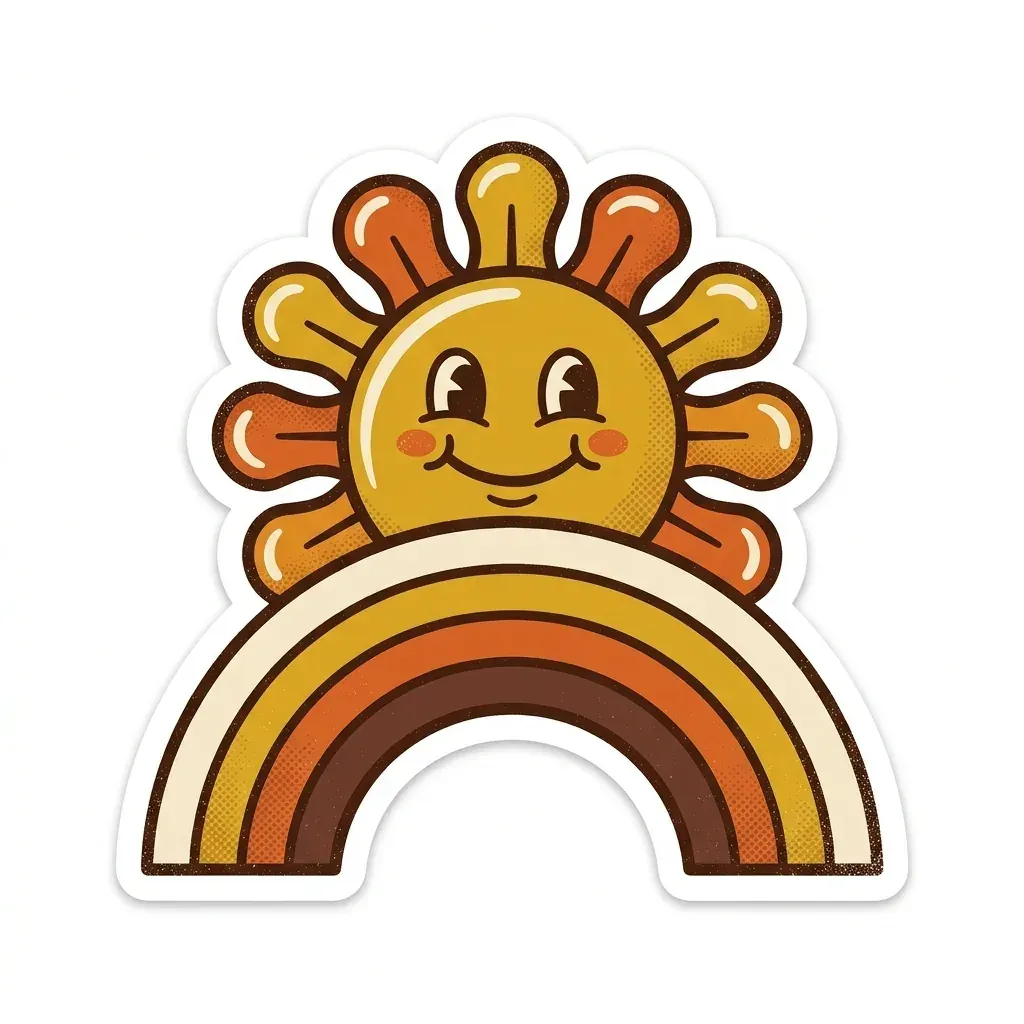
Four AI clipart examples — a flat vector cactus, a watercolor fox, a back-to-school sticker sheet, and a retro 70s sun — were generated on Omnely with Nano Banana 2 at 1:1 and 1K for 8 credits each ($0.08). The cactus, fox, and retro sun were usable on the first run (the cactus picked up a soft ground shadow); the sticker sheet rendered a tidy 3×2 grid but slipped the words "NOTES" and "12" onto two items despite a "no text" instruction. Treat AI clipart generation as prompt-first and inspect-every-tile, not fire-and-forget.
Copy-ready AI clipart prompt
Cute flat vector clipart of a smiling cactus in a terracotta pot, thick clean outlines, pastel colors, isolated on a plain white background, no textRun it on Nano Banana 2 at 1:1 and 1K for 8 credits ($0.08), then swap the subject, palette, and style words to make it yours.
AI clipart styles and the words that trigger them
| Style | Prompt keywords | Good for |
|---|---|---|
| Flat vector | flat vector, thick clean outlines, pastel colors | classroom handouts, slides, icons |
| Watercolor | loose watercolor washes, light pencil edges, soft palette | invitations, nursery prints, cards |
| Sticker sheet | die-cut sticker border, bold outlines, grid, generous spacing | planner stickers, printable sheets |
| Retro 70s | groovy rounded shapes, mustard/orange/brown, halftone grain | shirts, posters, social posts |
| Line art | black line art only, no fill, even line weight | coloring pages, worksheets |
| Kawaii | chibi proportions, big shiny eyes, blush cheeks | stickers, kids content |
The AI clipart prompt formula
A reliable clipart prompt names a style first, then a specific subject, then line and palette details, then composition, then background rules. Stacking the parts in that order gives the model fewer ways to drift.
[Style] clipart of [one subject or a set of N items], [line and shading details], [palette], [single centered subject | neat grid with generous spacing], isolated on a plain white background, no shadow, no text, no watermark- Name the style first — it anchors every downstream choice.
- Keep one subject per image unless you specifically want a sheet.
- Always say "isolated on a plain white background" and "no shadow".
- End with "no text" and "no watermark" — models still sometimes add text, as the sticker example below shows.
AI clipart examples made with Nano Banana 2
Flat vector: smiling cactus
A pastel cactus is the cleanest test of flat vector styling because the outlines and fills are simple.
Cute flat vector clipart of a smiling cactus in a terracotta pot, thick clean outlines, pastel colors, isolated on a plain white background, no text
Flat vector clipart: Nano Banana 2 on Omnely, Text to Image, 1:1, 1K (1024×1024), 8 credits.
Observed: a pastel green cactus with a smiling face, pink blush, two pink flowers, and a terracotta pot with a triangle band, all in thick dark green outlines. Every edge pixel of the background measured 254/255 or brighter (plain white), but a soft gray ground shadow appeared under the pot even though the prompt did not ask for one; add "no shadow" if you plan to cut it out.
Watercolor: fox in a scarf
Watercolor needs words that describe both the medium and the edge treatment.
Watercolor clipart of a small red fox sitting and wearing a knitted mustard scarf, soft loose watercolor washes with light pencil edges, gentle autumn palette, single centered subject isolated on a plain white background, no shadow, no text, no watermark
Watercolor clipart: Nano Banana 2 on Omnely, Text to Image, 1:1, 1K (1024×1024), 8 credits.
Observed: soft watercolor washes with light pencil edges, a fringed mustard knitted scarf and a curled tail, no shadow. The background reads as warm off-white paper (edge pixels 247/255 and brighter) rather than pure white, which matters if you remove the background by color.
Sticker sheet: back-to-school set
A sheet prompt swaps "single centered subject" for a grid and a list of items.
Clipart sticker set of six back-to-school items arranged in a neat grid: pencil, ruler, apple, notebook, backpack, scissors. Flat vector style, bold black outlines, bright primary colors, each item with a white die-cut sticker border, generous spacing, plain white background, no text, no watermark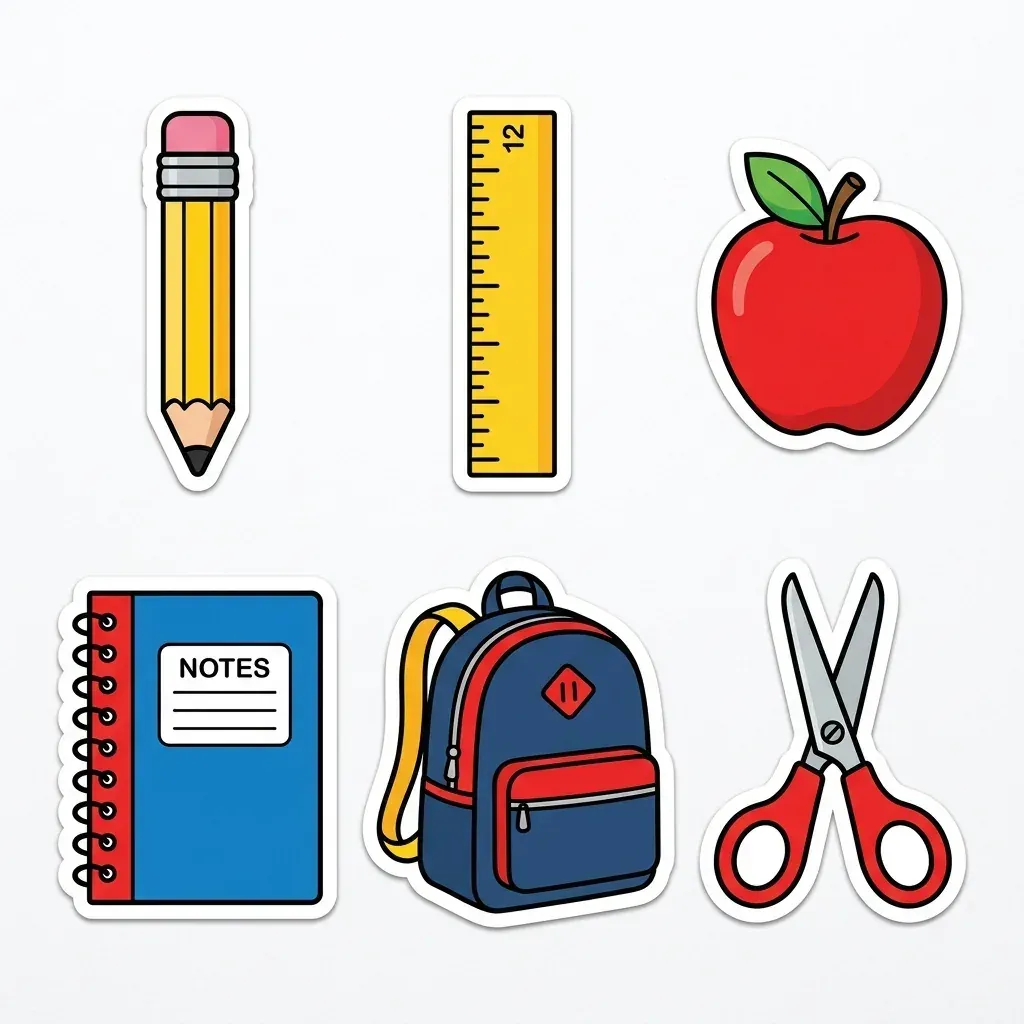
Sticker sheet clipart: Nano Banana 2 on Omnely, Text to Image, 1:1, 1K (1024×1024), 8 credits. Note the stray "NOTES" and "12".
Observed: six stickers in a neat 3×2 grid (pencil, ruler, apple, notebook, backpack, scissors) with white die-cut borders and soft drop shadows on a very light gray background (edge pixels down to 241/255). Despite "no text", the notebook reads "NOTES" and the ruler shows "12", so check sheets for stray text.
Retro 70s: sun over a rainbow
Retro styling leans on era words, a strict palette, and a texture cue.
Retro 1970s style clipart of a smiling sun over a rainbow arc, groovy rounded shapes, mustard, orange, brown and cream palette, subtle halftone grain, white die-cut sticker border, isolated on a plain white background, no text, no watermark
Retro 70s clipart: Nano Banana 2 on Omnely, Text to Image, 1:1, 1K (1024×1024), 8 credits.
Observed: a smiling sun with rounded petal-like rays above a cream, mustard, orange and brown rainbow, halftone grain on the arc and a white die-cut border, on a plain white background (edge pixels 254/255).
Settings and credits for the set
| Clipart | Model | Aspect | Resolution | Credits |
|---|---|---|---|---|
| Flat vector cactus | Nano Banana 2 | 1:1 | 1K | 8 |
| Watercolor fox | Nano Banana 2 | 1:1 | 1K | 8 |
| Back-to-school sticker sheet | Nano Banana 2 | 1:1 | 1K | 8 |
| Retro sun and rainbow | Nano Banana 2 | 1:1 | 1K | 8 |
| Total | 32 credits ($0.32) |
- A 2K rerun costs 12 credits and a 4K rerun costs 15 credits on Nano Banana 2.
- A rerun is a new generation, so details change — shadows, text artifacts, and small shapes may shift between runs.
Transparent PNG and print-ready AI clipart
- Omnely outputs are raster images on the background you prompt for, with no built-in transparent export, so prompt for a plain white background and no shadow, then remove the white in any image editor's background-removal or magic-wand tool.
- A pure white background removes more cleanly than off-white paper texture — if a watercolor piece drifts toward paper tone, add "pure white background" to the prompt.
- For print, 1024×1024 at 300 dpi prints about 3.4 inches wide, so rerun favorites at 2K or 4K for larger prints.
- For a cutting machine or a true vector file, trace the PNG in a vector editor yourself — Nano Banana 2 outputs are not vectors.
Building a consistent AI clipart set
- Keep one fixed style line and palette and only swap the subject between generations.
- Generate items one per image for cleaner edges, or as a sheet for a matching look — pick one method for the whole bundle.
- Use a finished piece as a reference image in Nano Banana 2 (up to 14 references) to lock the style across new subjects.
- Keep spacing generous on sheets so items cut apart cleanly and borders stay crisp.
- Review every item for stray text, extra shadows, miscounts, and odd ground lines.
Other Omnely models for clipart
Nano Banana 2 is the default pick for drawn clipart, but a few other models solve specific problems in the Image workspace.
| Model | Strength for clipart | Credits |
|---|---|---|
| Nano Banana 2 | style range, editing, up to 14 references | 8 / 12 / 15 at 1K / 2K / 4K |
| GPT Image 2 | clipart that needs readable words, like labels or banners | 10 / 15 / 20 |
| Qwen 3 | low-cost drafts, layouts and typography on Pro | 5 at 1K or 2K (Pro 6 / 12) |
| Seedream 5.0 Pro | photoreal objects rather than drawn clipart | 10 / 20 |
For a side-by-side on the Nano Banana line, see Nano Banana 2 vs Nano Banana Pro. For another Nano Banana 2 walkthrough with similar prompt structure, read the AI wallpaper guide.
Copyright and commercial use
- The US Copyright Office's January 2025 report (Part 2, Copyrightability) says purely AI-generated material is not protected by copyright and prompts alone are generally not enough to establish authorship.
- Human selection, arrangement, and modification of AI outputs may be protectable on a case-by-case basis — editing, composing sets, and cleaning assets can matter.
- Avoid trademarked characters, logos, mascots, and brand marks in prompts; those protections do not disappear because the output is AI-generated.
- Check the terms of the service you use and of any marketplace or print-on-demand platform before selling clipart; policies on AI-assisted work vary.
AI clipart FAQ
Can Nano Banana 2 make clipart with a transparent background?
There is no built-in transparent export on Omnely. Prompt for a plain white background and no shadow, then remove the white in any image editor to produce a transparent PNG.
What size is AI clipart at 1K?
At 1:1 and 1K, Nano Banana 2 outputs measured 1024×1024 pixels — about 3.4 inches wide at 300 dpi. Rerun at 2K (12 credits) or 4K (15 credits) for larger prints.
How do you stop text appearing in clipart?
Say "no text" in the prompt, keep words out of the subject description (name a plain notebook, not one that reads a word), and recheck sheets for stray letters. If you actually want words on the clipart, use GPT Image 2 instead.
Is there a dedicated clipart generator on Omnely?
No. Clipart is produced with general image models — Nano Banana 2 is the usual pick — inside the Image workspace.
How much does a set of AI clipart cost?
Each image is 8 credits at 1K on Nano Banana 2, so the four-piece set above cost 32 credits ($0.32). A rerun at 2K costs 12 credits and at 4K 15 credits per image.
About the title card
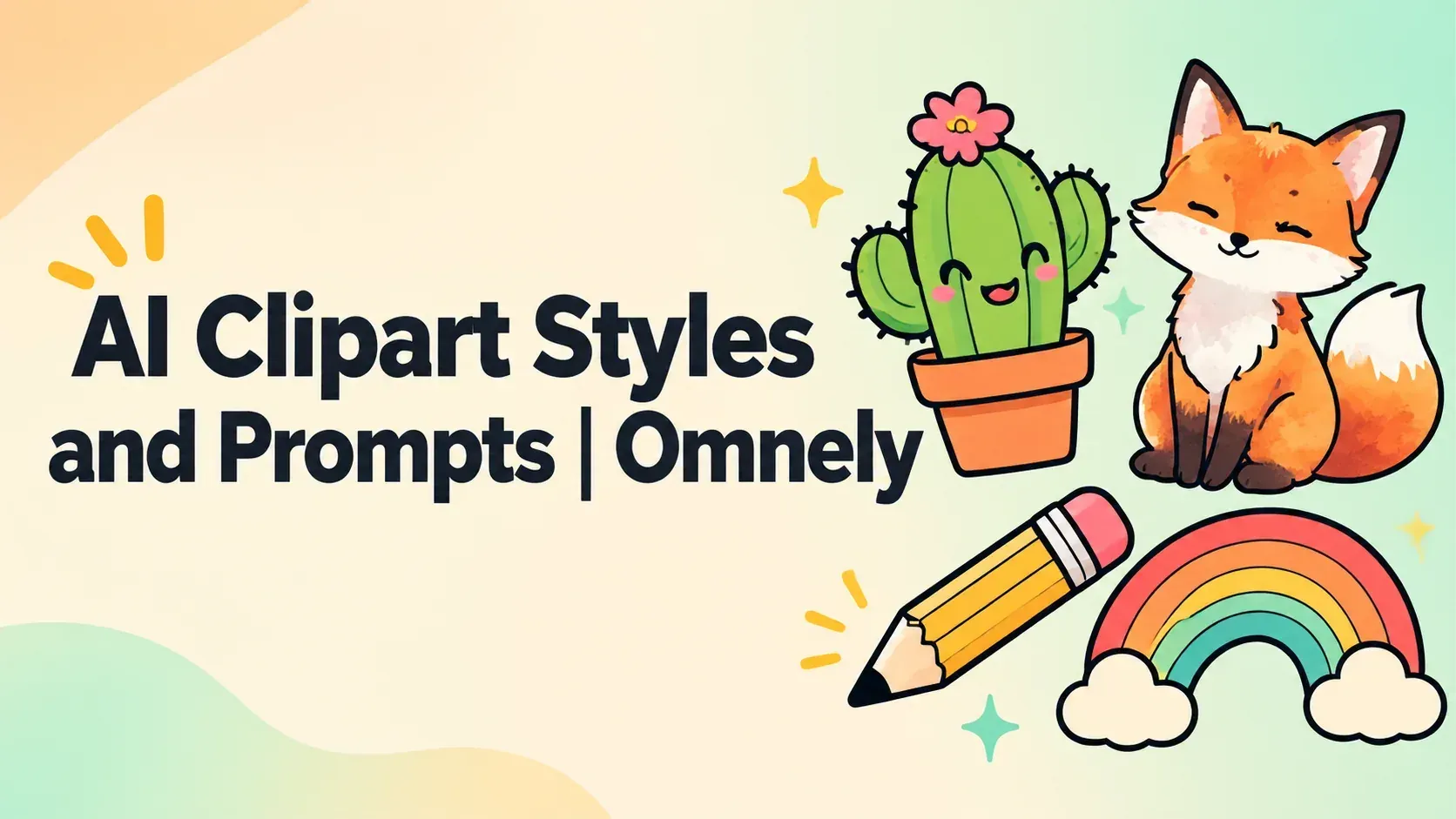
The cover was generated on Omnely with GPT Image 2 in Text to Image at 16:9 and 1K for 10 credits from this prompt:
Wide 16:9 editorial title card for a blog post. Clean modern design on a soft cream background with a subtle warm-to-mint gradient. On the right third, a small arranged set of flat vector clipart illustrations: a smiling cactus in a terracotta pot, a watercolor-style fox, a pencil and a retro rainbow, each with thin outlines; no people, no logos. Large, sharp, fully readable dark charcoal sans-serif title text on the left, set on two lines exactly as: AI Clipart Styles and Prompts | Omnely. Perfect spelling, no extra words, no watermark, no UI chrome.Try this clipart prompt
Copy the cactus prompt above, swap the subject and palette for something you actually need, and run it on Nano Banana 2 on Omnely at 1:1 and 1K for 8 credits. When a run earns a spot in your set, rerun that keeper at 4K for 15 credits so you have print-ready pixels. New users get free credits when they sign up on Omnely.