Seedance vs Kling
Pick Seedance 2.0 for cinematic, reference-driven short clips with multi-shot coherence, and Kling 3.0 for longer, physically realistic motion with optional audio — both on one Omnely credit balance.
If you're deciding seedance vs kling for your next AI video, the short answer is this: pick Seedance 2.0 when you want cinematic, reference-driven short clips with multi-shot coherence, and pick Kling 3.0 when you want longer, physically realistic motion with optional audio. Both live inside Omnely under one login and one credit balance, so you can test either without a separate subscription.
This guide gets you to a decision in a few minutes — no architecture deep-dive, just a comparison table, the trade-offs that matter, and pasteable prompts you can drop into either model.
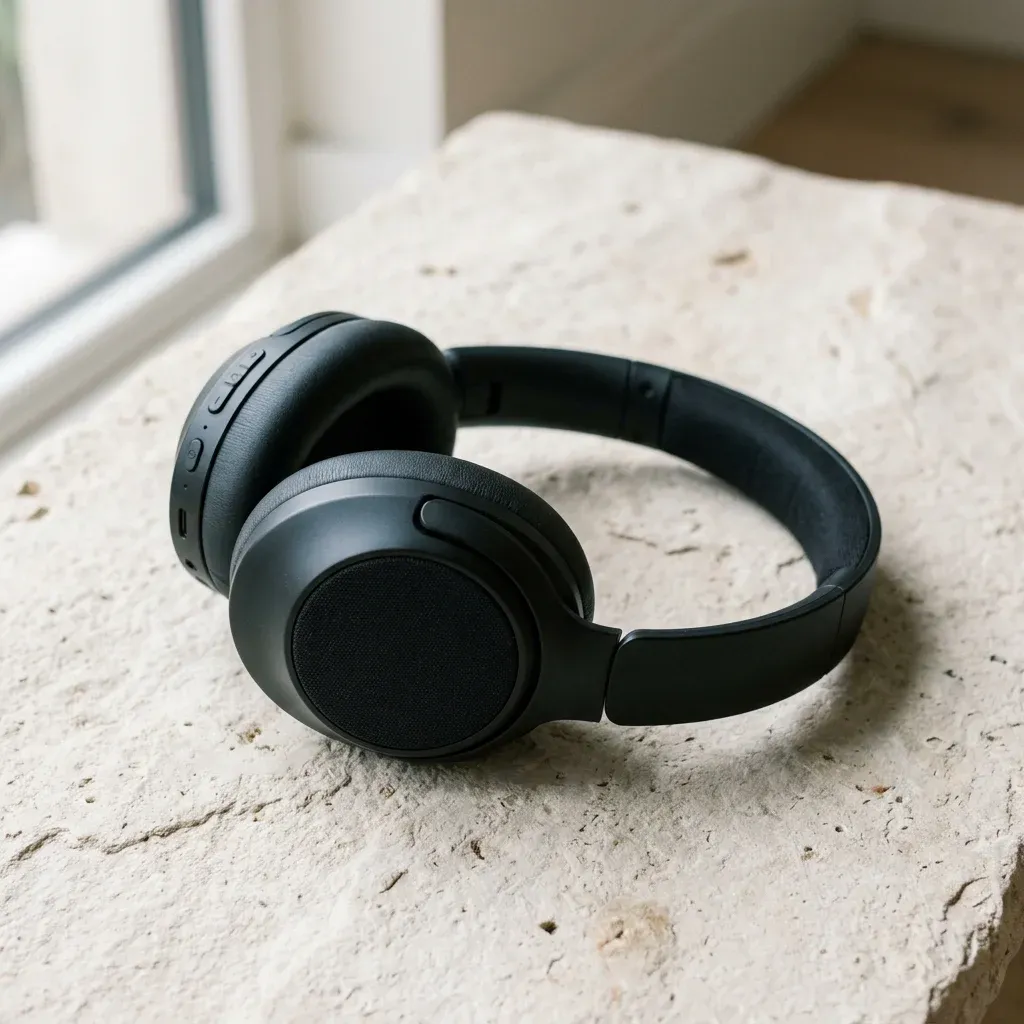
Same still as frame one for Seedance 2.0 and Kling 3.0 image-to-video.
Seedance vs Kling at a glance
Both models handle text-to-video and image-to-video. The differences show up in duration, control, and output feel.
| Feature | Seedance 2.0 | Kling 3.0 |
|---|---|---|
| Maker | ByteDance | Kuaishou |
| Clip length | 2–12 seconds | 3–15 seconds |
| Max resolution | Up to 1080p, 24 fps | 1080p (Std / Pro modes) |
| Reference control | 1–4 reference images, start and end frames | i2v from a single starting image |
| Multi-shot coherence | Yes | Single continuous shot |
| Audio | Video-only on the 2.0 model page | Optional audio on supported generations |
| Checkout on Omnely | From 50 credits / 4s (homepage from-price) | From 12 credits/sec Standard; Pro 17+ credits/sec |
1 credit = $0.01 at Omnely checkout. Final cost varies by duration, mode, and audio settings on Kling, and by resolution and duration on Seedance.
When to pick Seedance 2.0
Seedance 2.0 is built for creators who want to direct a scene rather than just prompt one. The 1–4 reference images plus explicit start and end frames give you the tightest grip on character look, product design, and shot composition.
Pick Seedance 2.0 when:
- You need brand or character consistency — feed a product photo or hero still as a reference and animate around it.
- You're doing image-to-video — you already have a strong still and want motion that respects its composition, color, and framing.
- You want multi-shot coherence — cutting between angles inside a short clip while keeping the subject stable.
- The output is short-form — hero shots, product beauty passes, cinematic B-roll, storyboard animatics.
- You want a predictable start and end frame — useful when the clip needs to loop or hand off cleanly to the next segment.
Seedance 2.5 is also in the Omnely lineup if you later need a longer or higher-resolution variant, but this guide sticks to 2.0 for a like-for-like comparison against Kling 3.0.
When to pick Kling 3.0
Kling 3.0 is the one to reach for when the video has to feel physically real — bodies in motion, cloth, water, collisions, faces speaking. Standard mode is efficient; Pro mode raises quality and cost.
Pick Kling 3.0 when:
- Human motion is the point — dance, sports, gestures, walking, talking heads.
- You need up to 15 seconds in a single continuous shot.
- You want optional audio baked in on supported generations, so you don't have to score short clips separately.
- You're animating a single hero image — Kling's i2v is strong at pulling motion, camera, and style directly from the prompt.
- You want a quality dial — start on Standard (from 12 credits/sec), move to Pro (17+ credits/sec) for the final take.
Cost intuition on Omnely
Because both models share one credit balance, cost comparison is straightforward. Everything below assumes 1 credit ≈ $0.01.
- Seedance 2.0: from 50 credits / 4s (~$0.50) as the homepage from-price. Longer clips and 1080p output cost more at checkout.
- Kling 3.0 Standard: starts at 12 credits/sec. An 8-second silent Standard clip lands near 96 credits (~$0.96) before audio or Pro upgrades.
- Kling 3.0 Pro: 17+ credits/sec. An 8-second Pro clip starts around 136 credits (~$1.36), and audio adds to the rate.
The practical takeaway: for a quick 4-second cinematic hero clip driven by references, Seedance's from-price is competitive. For 8–15 seconds of realistic motion or dialogue, Kling scales more naturally because it's priced per second.
Pasteable prompts
Use these as starting points. Both models respond best when you describe motion and camera, not the static image.
Seedance 2.0 — image-to-video, product hero
Reference: [upload product photo as first frame]
Prompt: Slow 3-second dolly-in on the product against a soft gradient
backdrop. Gentle rotation of the object clockwise, warm rim light
sweeping across the surface. Subtle dust particles in the air.
Cinematic, shallow depth of field, 24 fps, cohesive with reference
color palette. End frame: product centered, fully in focus.
Seedance 2.0 — multi-shot cohesion
Reference 1: hero character portrait
Reference 2: environment plate
Prompt: Two-shot sequence. Shot A (0-2s): medium close-up, character
turns head toward camera left, eyes tracking. Shot B (2-4s): wider
shot in the referenced environment, character walks forward two
steps. Continuity of wardrobe, lighting, and grade across both shots.
Kling 3.0 — text-to-video, realistic motion
A street dancer performs a smooth top-rock into a freeze on wet
pavement at night. Neon signs reflect in puddles. Handheld camera
orbits 90 degrees during the freeze. Realistic cloth motion on the
jacket, natural weight shift, 8 seconds, 1080p.
Kling 3.0 — image-to-video with audio
Starting image: [upload portrait of a chef in a kitchen]
Prompt: The chef looks up at the camera and says "Service is on."
Steam rises from the pan behind. Slow push-in over 6 seconds.
Ambient kitchen sound and light sizzle. Realistic lip sync,
natural micro-expressions.
A workflow that uses both
Because Seedance and Kling share your Omnely credit balance, you don't have to marry one model. A common pattern:
- Draft with Seedance 2.0. Use references and start/end frames to lock character, color, and composition in a 4-second clip.
- Extend with Kling 3.0. Take the final frame of your Seedance clip as Kling's input image, then generate up to 15 seconds of continued motion with optional audio.
- Upgrade the hero shot. If a specific beat needs more realism, re-render just that beat in Kling 3.0 Pro instead of paying Pro rates for the whole sequence.
This is where a single-workspace approach pays off — no juggling separate provider accounts, and the credit math stays consistent across models.
Quick decision cheat sheet
- Product video, 4–8s, brand-critical look → Seedance 2.0 with references.
- Talking head or character performance, up to 15s → Kling 3.0, add audio.
- Storyboard animatic with cuts inside one clip → Seedance 2.0 (multi-shot).
- Action, dance, sports, physics-heavy scene → Kling 3.0 Pro.
- Loopable social clip with clean start/end → Seedance 2.0 with start and end frames.
- Final-quality hero shot after a Standard draft → Kling 3.0 Pro for the take.
Try both under one login
Seedance 2.0 and Kling 3.0 both live in Omnely's video catalog alongside 40+ other models. One login, one bill, one credit balance across chat, image, video, and audio.
- Explore Seedance 2.0 for reference-driven cinematic clips.
- Explore Kling 3.0 for realistic motion up to 15 seconds with optional audio.
- Browse the full Omnely video lineup to compare against Veo 3.1, Wan, Seedance 2.5, and more.
The best way to settle seedance vs kling for your workflow is to run the same prompt through both and let your eyes decide. Omnely makes that a two-tab test, not a two-subscription decision.